

It is that time of the month again when we test out some newly discovered apps to help you enhance your Android experience. This month’s list covers the launch of a much-awaited app, an app that enables you to make music in seconds, and an app that helps you keep your home screen clean. We’re sure you’ll love this month’s best free Android apps!

Hundreds of apps are uploaded to Play Store every week, but the ones featured are already popular. Therefore, finding a few hidden gems is a task.
That’s precisely why we plan to write this list of the best free Android apps every month so that you stay updated with the latest apps for Android. Besides, all these apps are free to use. Read on to check our list of the best free Android apps for this month!
1. ChatGPT: OpenAI’s Official App is Finally Here
Google Play Store was flooded with apps that claimed to offer ChatGPT’s functionality, but every single one of them was far from usable. Thankfully, OpenAI has launched the official ChatGPT app for Android and iPhone.
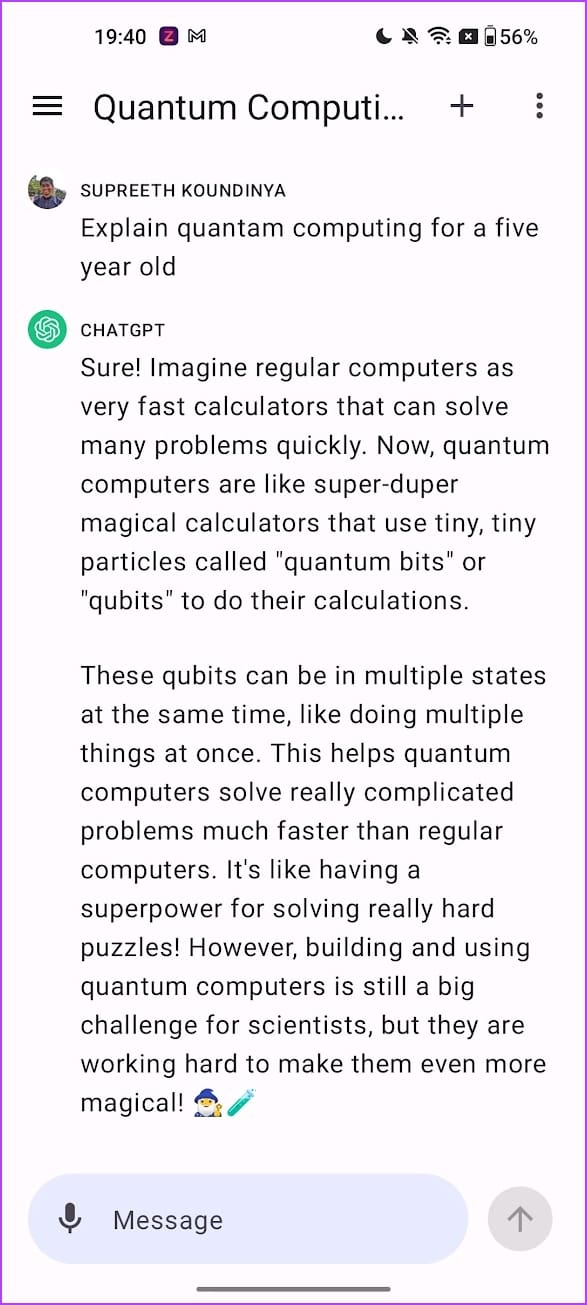

To use the app, log in with your OpenAI account. The haptics on the app deserve a special mention; they add up to the neat-looking user interface. Thus, providing a fantastic user interface. As soon as you open the app, you can start a conversation with the chatbot.
You get the same set of options as the ChatGPT web application. You can view and delete your chat history, export chat data, and delete your account. You also get an option to turn off data sharing with OpenAI as well. The app is free to use, and it does not have any advertisements. However, to access all the features of ChatGPT, you need to subscribe to the ChatGPT Plus version.
Price: Free
2. Giga Icon: Add What Matters the Most to Your Home Screen
Do you always have trouble finding a specific app icon among the list of apps on your home screen? If yes, a solution would be to remove app icons from the home screen and keep it simple. However, you’d still need a few essential apps on your home screen, so how about increasing the size of the app you open the most? This is exactly what Giga Icon does!

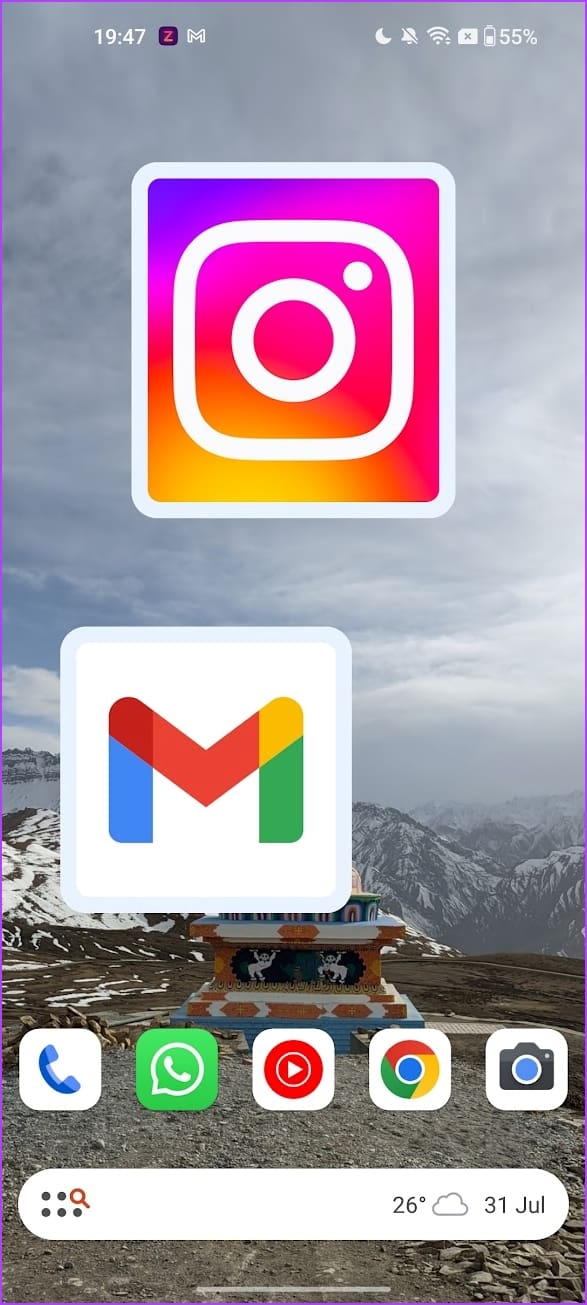
Giga Icon helps you add an enlarged icon of an application to your home screen. It essentially takes the icon of the app and makes it into a resizable widget. The app is quite simple to use, and all you need to do is select the app icon you want to enlarge on your home screen. The app is entirely free to use, and there are no advertisements.
Price: Free
3. Data Monitor: Solves the Bane of 5G
The 5G revolution is here, and you have the speeds of a Wi-Fi network on your smartphone. The downside, however, is that data is consumed at faster speeds, thus exhausting your limit. This is a problem in countries where 5G is introduced without changing the plan’s data bandwidth.
Therefore, effective data monitoring is important to know which application consumed the most data. The third app on our list, called Data Monitor, helps you do it.

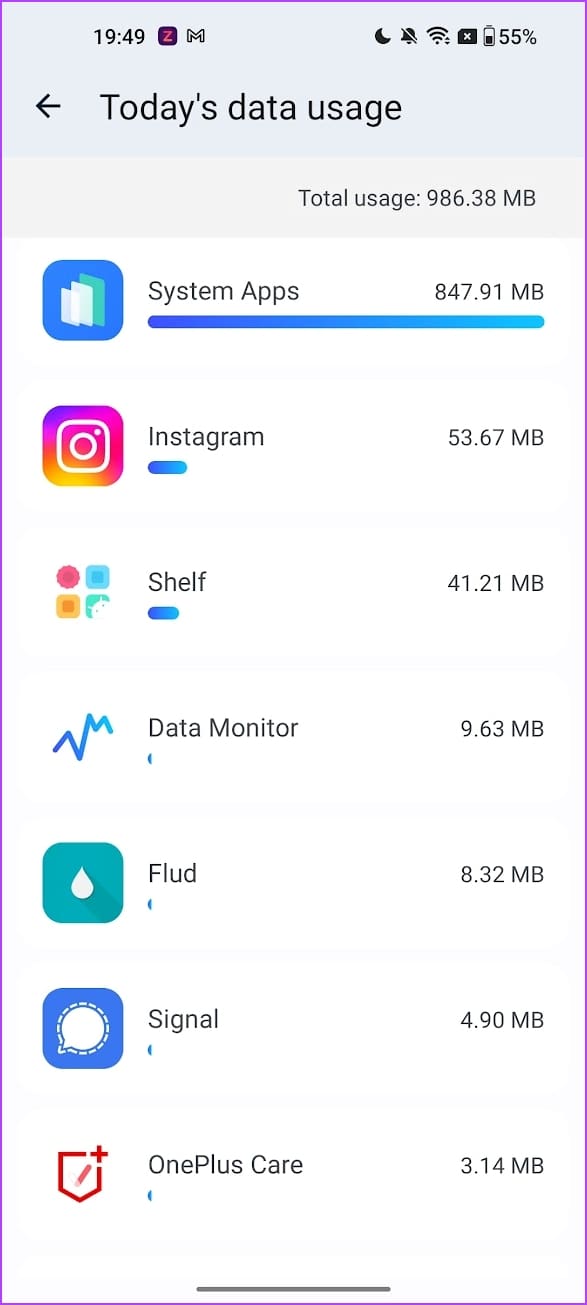
The app has a beautiful user interface, and it is one of the best-looking data monitoring apps we’ve used. You can add a widget showing your data consumption statistics, and the app also provides you with notifications.
You can also see in-depth statistics on how each app consumes both your Wi-Fi and cellular data. Further, you can use filters that effectively provide the data consumption details you want. The app also has a network diagnostics tool that helps you diagnose the network and check for any problems. The app is fully free to use and does not come with any ads.
Price: Free
4. Awake – Intelligent Alarms: No More Snoozing
We empathize with you if you hit the snooze button a million times on your morning alarm. We enjoy the extended sleep, but it soon turns into regret and misery, and we promise ourselves to wake up on time, and we all know how that works. Well, if you’re guilty of breaking such promises – here’s an app that helps you wake up without using the snooze button!


Awake Intelligent Alarms is an app with unique challenges to stop the alarm. You can set challenges like solving a math problem, shaking your smartphone, playing a game, or using a passcode or a pattern to stop the alarm. All these will brighten your senses and prepare you to get out of bed and start your day.
You can create alarms for sleep, naps, and habits. This wide range of alarm templates is another reason this is a better choice for an alarm application. The user interface is well designed as well, and the ads on the app are quite minimal and non-intrusive. The premium version unlocks more challenges you can set with an alarm and a few advanced options to customize alarms and timers.
Price: Free; Paid Features: $0.99 onwards
5. Melodia – AI Music Generator: Create New Music Beats Using AI
Artificial Intelligence is a massive boost to our creative ideas. Thoughts and ideas can instantly be manifested into reality with a wide range of tools. The fifth app in this article helps you create music from the text. Here’s everything you need to know about Melodia – AI Music Generator.

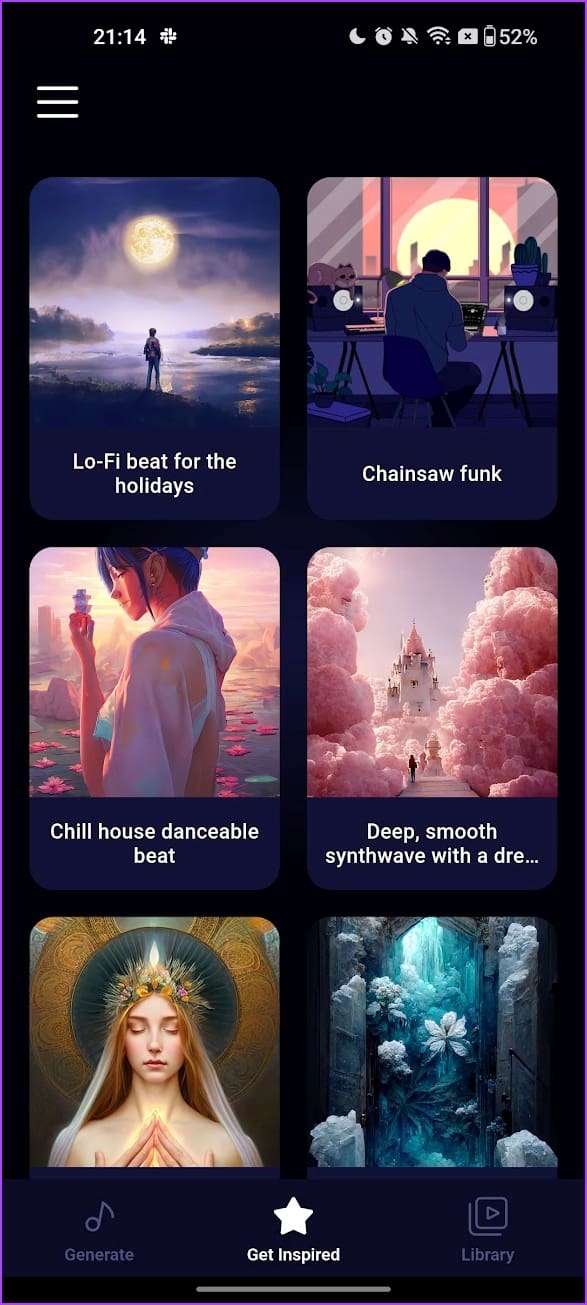
Melodia is an app that generates music from prompts. The free version of the app lets you create five-second beats. Once you enter the prompt, you can select the music style. The prompt suggestions help you start to understand how to write a prompt. Further, there’s also an Inspiration section where you can find ideas to generate music.
The generated music will be stored in your library, and you can export it to your storage. The app is free to use, and the paid version increases the beat duration by up to thirty seconds and adds more music styles.
Price: Free; Paid Features: $6.99 onwards
6. Neurobit Zen: AI to Improve Your Sleep
Sleep is a crucial aspect of maintaining good physical and mental well-being. However, many of us have trouble falling asleep when we hit the bed. Well, there’s an AI for solving this problem, and this app is called Neurobit Zen.


Neurobit Zen aims to improve the quality of your sleep. The app has various soothing sounds allowing you to relax and quickly fall asleep. The app generates sounds based on your preferences and sleep patterns. The app asks you a few questions before you set it up to understand how you fall asleep.
Based on your responses, the app creates a unique, tailormade sound for you and a calming visual. The sound is a mixture of ambient sound, white noises, and a human voice with instruction. You can further customize this sound by adjusting its parameters. The app is fully free to use, and it does not have any ads. However, a sign-in is mandatory to use the app.
Price: Free
7. Unitto: Brand New Calculator App for Android
The built-in calculator app on your device most likely offers just the basic features. However, the calculator is an essential tool, and a feature-rich application can help you in various situations. Here’s an app called Unitto that adds various functionality to a calculator.
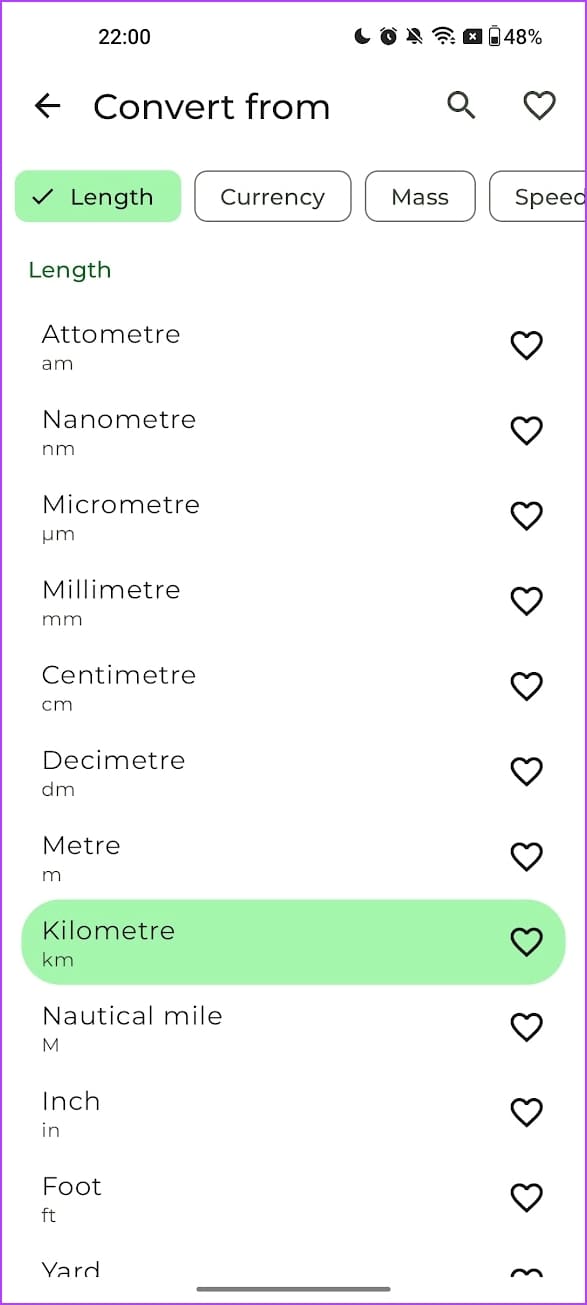

What we love about the app is the built-in converter that it offers. You can select from a wide range of quantities to convert and make your calculations easier. Further, the interface is fully customizable, and you can choose the color schemes you like. We also love the date difference calculator, which helps you find the number of days between two dates.
The app is fully free to use and does not have any ads.
Price: Free
That was the list for August. Missed out on our best free Android apps for July? Don’t worry! Scroll down to see the list.
7 Best Free Android Apps to Try in July 2023
1. Screen Protector: Secure Your Screen
While we all get excited by the features and the conveniences our smartphone offers, we shouldn’t forget to consider privacy. Bad people on the internet find new ways to steal your data with each passing day. Did you know that apps can maliciously capture screenshots or record your screen without knowing? The first app in this list is here for rescue.

The app is quite simple. All it does is work in the back end to protect you from apps that try to steal your data by screenshots and screen recordings. The app says it blocks screenshots and adds a black screen to all screen recordings, keeping your information safe.
However, the free version of the app only offers the basic toggle to either enable or disable the main feature. For example, using the app’s protection services on specific apps only is a feature that you must pay for.
Price: Free; Paid Version: $1.49 onwards
2. Yearly Progress: Watch Time Go By
It only seems like yesterday that we were writing the best apps to use for January 2023. Turns out it is already July now. How does the time go by so quickly? Wouldn’t it be better if there was a constant progress bar in our life, reminding us how much of the year is complete? Yup, you guessed it right – here’s an app for that.

Yearly Progress is a simple, well-designed app that has widgets showing the day, month, and year progress in percentage. What’s good is that it also follows the Material You design language, and the colors of the widget adapt to the colors of your wallpaper. All you need to do is select the widget you want to add, and it will be automatically added to your home screen.
The app is free to use, and ads are present only within the app’s interface and not the widget. We love interesting widgets, therefore, we were indeed tempted to add Yearly Progress to this list of best free Android apps for July 2023.
Price: Free
3. Statista Daily Data: Get Unique Insights
In the 21st century, the world runs on data and statistics. Agencies like Statista have been computing statistics and numbers and providing them to organizations and individuals upon request. But recently, Statista used the statistics they’ve evaluated throughout the years and have built a fun infotainment app called Statista Daily Data.

If you love numbers and stats, this app is a must-have on your Android device. Where news apps are filled with opinions, and skewed and questionable headlines, Statista is a good chance – it only focuses on numbers. You can see different statistics daily, with colorful infographics and companion text. Further, you get to see all statistics based on different categories. To make it better, you also get subcategories that go deeper into specific data.
You can save the cards you like and even share them with your friends. Our favorite feature has to be the motion cards, which show how the numbers have evolved throughout the years. The app is well-designed, entirely free to use, and has no ads. Thus, deservedly grabbing a place in this month’s list of best free Android apps.
Price: Free
4. CardZap: Create a Digital Buisness Card
Gone are those days when you’d keep a stack of freshly printed business cards on your desk. When was the last time you ever handed over someone your business card? That is correct – we don’t remember doing it too. However, apart from sharing your contact details or manually crafting a digital business card, there hasn’t been a dedicated app or a tool to do it. But it looks like CardZap is here to change that!

CardZap lets you add all the information you want onto a digital business card. You can also add a photo to make it look detailed. A good level of customization is offered, and you can even customize the font style and size on your card. Once you create your card, you can generate a QR code for the same, and anyone can scan it to access your business card.
Further, you can add information on the other side, like a double-sided physical card. If your contacts use the app, you can view their business cards in the Contacts tab. The app is free to use, and we did not notice any ads either.
Price: Free
5. CleverType: ChatGPT on Your Keyboard
Is any tech-related content complete without mentioning ChatGPT at least once? Nope. OpenAI has set out to completely change how we interact with technology. Once they released GPT to the public with a chatbot-like interface, they parallelly gave scope for a million more use cases. A ChatGPT keyboard for an Android device seems to be a good one, and here’s an app called CleverType.

CleverType has ChatGPT integrated into its keyboard. Hence, whatever you type, you can ask ChatGPT to evaluate the same and start a conversion with you. Further, there’s also a built-in paraphrasing tool, a grammar correction tool, and a translation tool – all of which we immensely appreciate. The keyboard also has a bunch of themes to make it look the way you want. Overall, the keyboard performed well in our usage.
However, the app has a 2000-word limit, after which you need to use your Open AI API key to continue using the keyboard. If you do not want to do that, you can refer your friends to earn some tokens with which you can continue using the keyboard.
Price: Free; Paid Version: $0.49 onwards
6. Sense Weather: Feel the Weather
Weather apps have found their niche on Google’s Play Store. Now and then, we see a unique app that boasts of showing every kind of weather data possible. But do all of us even understand these complex weather metrics before Googling them? Therefore, finding out how exactly the weather would end up being counterproductive. OnePlus – yes, the smartphone maker has brought in a solution for this problem – Sense Weather.

Sense Weather is a project of OnePlus’s OneLab. They claim that you can ‘feel, read, and interpret’ the weather using this app. Once your location is detected, or you select a city, you are greeted by an abstract color visual, which looks like a heatmap. The colors change according to the temperature and the weather conditions. Once you long-tap your screen, you get haptic feedback plus a combination of sounds to help you interpret the weather.
Further, the app also does not miss out on any important weather data as well – so the focus isn’t just on the aesthetics. Overall, it is a refreshing new weather app to use, with a beautiful user interface.
Price: Free
7. CocoonWeaver: Best App for Audio Journaling
Self-talk is a proven way to improve mindfulness, and we use audio journaling for it and listen to our voices. However, we always wished to have a dedicated app that helped us capture audio notes effectively. The default voice notes app was pretty barebones and did not offer any more features. To solve these shortcomings, there’s an app called CocoonWeaver, and we wish this existed back in the day!

CocoonWeaver is essentially a speech-to-text app that helps you record audio and automatically transcribe them accurately into text. The app focuses on audio journaling, and the user interface feels relaxing. You can easily create different categories of voice notes and color code them for efficient sorting. Overall, the app certainly provides a good number of tools for audio journaling.
However, a downside is that the user interface takes some time to get used to. We were a bit puzzled to create and use new folders. But after using the app a few times, you’ll be comfortable.
Price: Free
Time to Enhance Your Android Experience
These were our recommendations for the best free Android apps for August 2023. We hope you give all of these a try. We’re sure some apps will stick to your phone for a while.
Meanwhile, if you found a new app you like, leave it in the comment section below, and we will test and recommend it if it’s a great find. That is it for this month. See you soon!
Was this helpful?
Last updated on 01 August, 2023
1 Comment
Leave a Reply
Read Next
 Top 9 New and Free Android Apps for August 2019
What would a smartphone be without its share of apps?
Top 9 New and Free Android Apps for August 2019
What would a smartphone be without its share of apps?
 Top 7 Best Free Apps for iPhone and iPad for August 2019
Discovering new apps on the Apple's App Store is quite an ordeal.
Top 7 Best Free Apps for iPhone and iPad for August 2019
Discovering new apps on the Apple's App Store is quite an ordeal.
 10 Best and Free Android Games for August 2018
July 2018 has been an amazing month for gamers.
10 Best and Free Android Games for August 2018
July 2018 has been an amazing month for gamers.
 Top 10 New Android Apps For August 2017
From awesome photo editing apps to cool wallpaper apps, July has been a strong month for new and free Android Apps.
Top 10 New Android Apps For August 2017
From awesome photo editing apps to cool wallpaper apps, July has been a strong month for new and free Android Apps.
 Top 8 New and Fresh Android Apps for August 2018
How do you choose from a store which has more than 3.3 million apps?
Top 8 New and Fresh Android Apps for August 2018
How do you choose from a store which has more than 3.3 million apps?
 7 Best Free Reddit Apps For Android in 2023
Reddit proclaims itself as the 'front page of the internet' and we can vouch for the same.
7 Best Free Reddit Apps For Android in 2023
Reddit proclaims itself as the 'front page of the internet' and we can vouch for the same.
 7 Must Try Android Apps by Microsoft for Various Users
Microsoft has been trying hard to gain success in the smartphone world.
7 Must Try Android Apps by Microsoft for Various Users
Microsoft has been trying hard to gain success in the smartphone world.
 3 Best Lock Screen Apps for Android That You Should Try
Talk about customizations in Android and the mind comes up with zillion ideas to adorn make it elegant and productive at the same time.
3 Best Lock Screen Apps for Android That You Should Try
Talk about customizations in Android and the mind comes up with zillion ideas to adorn make it elegant and productive at the same time.
The article above may contain affiliate links which help support Guiding Tech. The content remains unbiased and authentic and will never affect our editorial integrity.


Thanks for the list. Another great app that I have recently discovered is Image Analysis Toolset (IAT).