When it comes to building a gaming rig, the heart of your system is the central processing unit (CPU). A high-quality CPU ensures smooth gameplay, fast multitasking, and seamless performance. But what if you’re shopping on a budget? Fret not. If you’re looking for the best gaming CPU under $200, you’ve come to the right place.
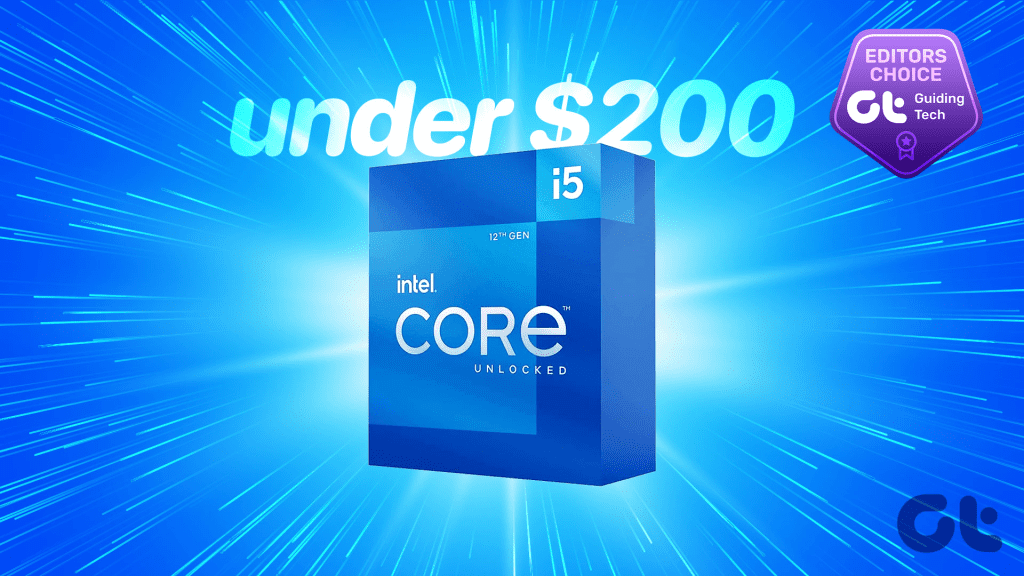
Building a gaming PC on a budget can be a challenge, but it’s definitely possible with the right choices. In this article, we’ll be taking a look at some of the best budget gaming CPUs under $200 that you can use. Each of these CPUs offers unique features to elevate your gaming experience without breaking the bank. So whether you’re looking for a cheap CPU for gaming right now, or upgrading to a performance workhorse that’s futureproofed as well, we’ve got you covered.
But first, you might want to check out the following:
- Cool your system better with these thermal pastes for your CPU and GPU.
- Thermal paste isn’t enough. Consider investing in one of these liquid AIO coolers for your CPU.
- Should you upgrade to DDR5 RAM? Understand the difference between DDR4 vs DDR5 RAM.
1. AMD Ryzen 5 5600G
- Cores: 6 | Threads: 12
- Max Boost Frequency: Up to 4.4GHz
- Integrated GPU: Yes
- RAM Support: DDR4 + DDR5
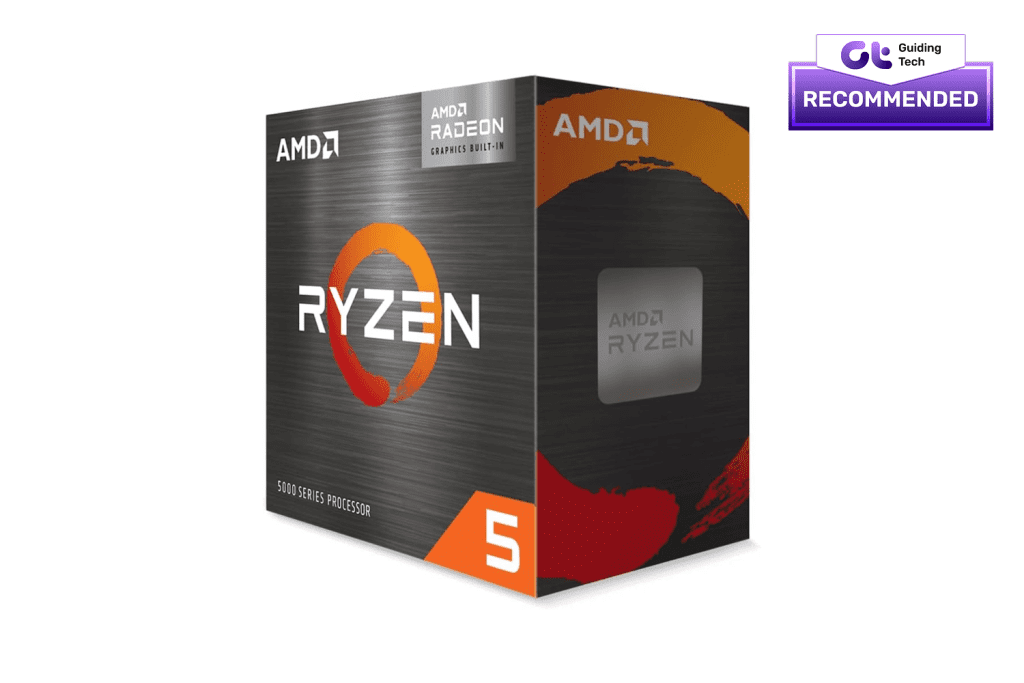
The AMD Ryzen 5 5600G is a great choice for gaming enthusiasts who are looking for a budget-friendly CPU. Apart from being a capable CPU, it also has an integrated Radeon graphics card that can handle most games.
Ever since its launch, the Ryzen 5 5600G has been touted as one of the best budget gaming CPUs on the market. With six cores and twelve threads, the processor is ideal for multitasking. The base clock speed of the processor is 3.9 GHz, which can be boosted up to 4.4 GHz.
Despite its low price, the processor comes with a seven-core Radeon integrated graphics chip. The on-board GPU is quite capable, and can easily handle most games at medium settings. One downside with the 5600G, however, is that it doesn’t come with support for PCIe 4.0.
What We Like
What We Don’t Like
2. AMD Ryzen 5 5600X
- Cores: 6 | Threads: 12
- Max Boost Frequency: Up to 4.6GHz
- Integrated GPU: No
- RAM Support: DDR4

Compared to the 5600G, the 5600X doesn’t come equipped with an onboard GPU. However, it makes up for it in terms of core performance, while costing roughly the same.
In case your rig already has a good gaming GPU, the Ryzen 5 5600X promises improved performance over the 5600G. The processor comes with a base clock of 3.7GHz and can turbo up to a peak of 4.6GHz. Apart from that, it shares the same six cores and twelve threads cluster as seen on the 5600G.
Contrary to popular perception, both the 5600G and the 5600X support overclocking. That being said, the Ryzen 5 5600X is definitely touted to be more stable at higher overclocked frequencies. It also comes with support for the newer PCIe 4.0, which is excellent.
What We Like
What We Don’t Like
3. Intel Core i5-12400F
- Cores: 6 | Threads: 12
- Max Boost Frequency: Up to 4.4GHz
- Integrated GPU: No
- RAM Support: DDR4 + DDR5

Unlike AMD’s 5th-gen Ryzen processors, Intel’s 12th-gen processors are much more recent. While the i5-12400F is slightly expensive, it’s still the most affordable processor that supports DDR5 memory.
The Intel Core i5-12400F is a great all-around CPU that’s good for both gaming and productivity tasks. The processor is based on Intel’s new Alder Lake architecture, which offers significant performance improvements over previous generations. It has six cores and twelve threads, though it’s worth highlighting all the cores are P-cores or performance cores. There aren’t any efficient cores on this CPU.
That doesn’t mean that the 12400F consumes a lot of power, though. With a base frequency of just 2.50GHz, the i5-12400F runs cool and consumes just 65W of power. Even on full load, it goes up to 117W only. As such, you should have a healthy budget to spend on a decent PSU. You will also have to pick up a dedicated GPU, as the 12400F doesn’t come with an iGPU.
What We Like
What We Don’t Like
4. Intel Core i5-12400
- Cores: 6 | Threads: 12
- Max Boost Frequency: Up to 4.4GHz
- Integrated GPU: Yes
- RAM Support: DDR4 + DDR5

For all things intended, the i5-12400 is the same processor as the 12400F, except that it doubles up as an APU. This is thanks to the Intel UHD Graphics 730 on-board.
If you’re saving up for a flagship GPU and want to invest in a CPU that offers decent graphical prowess, the i5-12400 is a good option. The UHD Graphics 730 is an impressive integrated GPU that’s ideal for productivity and can even handle certain games on low settings.
It’s not as capable as AMD’s Radeon graphics on the 5600G, but it’s not that far behind, either. More importantly, the i5-12400 is a more powerful processor than the Ryzen 5 5600G, so you win some and lose some in this regard.
Similar to the 12400F, the i5-12400 isn’t overclockable either. However, it does support a turbo frequency of 4.40GHz and supports both DDR4 and DDR5 memory modules. If you’re planning to purchase a CPU right now, with the idea of adding a good GPU down the line, the i5-12400 is a viable option. It offers great performance and supports modern technologies, thereby futureproofing your system.
What We Like
What We Don’t Like
5. AMD Ryzen 7 5700X
- Cores: 8 | Threads: 16
- Max Boost Frequency: Up to 4.6GHz
- Integrated GPU: No
- RAM Support: DDR4
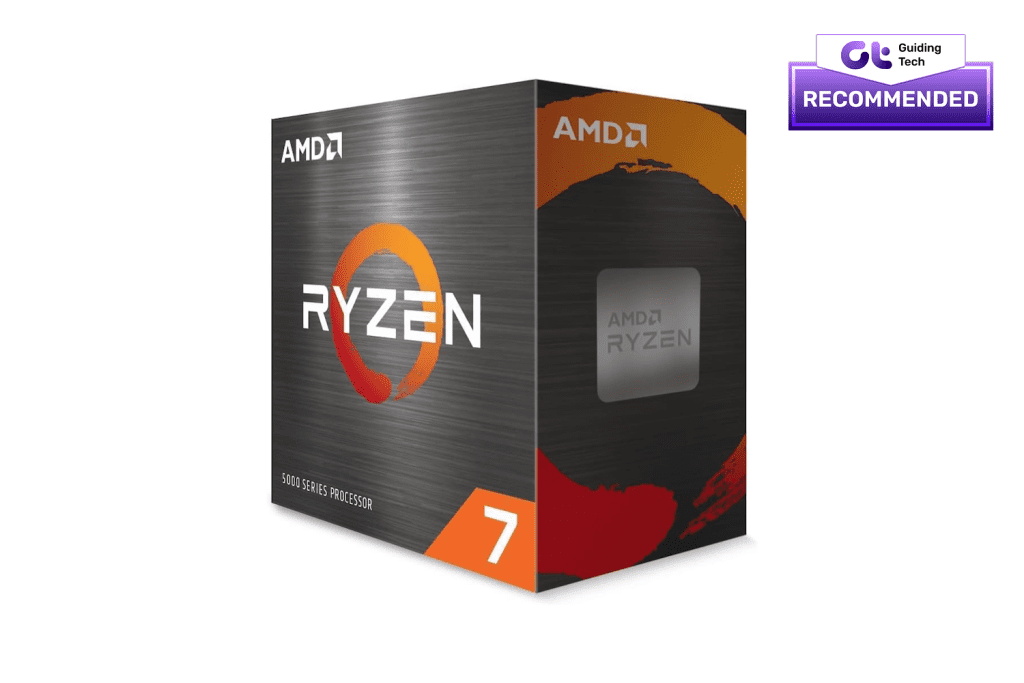
If you’re looking for all-around performance, the AMD Ryzen 7 5700X is still one of the best budget gaming CPUs on the market. It has eight cores and sixteen threads, making it a great choice for gamers who want to play the latest games at the highest settings.
Despite its exceptionally great raw horsepower, the Ryzen 7 5700X works at a default TDP of just 65W. That being said, it comes with an unlocked multiplier, so you can overclock it to even higher speeds. Despite being launched back in early 2022, the processor still ranks high across all benchmarks, globally.
Of course, it’s not all merry with the 5700X, though. For one, the CPU doesn’t ship with onboard graphics, nor does it support the newer DDR5 memory modules. In an ideal world, the AMD Ryzen 7500F would be the perfect budget gaming CPU under $200.
Based on the newer Zen 4 architecture, it comes with a lower core count but has a boost frequency of 5GHz, along with support for DDR5 memory as well. Until AMD chooses to bring the 7500F to global markets, the Ryzen 7 5700X is still the best budget AMD processor for gaming.
What We Like
What We Don’t Like
6. Intel Core i5-12600K
- Cores: 10 | Threads: 16
- Max Boost Frequency: Up to 4.9GHz
- Integrated GPU: Yes
- RAM Support: DDR4 + DDR5

Even though the i5-12600K is slightly older than the Ryzen 7 5700X, it offers significant performance improvements, especially for gamers. Add to that, it comes with support for new-age technologies and gets an onboard GPU too.
The Core i5-12600K is part of the new Alder Lake generation, which features a hybrid design of high-performance and high-efficiency cores. To wit, the processor comes with six performance cores coupled with four efficiency cores, taking the total to 10. The CPU also offers a total of 16 threads, with a base clock of 3.7 GHz and a boost clock of up to 4.9 GHz. It supports both DDR4 and DDR5 memory, as well as PCIe 5.0 for faster storage and graphics cards. It also has a relatively low power consumption of 125W.
In terms of benchmarks, the Core i5-12600K performs very well in gaming, beating its predecessor, the Core i5-11600K, as well as its AMD rival, the Ryzen 5 5600X. It also delivers impressive results in productivity tasks, such as video editing, rendering, compression, and encoding. The Intel UHD Graphics 770 is also a sizeable upgrade over the UHD Graphics 730.
The only thing to note here is that the i5-12600K does tend to overheat, so you definitely need to invest in a good CPU cooler. Despite that, if you’re looking for the best gaming CPU under $200, the Intel Core i5-12600K is easily the best option.
What We Like
What We Don’t Like
FAQs on Best Gaming CPU Under $200
It depends on your current motherboard’s compatibility. Ensure that your motherboard supports the specific CPU socket and chipset required by the chosen CPU.
16GB of RAM is generally a good starting point for gaming. However, having 32GB could provide some additional headroom for multitasking while gaming. It’s also advisable to opt for dual-channel memory as opposed to single-channel.
If you have a dedicated graphics card, integrated graphics are not crucial. However, they can be helpful for troubleshooting or as a backup if your dedicated GPU fails.
PCMR FTW
Well, that was our list of the best budget gaming processors. Choosing the best gaming CPU under $200 depends on your specific needs and preferences. Whether you prioritize strong single-core performance, multitasking capabilities, or integrated graphics, there’s a suitable option on this list. Consider your gaming and productivity requirements to make an informed decision.
Was this helpful?
Last updated on 16 August, 2023
Read Next
 7 Best Budget Smartwatches Under $200 in 2023
Smartwatches have become increasingly popular recently.
7 Best Budget Smartwatches Under $200 in 2023
Smartwatches have become increasingly popular recently.
 6 Best FreeSync Gaming Monitors Under $200
The gamer in you must already know what it feels to game in a monitor with lower or standard refresh rates.
6 Best FreeSync Gaming Monitors Under $200
The gamer in you must already know what it feels to game in a monitor with lower or standard refresh rates.
 6 Best Budget Gaming Monitors Under $200
Gaming monitors can make or break your gaming experience.
6 Best Budget Gaming Monitors Under $200
Gaming monitors can make or break your gaming experience.
 5 Best Under Desk Ellipticals Under $200
There's nothing good about a sedentary lifestyle.
5 Best Under Desk Ellipticals Under $200
There's nothing good about a sedentary lifestyle.
 6 Best Thermal Pastes for Your CPU and GPU in 2023
If you're a computer enthusiast or a gamer, you know how important it is to keep your CPU cool.
6 Best Thermal Pastes for Your CPU and GPU in 2023
If you're a computer enthusiast or a gamer, you know how important it is to keep your CPU cool.
 6 Best Budget PC Gaming Controllers Under $50 in 2023
Microsoft has a handful of Xbox controllers that work seamlessly with a Windows device.
6 Best Budget PC Gaming Controllers Under $50 in 2023
Microsoft has a handful of Xbox controllers that work seamlessly with a Windows device.
 6 Best Budget Gaming Mice Under $100 in 2023
When it comes to gaming, having the right equipment can make a significant difference in your performance.
6 Best Budget Gaming Mice Under $100 in 2023
When it comes to gaming, having the right equipment can make a significant difference in your performance.
 6 Best Budget Gaming Keyboards Under $50 in 2023
Back in the day, gaming keyboards cost a pretty penny.
6 Best Budget Gaming Keyboards Under $50 in 2023
Back in the day, gaming keyboards cost a pretty penny.
The article above may contain affiliate links which help support Guiding Tech. The content remains unbiased and authentic and will never affect our editorial integrity.