

It’s completely normal for laptops to overheat, especially when used for power-hungry activities like gaming or video editing. In fact, if you tend to tax your machine a lot, then you should invest in a cooling pad that can help keep your laptop frosty. But with so many options to choose from, which are the best laptop cooling pads on the market?

That’s exactly what we’ll be answering in this article. We’ll take a look at some of the best laptop cooling pads you can buy in the UK. We’ll be considering factors such as cooling performance, noise level, portability, and price to help you find the best cooling pad for your needs.
So whether you’re looking for a quiet cooling pad for your office or a powerful cooling pad for your gaming laptop, we’ll have something for you!
But first, you might want to check out the following:
- Check out these RTX gaming laptops under £1,000 in the UK.
- Pair your gaming laptop with these budget gaming headsets under £100 in the UK.
- Want a laptop for work? Check out the best lightweight laptops in the UK.
1. havit HV-F2056
- Number of Fans: 3 | Max Supported Laptop Size: 17 inches

With over 35,000 reviews and an average rating of 4.5 stars, the havit HV-F2056 is right up there with the best laptop cooling fans. The cherry on top is that it’s also one of the most affordable models on the market.
The cooling pad ships with three fans that suck air from below and push it to the laptop on the top. The havit HV-F2056 is designed to accommodate laptops up to 17 inches in size, and it even gets a 2mm mesh grille on top.
You also get a couple of USB ports on the side, one of which is used to provide power to the cooling pad. You can use the other USB port to attach accessories or peripherals, such as a USB mouse or pen drive. The unit also gets a handy switch on the side, so you can conveniently turn the cooling pad on or off.
What We Like
What We Don’t Like
2. KLIM Wind
- Number of Fans: 4 | Max Supported Laptop Size: 16 inches
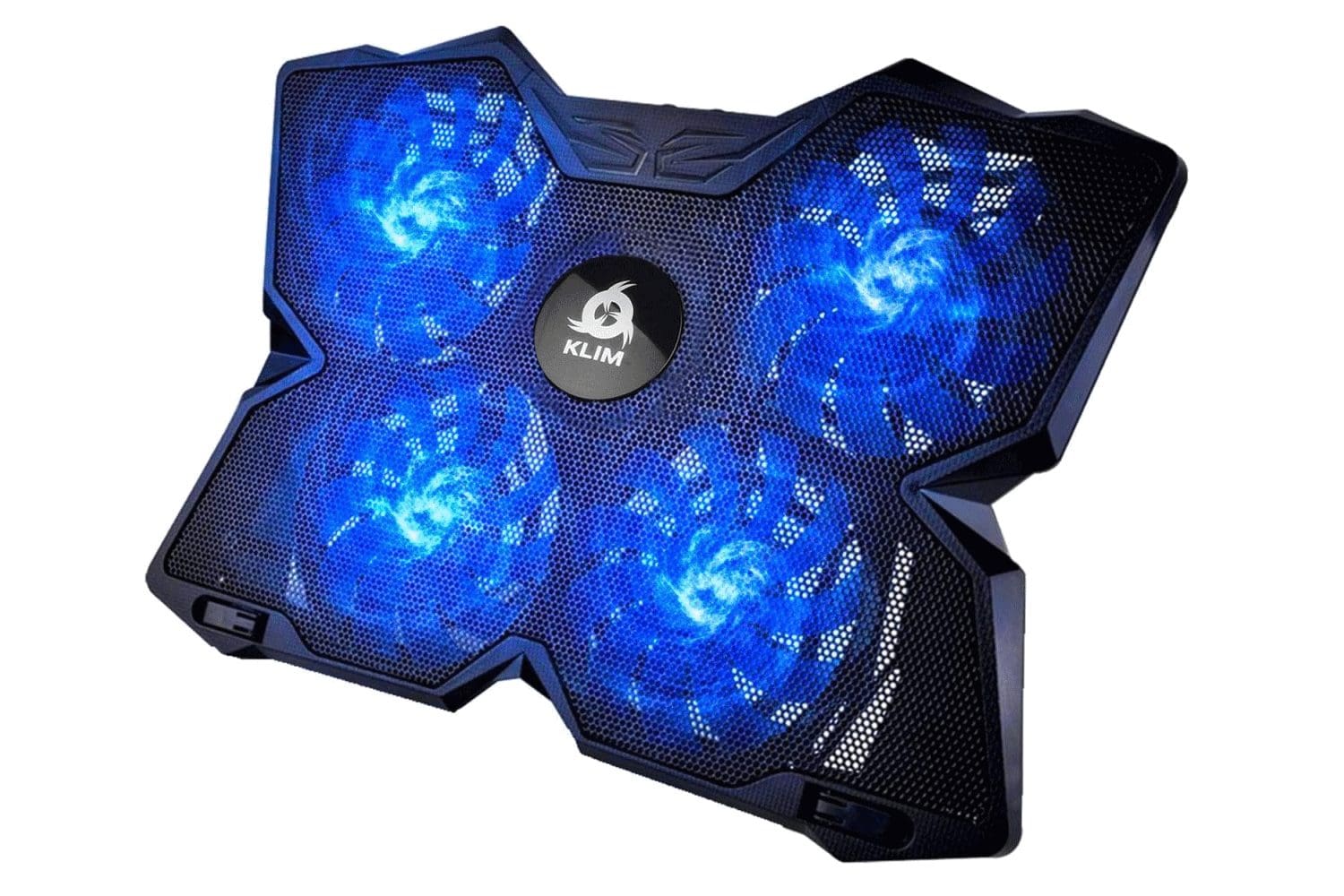
The KLIM Wind is priced similarly to the havit HV-F2056. That said, it offers one extra fan, along with a handful of lighting options to choose from. So, if you’re a sucker for RGB, then you can consider opting for KLIM’s offering.
The KLIM Wind is available in a variety of colour options, such as Red, Blue, or Green. The device also offers select trims with RGB lighting, but those cost a bit more. The colour scheme here refers to the LED lights for each of the fans in the cooler.
Speaking of which, the KLIM Wind comes with a total of four fans. Each fan can rev at a whopping 1200 RPM. Also, just like the havit HV-F2056, you get two USB ports with the KLIM Wind, one of which can be used to connect a peripheral. That being said, unlike the HV-F2056, the Wind only accommodates laptops up to 16 inches.
What We Like
What We Don’t Like
3. KLIM Cyclone
- Number of Fans: 5 | Max Supported Laptop Size: 19 inches
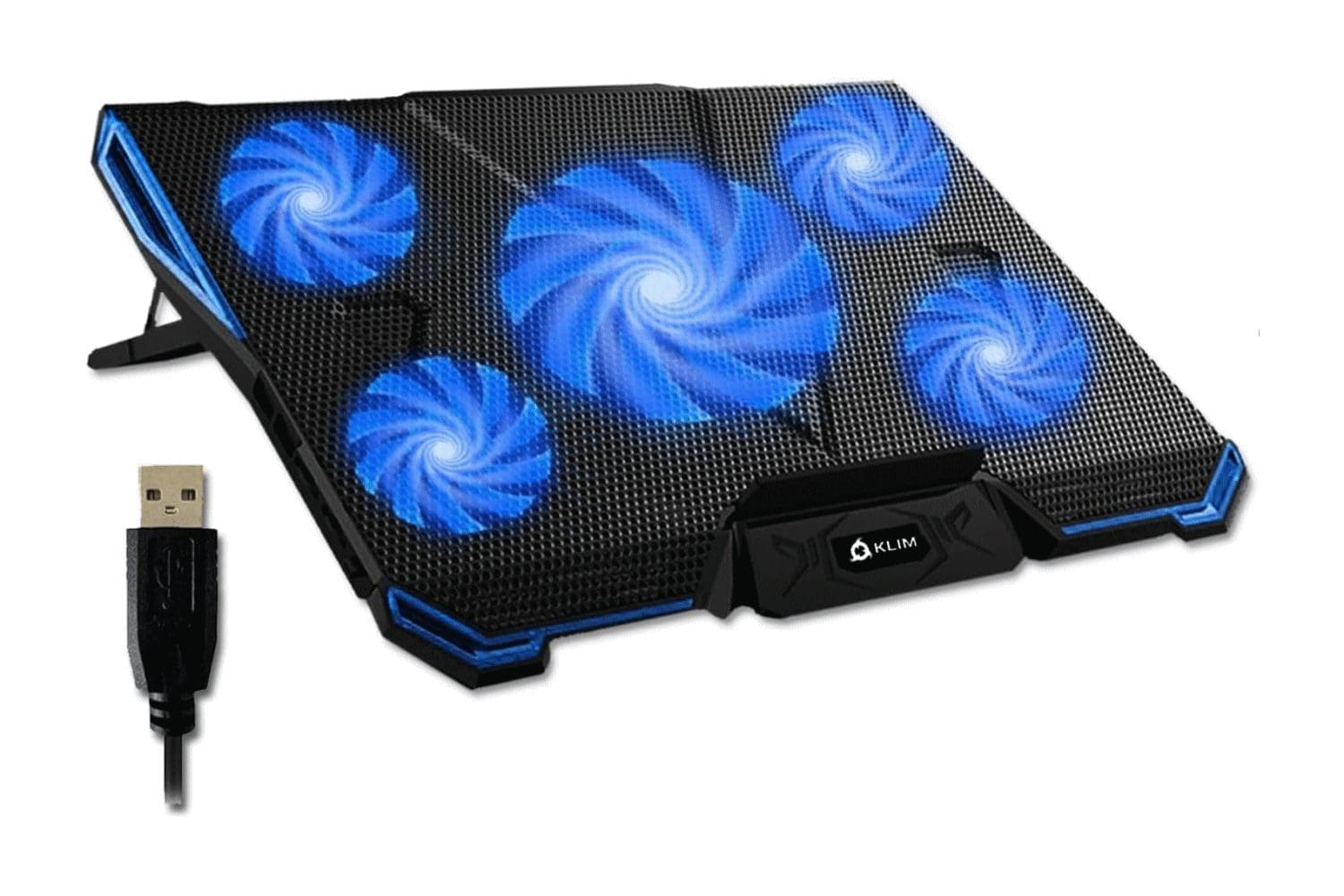
One issue with the KLIM Wind is that it only supports laptops up to 16 inches. If you have a bigger laptop and want extra cooling, then you should check out the KLIM Cyclone. Do note that the cooling pad doesn’t come with as many colour options as the KLIM Wind.
The KLIM Cyclone comes with a total of five fans, which includes a super-sized fan placed towards the centre of the cooling pad’s frame. The primary fan is accompanied by four fans that take up space near the edges. The larger fan spins at 1200 RPM, while the smaller fans rev at 2200 RPM. Interestingly, the company claims that the cooler doesn’t make too much noise. In fact, the unit operates at just 27 decibels.
In terms of colours, the main body remains black throughout, but you can opt for differently coloured LED fans. There are three options, namely Red, Blue, and White. All things considered, if you’ve got a beefy gaming laptop that gets toasty under load, the KLIM Cyclone is a reliable and efficient way to keep it cool. And with a whopping five-year warranty, you don’t have to worry about it breaking down any time soon.
What We Like
What We Don’t Like
4. TECKNET RGB Gaming Cooling Pad
- Number of Fans: 5 | Max Supported Laptop Size: 19 inches

It goes without saying that most people who are interested in purchasing a laptop cooling pad are gamers. So, if you’re on the hunt for a cooling pad for a gaming laptop that comes with oodles of RGB, you should check out the TECKNET RGB Gaming Cooling Pad.
Similar to the KLIM Cyclone, the TECKNET RGB Gaming Cooling Pad also ships with five fans. To wit, the cooling pad gets a single 1200 RPM fan in the middle and four small fans bordering it. At 1400 RPM, the smaller fans are not as swift as the ones on the Cyclone cooling pad prefaced above. However, the TECKNET cooling pad somewhat makes up for the same as it comes kitted with RGB lighting.
You get a total of 15 different lighting effects, which can be controlled via a single touch. The RGB lighting is bright and vibrant and will undoubtedly accentuate your gaming laptop setup. Furthermore, the cooling pad can be propped up in three different height options. This allows you to select a height that is optimal for typing comfortably, and then modify it for enhanced comfort during gaming sessions.
What We Like
What We Don’t Like
5. Targus AWE69US
- Number of Fans: 1 | Max Supported Laptop Size: 16 inches
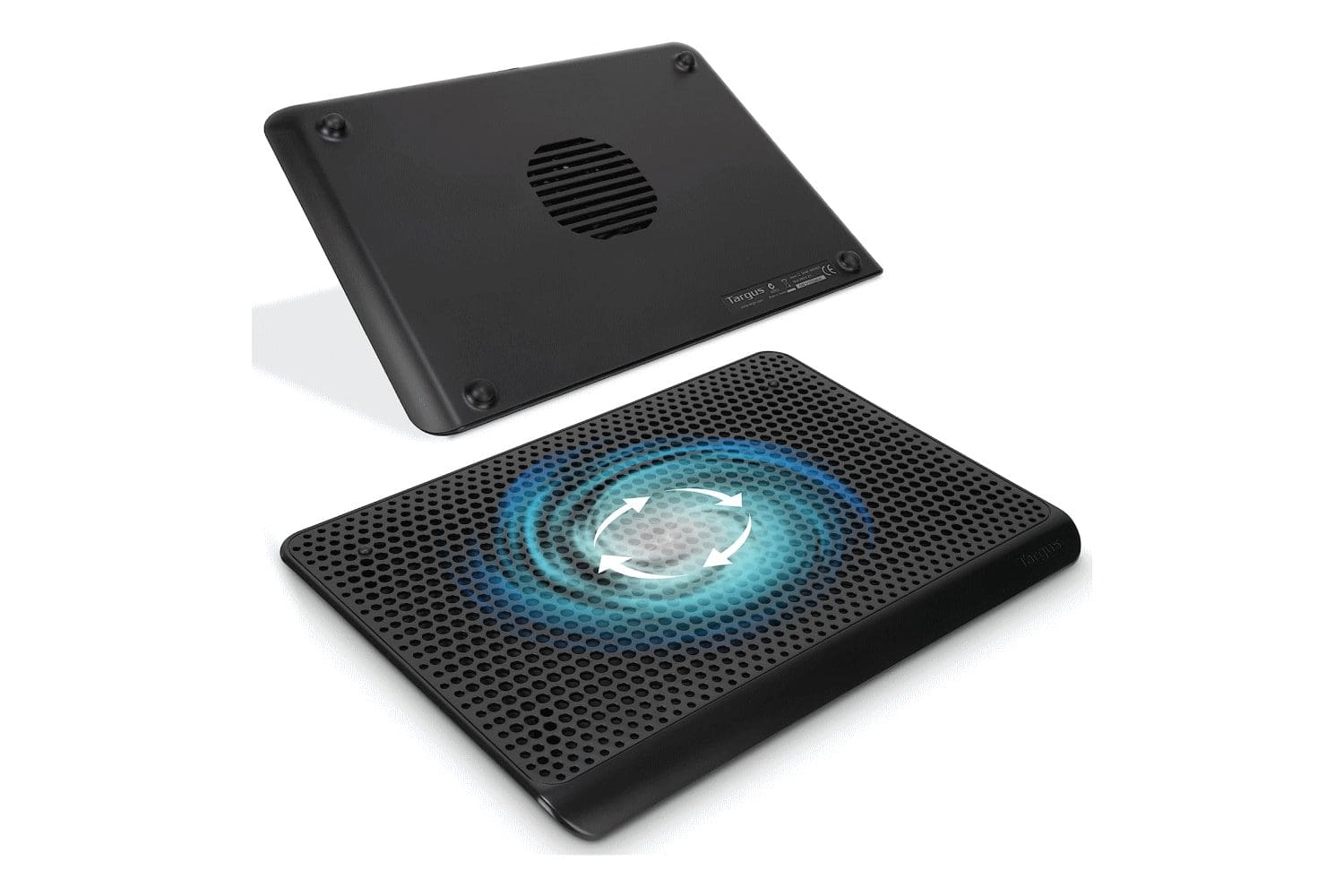
While most cooling pads are kept on a desk, what if you want to use a laptop on your lap? Needless to say, you may feel a burning sensation on your thighs. Unless, you’re using the Targus AWE69US cooling pad.
The Targus AWE69US is a single-fan laptop cooling pad that is designed to keep your laptop cool. It is made of soft neoprene, which makes it comfortable to place on your lap. The fan is located towards the centre of the pad and it can be configured to spin at three different speeds.
In terms of size, the AWE69US is compatible with laptops up to 16 inches in size. It is also lightweight and portable, making it easy to take with you on the go. However, while it is USB-powered, it doesn’t come with an extra USB port. As such, while using this cooling pad, you will have to sacrifice a port on your laptop.
What We Like
What We Don’t Like
6. Cooler Master NotePal X-Slim
- Number of Fans: 1 | Max Supported Laptop Size: 17 inches
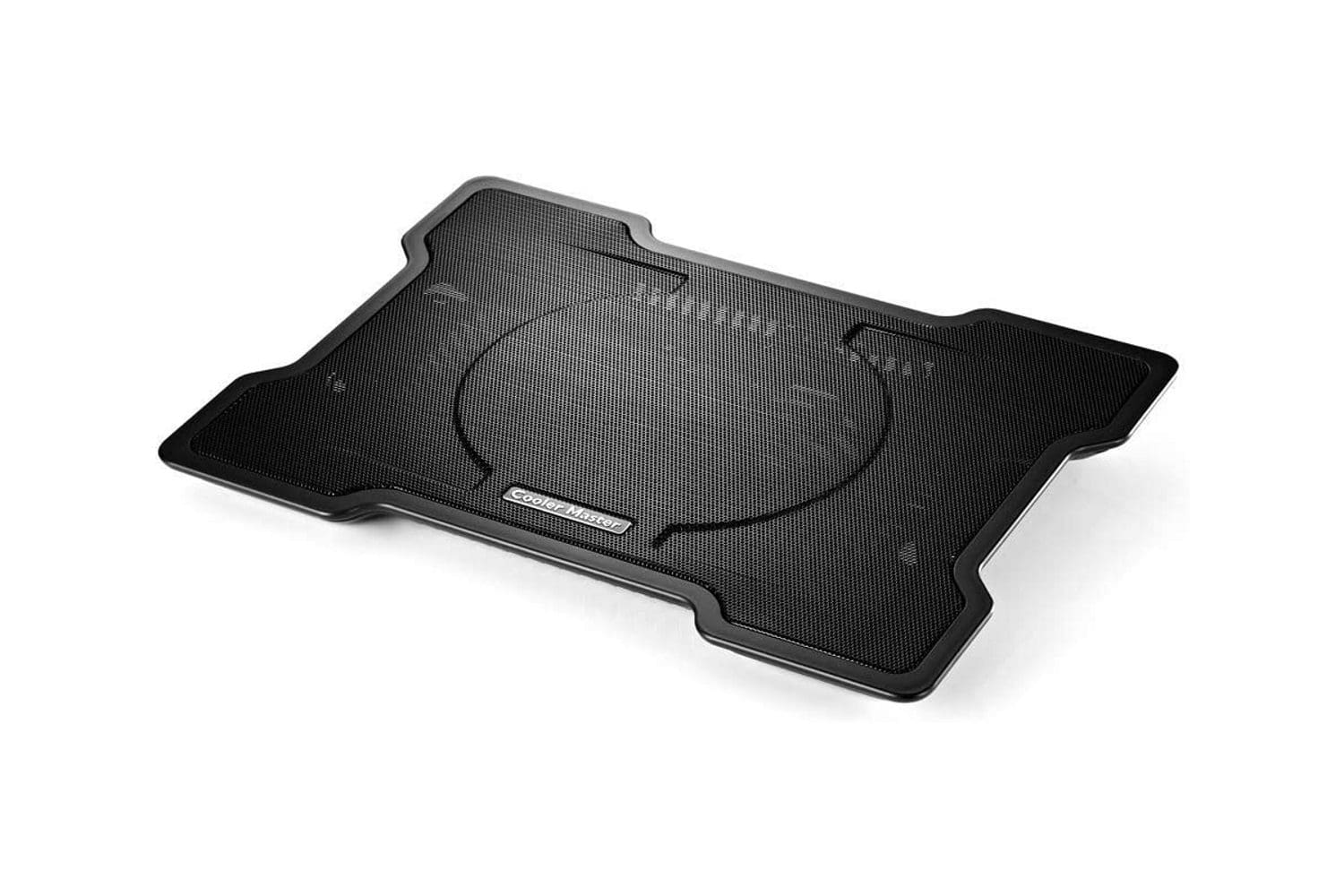
When it comes to cooling pads, few brands can rival the exceptional quality offered by the Cooler Master NotePal X-Slim. We say this, as the cooling pad is quite reliable. Additionally, it looks the part of a premium product too.
Unlike some competing devices, the NotePal X-Slim comes equipped with a single fan. That said, the cooling pad makes use of a super-sized 160mm fan that is rated for 1400 RPM. To give you a better picture, the NotePal X-Slim can move 70 cubic feet of air per minute, which should cool down a hot laptop easily.
Despite its stellar performance, the X-Slim runs quietly at just 21 dB. You can also adjust the pad at an angle to use it as a cooling pad with ergonomic support for typing. There’s no lighting here, which is a bummer. On the flip side, the cooling pad should blend well in an office setting.
What We Like
What We Don’t Like
7. Thermaltake CL‐N014‐PL20SW‐A
- Number of Fans: 1 | Max Supported Laptop Size: 19 inches

If you’re looking for a premium laptop cooling solution, the Thermaltake CL‐N014‐PL20SW‐A is easily your best bet. While it is expensive, it offers great cooling coupled with nice RGB lighting as well.
The Thermaltake CL‐N014‐PL20SW‐A packs in a single 200mm fan with an adjustable fan speed controller for superb cooling performance. The cooling pad has an ergonomic design that ensures the laptop is at the optimal screen height when placed on it.
The CL‐N014‐PL20SW‐A can fit up to 19-inch laptops. The pad also offers three height settings, so you can sift between different viewing angles as and when required. As for lighting, the cooling pad has RGB lighting all around its frame. You also get five lighting modes to play with, namely, Wave, RGB Spectrum, Pulse, Blink, and Full Lighted. To put it simply, if you’re looking for a stylish cooling pad that effectively cools down your laptop, Thermaltake’s product should be your top choice.
What We Like
What We Don’t Like
FAQs on Best Laptop Cooling Pads
To use a laptop cooling pad, simply place your laptop on the pad and turn it on. The fans will start to circulate air around your laptop, which should keep it cool.
Yes, laptop cooling pads can help to keep your laptop cool. To do so, the cooling pads increase the airflow around your laptop, which helps to dissipate heat.
Most cooling pads are powered through a laptop’s USB port. They typically draw power directly from the laptop, eliminating the need for external power sources.
Gaming for Long Periods? Use These Cooling Pads!
So, there you have it! These are just some of the best laptop cooling pads that you can buy in the UK. With so many great options to choose from, you’re sure to find one that’s perfect for your needs and budget.
For professional users, the Targus AWE69US or the Cooler Master NotePal X-Slim are great options. If you’re on a budget, both the havit HV-F2056 and KLIM Wind are priced similarly and offer great performance for the price. Lastly, if you want to add RGB to your setup, then you can opt for either the TECKNET RGB Gaming Cooling Pad or the Thermaltake CL‐N014‐PL20SW‐A.
Was this helpful?
Last updated on 14 July, 2023
Read Next
 5 Best Laptop Cooling Pads for Gaming and Resource-Intensive Tasks
Laptop cooling pads are an essential accessory for anyone who uses their laptop for extended periods, especially for gaming or heavy workloads.
5 Best Laptop Cooling Pads for Gaming and Resource-Intensive Tasks
Laptop cooling pads are an essential accessory for anyone who uses their laptop for extended periods, especially for gaming or heavy workloads.
 6 Best Laptop Stands with Cooling Pad That You Can Buy
The lightweight and portable nature of laptops allow you to catch up on your work just about anywhere.
6 Best Laptop Stands with Cooling Pad That You Can Buy
The lightweight and portable nature of laptops allow you to catch up on your work just about anywhere.
 7 Best Laptop Sleeves and Cases for Microsoft Surface Laptop 3 and Surface Laptop 4
Microsoft's Surface Laptop 3 and Surface Laptop 4 are lightweight and portable.
7 Best Laptop Sleeves and Cases for Microsoft Surface Laptop 3 and Surface Laptop 4
Microsoft's Surface Laptop 3 and Surface Laptop 4 are lightweight and portable.
 Top 5 Desk Pads for Your Ideal Work From Home Setup
Your ideal work from home setup deserves a desk pad to keep the keyboard, mouse, speaker, and other accessories.
Top 5 Desk Pads for Your Ideal Work From Home Setup
Your ideal work from home setup deserves a desk pad to keep the keyboard, mouse, speaker, and other accessories.
 6 Best Wireless Charging Pads for Bedside Table
One of the primary advantages of a flatbed wireless charging pad is its small footprint.
6 Best Wireless Charging Pads for Bedside Table
One of the primary advantages of a flatbed wireless charging pad is its small footprint.
 6 Best Mouse Pads With Wrist Support
A mouse pad is an essential accessory for anyone with a laptop or a PC.
6 Best Mouse Pads With Wrist Support
A mouse pad is an essential accessory for anyone with a laptop or a PC.
 4 Best Sony PlayStation 5 Cooling Stands
Sony PlayStation 5 gaming console comes with a new design, but the latest design iteration makes it run a couple of degrees warmer.
4 Best Sony PlayStation 5 Cooling Stands
Sony PlayStation 5 gaming console comes with a new design, but the latest design iteration makes it run a couple of degrees warmer.
 5 Best Raspberry Pi 4 Cases for Cooling
The Raspberry Pi 4 is a pint-sized powerhouse.
5 Best Raspberry Pi 4 Cases for Cooling
The Raspberry Pi 4 is a pint-sized powerhouse.
The article above may contain affiliate links which help support Guiding Tech. The content remains unbiased and authentic and will never affect our editorial integrity.

