


Smart home products are now a part of our lives. Be it Google Assistant-compatible soundbars or Alexa-compatible smart power strips. However, if you are an iPhone user, it’s ideal to invest in Apple’s HomeKit smart home products. And if you want to control your gadgets and devices remotely, the best way to do it is by getting a HomeKit smart plug.

Besides being compatible with Siri, you can control these smart plugs through the Apple Home app on your iPhone.In fact, it’s the best way to turn standard products into smart ones. For instance, the corner lamp that was always a pain to switch on can now be turned on easily simply using your voice. So, if you are in the market looking for some quality smart plugs that work with Apple HomeKit, we have rounded up some of the best options.
Let’s get started. But first,
- Want fast and reliable data transfer speeds? Get a braided Thunderbolt 3 cable.
- Not comfortable with your MacBook’s keyboard? Take a look at some cool wireless keyboards for your Mac.
- Secure your home and make it smarter using Apple HomeKit-compatible smart door locks.
1. iHome ISP6X Smart Plug
- Power: 15A

iHome’s ISP6X Smart Plug is one of the affordable HomeKit-compatible smart plugs. The highlight of this plug is that it’s easy to set up and install, and quite a few users have praised this feature. Secondly, it is highly customizable, and you can set the schedules as per your preference. This means you can set your home lights to switch on automatically when you are away.
Apart from that, this smart plus is highly customizable, and you can define several scenes as per your preference. However, the ISP6X Smart Plug is not one of the sleekest products out there. Horizontally, it measures around 2.8 inches and may block out the nearby switches and outlets. That said, if you have outlets arranged vertically, this smart plug won’t inconvenience you.
It connects to the 2.4GHz Wi-Fi band. As noted earlier, setting up this smart plug via the app is easy and simple. However, it has a mixed bag of reviews when it comes to the connectivity of the plus. Some people have had frequent disconnection issues.
Apart from HomeKit, the iHome’s ISP6X Smart Plug is compatible with Amazon Alexa and Google Assistant, giving you the flexibility to switch to other smart assistants in the future.
2. Philips Hue Smart Plug
- Power: 15A

One of the first things you will notice about the Philips Hue Smart Plug is its size. It’s small and will easily fit into most power sockets. However, this will fit your requirements the best if you have other Philips Hue products at your home. From the HomeKit perspective, it offers several customization options and controls.
The Philips Hue plug is versatile and also supports Bluetooth connectivity. However, there’s a slight catch. You will need the Philips Hue Bridge to unlock all the HomeKit smarts. But if you have the bridge, setting up the smart plug and syncing it with the iOS Home app is a walk in the park.
The good thing is once you have both devices set up, you can control and customize most of the settings through your iPhone or Mac. It makes a lot of sense to pick up the plug from Philips if you already happen to have lights from the brand. This way, you can use your existing bridge.
3. Meross Smart Plug Mini
- Power: 15A
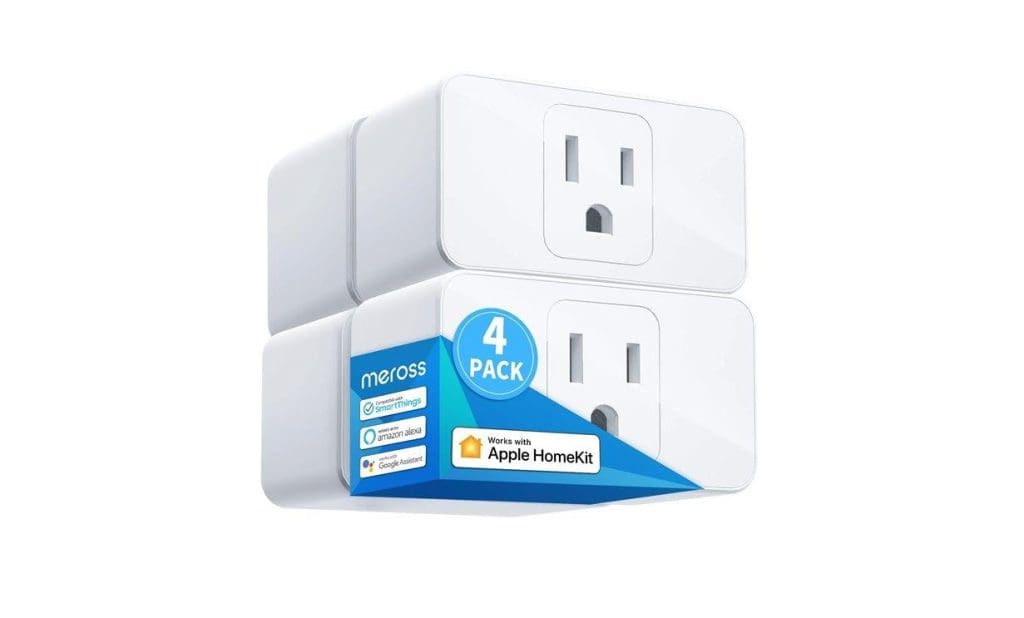
Another affordable smart plug that you can consider buying is the one by Meross. It’s a bang for the buck and you get 4 plugs for around $40. It’s easy to install and as per some of the users, the Apple HomeKit integration works seamlessly. Like the iHome product above, this one is a fairly wide plug which means that the side switches may be blocked out for use.
That said, the setup of this HomeKit compatible smart switch is simple. As soon as the companion app detects an iPhone, it will redirect you to the Home app. Again, it’s a versatile product, and apart from HomeKit, it’s compatible with Google Assistant, Amazon Alexa, SmartThings, and IFTTT applets.
The Meross Smart Plug Mini is not the most durable product out there. Some of the users have reported disconnection issues after a few months. However, compared to the popular picks like Wemo WiFi Smart Plug, this one proves to be a better pick from the HomeKit-compatibility point of view.
4. Eve Energy Smart Plug
- Power: 15A

The Eve Energy Smart Plug brings the best of both worlds. For one, it doesn’t cost much. Secondly, it offers a seamless HomeKit experience. Quite a few users have praised the HomeKit compatibility. However, what sets this smart plug apart from the rest is its energy monitoring.
You can see the amount of energy and estimated costs (of the connected device) with the app. So, if you see a higher consumption by the connected lamp, you can switch to a more sustainable product in the future.
Set up and installation is fast and quick. They pair easily and show up in the iOS Home app quickly. Furthermore, there’s no delay between the command and the action. Secondly, the setup process doesn’t require registrations or account creation, and this feature has earned accolades from its user base. At the same time, the company also claims 100% privacy.
This plug is neither too big nor too sleek, and it should fit your power outlet without any issues. Last but not least, the Eve Energy smart plug supports both Bluetooth and Thread (Thread is a smart home connectivity standard for Apple users).
5. ConnectSense Smart Outlet 2
- Power: 15A
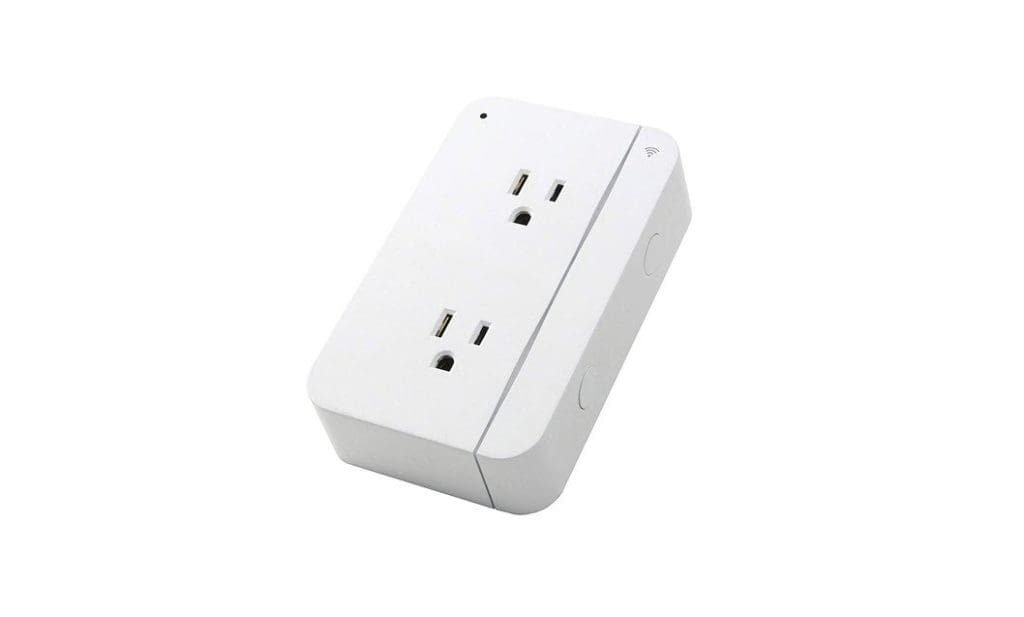
Another smart plug that works with the Apple HomeKit app is the ConnectSense Smart Outlet 2. Like the Eve Energy plug, this one also has energy usage reporting. More importantly, it is a dual-outlet plug, meaning you can turn two dumb devices into smart ones. The only thing you need to keep in mind is that both the connected devices (which you need to ‘smarten up’) need to be close to each other.
The ConnectSense Smart Outlet 2 is a versatile device and includes a nifty USB charging port to charge your phone or earphones. However, it’s a standard 2.4A port and will charge your phone at a slow speed.
One of the features that its user base has appreciated is its installation process. The ConnectSense app is intuitive and guides you through the setup process. Or, you can scan the QR code of the plug to connect to HomeKit.
The iOS app comes with plenty of customization options and controls. But as you may have expected, the plug is bulky and will occupy the whole outlet. But on the bright side, you do get two smart outlets and a USB port. Apart from Apple HomeKit, the ConnectSense Smart Outlet 2 is also compatible with Amazon Alexa and Google Assistant. However, it doesn’t support IFTTT.
FAQs for Apple HomeKit Smart Plugs
A lot of smart plugs and smart home devices are compatible with multiple platforms. So if you get a HomeKit-compatible plug, you can also configure it to work with Google Assistant and Alexa.
A smart plug from a reputed brand is completely safe and can, in fact, turn out to be beneficial for your gadget. For example, using a smart plug to set a schedule to charge your iPhone for just two hours can extend its battery health.
Yes, you can use a smart plug that isn’t compatible with HomeKit with your iPhone. You just have to install a third-party app from the brand in order to use it. The only downside would be that you won’t be able to use Siri or the Home app on your iPhone to control the smart plug.
Make Your Gadgets Smarter
If you have a lot of standard, non-smart devices, you can make them smarter by spending just a few dollars. Once you get a HomeKit smart plug, you can turn on your AC, lamp, water heater, and just about any device or appliance of your choice using your iPhone or voice commands. If you have a HomePod, it’s even easier to control the plug.
Was this helpful?
Last updated on 29 June, 2023
Read Next
 5 Best Apple HomeKit Compatible Smart Door Locks
Smart locks can make your life a lot more convenient.
5 Best Apple HomeKit Compatible Smart Door Locks
Smart locks can make your life a lot more convenient.
 5 Best Alexa-Compatible Outdoor Smart Plugs
For the non-smart devices on your deck and gardens, it's always a good idea to buy outdoor smart plugs.
5 Best Alexa-Compatible Outdoor Smart Plugs
For the non-smart devices on your deck and gardens, it's always a good idea to buy outdoor smart plugs.
 4 Best Outdoor Smart Plugs With Alexa in the UK
Smart plugs are a great way to control your appliances without being physically present to operate switches.
4 Best Outdoor Smart Plugs With Alexa in the UK
Smart plugs are a great way to control your appliances without being physically present to operate switches.
 Smart Plug vs Smart Outlet: Which Is Better for Your Smart Home
Smart home devices are no longer a thing of the future.
Smart Plug vs Smart Outlet: Which Is Better for Your Smart Home
Smart home devices are no longer a thing of the future.
 5 Best Wi-Fi Range Extender Wall Plugs With 5 GHz Support
If you have a spotty internet connection, a Wi-Fi range extender sounds like a decent investment.
5 Best Wi-Fi Range Extender Wall Plugs With 5 GHz Support
If you have a spotty internet connection, a Wi-Fi range extender sounds like a decent investment.
 Top 6 Wi-Fi Extender Wall Plugs With Ethernet Port
A wall Wi-Fi extender is useful when you want to expand and improve the wireless network's quality inside your home.
Top 6 Wi-Fi Extender Wall Plugs With Ethernet Port
A wall Wi-Fi extender is useful when you want to expand and improve the wireless network's quality inside your home.
 Nest X Yale Lock vs August Smart Lock Pro: Which Smart Lock Is Better
Yale is one of the popular makers of door locks, and the Google Nest X Yale Lock is one of the first smart locks from the company.
Nest X Yale Lock vs August Smart Lock Pro: Which Smart Lock Is Better
Yale is one of the popular makers of door locks, and the Google Nest X Yale Lock is one of the first smart locks from the company.
 5 Best Smart Relay Switches to Make Your Existing Sockets Smart
A smart home is a dream for most tech enthusiasts.
5 Best Smart Relay Switches to Make Your Existing Sockets Smart
A smart home is a dream for most tech enthusiasts.
The article above may contain affiliate links which help support Guiding Tech. The content remains unbiased and authentic and will never affect our editorial integrity.

