
Over the past year or so, demand for smart TVs has grown at a rapid pace. Instead of just dominating living rooms, televisions now find a place in smaller spaces, including bedrooms. Interestingly, their use case has also evolved from just being entertainment devices. Many are now using TVs as big screens for taking video calls. So if you are looking for the best webcams for smart TVs, you’ve come to the right place.
The options we will list include 4k webcams which will help you make video calls and attend meetings straight from your big-screen TV. Finding a webcam for your Android TV at home or a 4K webcam for your conference room TV is not very straight forward though. This is because most webcams do not come with native support for smart TVs.
Then, there’s also the little matter of your Android TV supporting webcams. For this, ensuring your TV is running Android TV version 9 or higher is important. If this is in place, then the options we are listing today should work with your TV.
But before we get to this list, we recommend checking out these posts if you’re also in the market for a new smart TV from popular brands such as Samsung, Sony, LG, and TCL among others.
- Looking to buy a new TV? Here are some good Dolby Vision TVs to consider.
- Want to make the best of your new PS5? Consider these 4K HDR TVs for your console.
- Here are some budget webcams for streaming that you can buy.
1. Septekon 1080P HD Webcam

This is a high-performing USB webcam that offers plenty of pixels for crystal-clear video calls. The high-definition lens on the Septekon Webcam supports up to Full HD resolution at 30 frames per second. While this may not be the best out there. It is certainly enough to get work calls out of the way.
The camera uses can be clipped directly on top of the TV for ease of use. Plus, it also features an adjustable design that allows you to rotate it by 360-degrees on the sides and 30 degrees up and down. It also comes with a built-in stereo microphone that can pick up the user’s voice even from a distance of 10 feet.
This is a high-quality mic that comes with support for features such as noise reduction and echo cancellation to help improve call quality even in noisy environments. But what’s most important is that it comes with support for TVs without the need of installing a driver.
What We Like
What We Don’t Like
2. Logitech C920S HD Pro Webcam
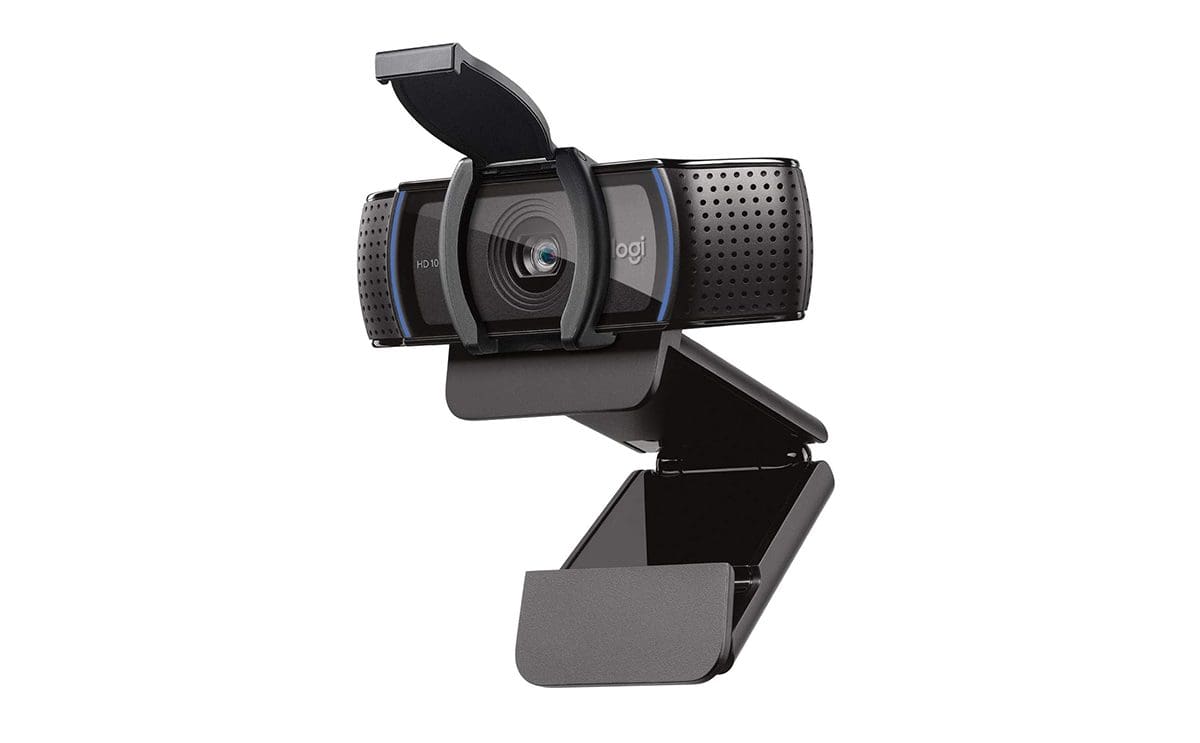
This is another interesting option if you’re looking for a good-quality webcam for your TV. Again, this is an option that can only do Full HD 1080P video calls, instead of 4K. But the results on the Logitech C9020S HD Pro Webcam are quite good because it uses a Full HD 1080P video and a high-quality glass lens. This ensures better capturing of light and hence, better video quality.
The Logitech C920S HD Pro Webcam also gets dual mics for capturing stereo audio for more natural-sounding calls. However, the similarities end there. This slightly expensive webcam also gets autofocus and comes with support for light correction technology.
Plus, there’s also a privacy shutter that fits like a snug cover on the webcam’s lens to give you added privacy and peace of mind. All these combine, to make the Logitech C920S HD Pro Webcam one of the best webcams for smart TVs.
What We Like
What We Don’t Like
3. Logitech Brio 4K Webcam

The Logitech Brio 4K Webcam is a feature-rich option that offers a lot to like. It comes with up to 4K recording and offers a wide variety of support for devices. There’s also HDR support along with RightLight to improve video quality in low-light conditions. Additionally, we also get up to 5x digital zoom while using Logitech Brio 4K Webcam.
While it can do 4k 30FPS, the webcam can also be switched to record at 1080p for smoother 60FPS recording. And did we mention the Brio 4K features an adjustable Field of View? Naturally, this allows you to switch between 65, 78, and 90 degrees, depending on your preference.
But video is not the only thing Logitech has taken care of with the Brio 4K Webcam. It also comes with noise-canceling technology. This is thanks to its dual omnidirectional mics which suppress background noise so that the user’s voice is not lost during important calls. And of course, there is also a privacy shade that can be flipped up or down for peace of mind.
What We Like
What We Don’t Like
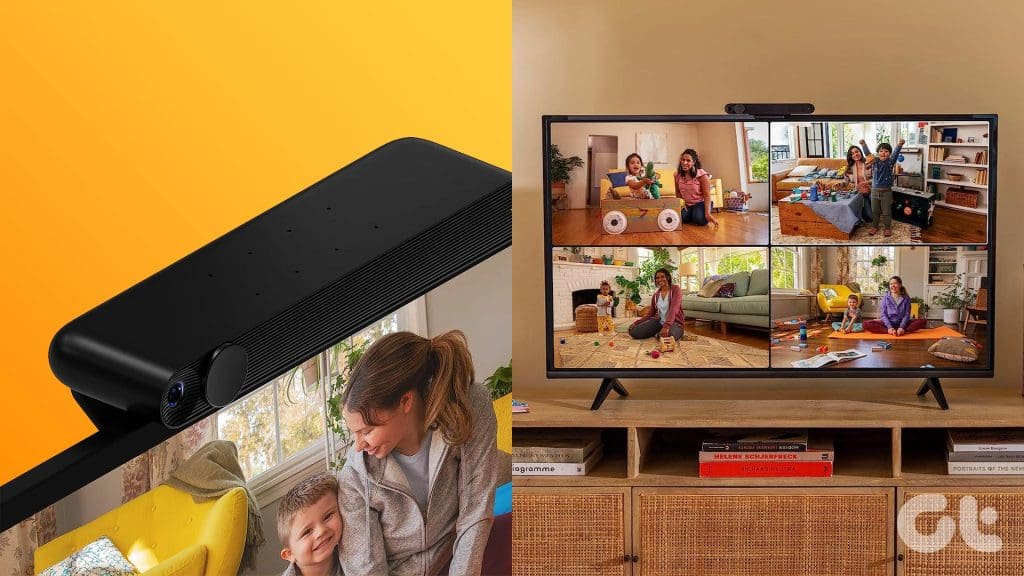
4. Meta Portal TV

The Meta Portal TV does more than just calls through your TV. Instead, it turns your television into an expansive smart display along with a video call screen. While we’re not sure if the latter will be of much considering most big screens at home these days are smart TVs.
It clips on top of the TV and comes with privacy-focused built-in security measures — including a privacy shutter — to promise ease of mind. The Portal TV comes with an eight-microphone array for intelligently picking up audio from across the room.
While it is a premium product in price, its overall performance does not match the tag. The Portal TV from Meta offers just decent camera quality and at times inconsistent camera zooming. The feature set on this is also surprisingly limited. The only thing working in its favor is that it can turn your TV into a smart one. But what if it’s already?
What We Like
What We Don’t Like
FAQs About Webcams for TVs
A limited number of webcams can be used with smart TVs. Depending on their support for operation without a driver, they can be connected to TVs directly. Once connected, these can be used to turn big televisions into screens for taking video calls for both work and play.
Most definitely! A 4K webcam provides many benefits over a regular 1080p camera. The biggest is the ability to capture better video during important calls. Compared to 1080p or Full HD, 4K offers four times more pixels in every shot which means a 4K webcam can provide much clearer and more detailed video.
Best of the Bunch?
So, which of the webcams should you buy? Well, if money is not a concern then we’d recommend going with the Logitech Brio 4K Webcam. It is feature-rich. Offers good compatibility and more importantly great picture and sound quality. However, if you’re not looking to spend too much on a webcam then both Logitech C920S HD Pro Webcam and the Septekon 1080P HD Webcam with Microphone could be good options. The former of course offers support for a more rich feature set.
Was this helpful?
Last updated on 17 July, 2023
Read Next
 Smart Plug vs Smart Outlet: Which Is Better for Your Smart Home
Smart home devices are no longer a thing of the future.
Smart Plug vs Smart Outlet: Which Is Better for Your Smart Home
Smart home devices are no longer a thing of the future.
 Top 5 Android FHD and 4K Smart TVs in India
When it comes to 4K TVs or Full HD TVs, it's safe to say they provide one of the best cinematic experiences.
Top 5 Android FHD and 4K Smart TVs in India
When it comes to 4K TVs or Full HD TVs, it's safe to say they provide one of the best cinematic experiences.
 4 Best 4K 55-Inch Smart TVs in 2023
Despite the influx of bigger panel TVs in the market, the 55-inch remains the most popular size.
4 Best 4K 55-Inch Smart TVs in 2023
Despite the influx of bigger panel TVs in the market, the 55-inch remains the most popular size.
 5 Best 8K Smart TVs for the Ultimate TV Experience
Be it pairing your new 8K TV to a powerful PC, laptop, projector, or simply a console, buying an HDMI cable that supports 8K is a must.
5 Best 8K Smart TVs for the Ultimate TV Experience
Be it pairing your new 8K TV to a powerful PC, laptop, projector, or simply a console, buying an HDMI cable that supports 8K is a must.
 5 Best 24-Inch Smart TVs for 2023 in the UK
If you're someone like me, you probably are averse to the idea of a big TV in your bedroom or any other average-sized room at home or even work.
5 Best 24-Inch Smart TVs for 2023 in the UK
If you're someone like me, you probably are averse to the idea of a big TV in your bedroom or any other average-sized room at home or even work.
 3 Best Webcams With Privacy Shutter
When it comes to data and privacy, we bet you'd not want to take any chances, be it securing your accounts with a strong password or shielding your activities on
3 Best Webcams With Privacy Shutter
When it comes to data and privacy, we bet you'd not want to take any chances, be it securing your accounts with a strong password or shielding your activities on
 Top 5 Webcams With a Ring Light
It's safe to say that webcams and online meetings are our future, at least for the short-term.
Top 5 Webcams With a Ring Light
It's safe to say that webcams and online meetings are our future, at least for the short-term.
 6 Best Webcams for Apple MacBook
The Late 2022 versions of Apple MacBook Pro and the MacBook Air arrive with 1080p webcams finally.
6 Best Webcams for Apple MacBook
The Late 2022 versions of Apple MacBook Pro and the MacBook Air arrive with 1080p webcams finally.
The article above may contain affiliate links which help support Guiding Tech. The content remains unbiased and authentic and will never affect our editorial integrity.