
Alienware recently took the wraps off its X-series of gaming laptops. For the uninitiated, the X-series comprises slim gaming laptops that boast exceptional performance. In fact, the laptops in the range are more slender than the brand’s M-series of notebooks too. Now, slim gaming laptops have been around for a while, but they often come with their fair share of compromises. As such, gamers tend to raise an eyebrow when they see brands glamorizing a sleek yet high-performance gaming laptop.

Well, Dell hopes to turn naysayers into believers with the Alienware X16 R1. Backed by top-of-the-line hardware, the likes of which include 13th-gen Intel processors and the latest 40-series GPUs from NVIDIA, the X16 R1 ticks most of the right boxes. And, thanks to the company’s Cryo-tech cooling technology, the laptop should, on paper, perform well too.
But is that really the case? And is the laptop worthy of its hefty price tag? Let’s find out in our in-depth Alienware X16 R1 Review.
Dell Alienware X16 R1 Specifications
First up, let’s get the specifications out of the way. The Alienware X16 R1 is a highly customizable laptop, and you can outfit the machine as you deem fit. You can find the different customization options below, or head on over to the official website for insights on the same.
| Processor | Intel Core i7-13620H |
| Intel Core i7-13700H | |
| Intel Core i9-13900HK | |
| RAM | 16GB LPDDR5 5200MHz |
| 16GB LPDDR5 6000MHz | |
| 32GB LPDDR5 6000MHz | |
| GPU | NVIDIA GeForce RTX 4050 |
| NVIDIA GeForce RTX 4060 | |
| NVIDIA GeForce RTX 4070 | |
| NVIDIA GeForce RTX 4080 | |
| NVIDIA GeForce RTX 4090 | |
| Storage | Up to 4TB PCIe NVMe SSD |
| Display | 16-inch QHD+ 165Hz 100% sRGB with Nvidia G-Sync |
| 16-inch QHD+ 240Hz 100% DCI-P3 with Nvidia G-Sync | |
| Wireless | Intel Killer Wi-Fi 6E AX1675 |
| Weight | 5.67 lbs to 6 lbs (depending upon configuration) |
| Dimensions | 14.36 in x 11.41 in x 0.73 in |
Design
The idea behind the X-series, in general, is to offer high-end gaming performance in a slim and portable form factor. Now, we’ve already seen something similar from the likes of the ASUS’ ROG Zephyrus range and the Razer Blade laptops.

However, at just 0.73 inches, the Alienware X16 R1 stands out from the competition. For context, the Apple MacBook Pro offers a 0.61-inch girth, while the ROG Zephyrus G16 measures 0.81 inches at its thickest point.
Also, at less than 6 lbs, the X16 is quite portable too. Suffice it to say, Dell has taken great steps to trim down the X16’s chassis and make it more travel-friendly.

Moving on, the laptop is available in just one color trim, aptly named Lunar Silver. The unit ships with an aluminum lid that has a ginormous ‘X’ engraved on it. The laptop’s hinge, on the other hand, gets a light gray paint job. Naturally, the Alienware X16 R1 exhibits a two-toned finish. Be that as it may, the design looks pretty minimal, and it should sit well with most buyers.
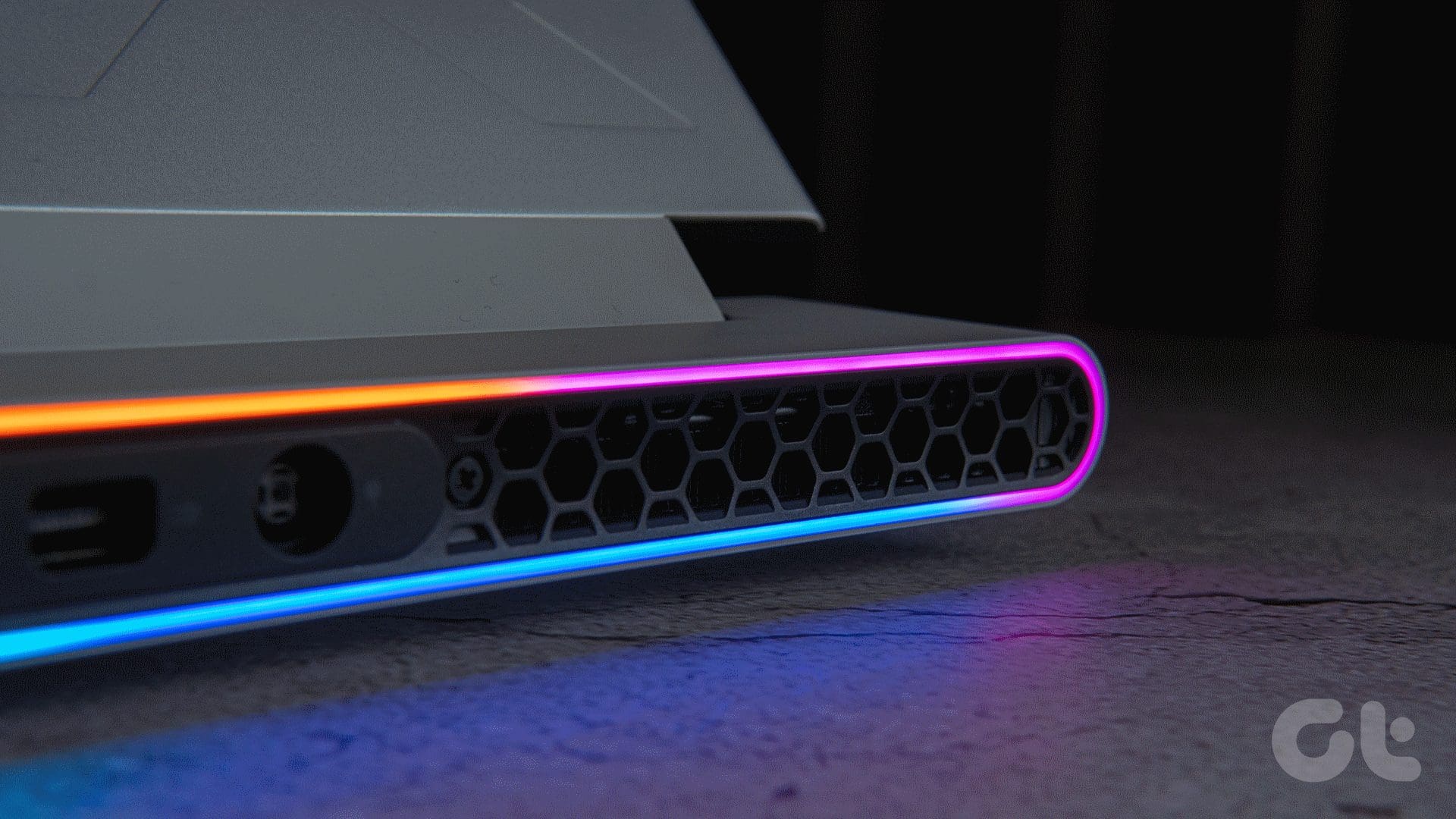
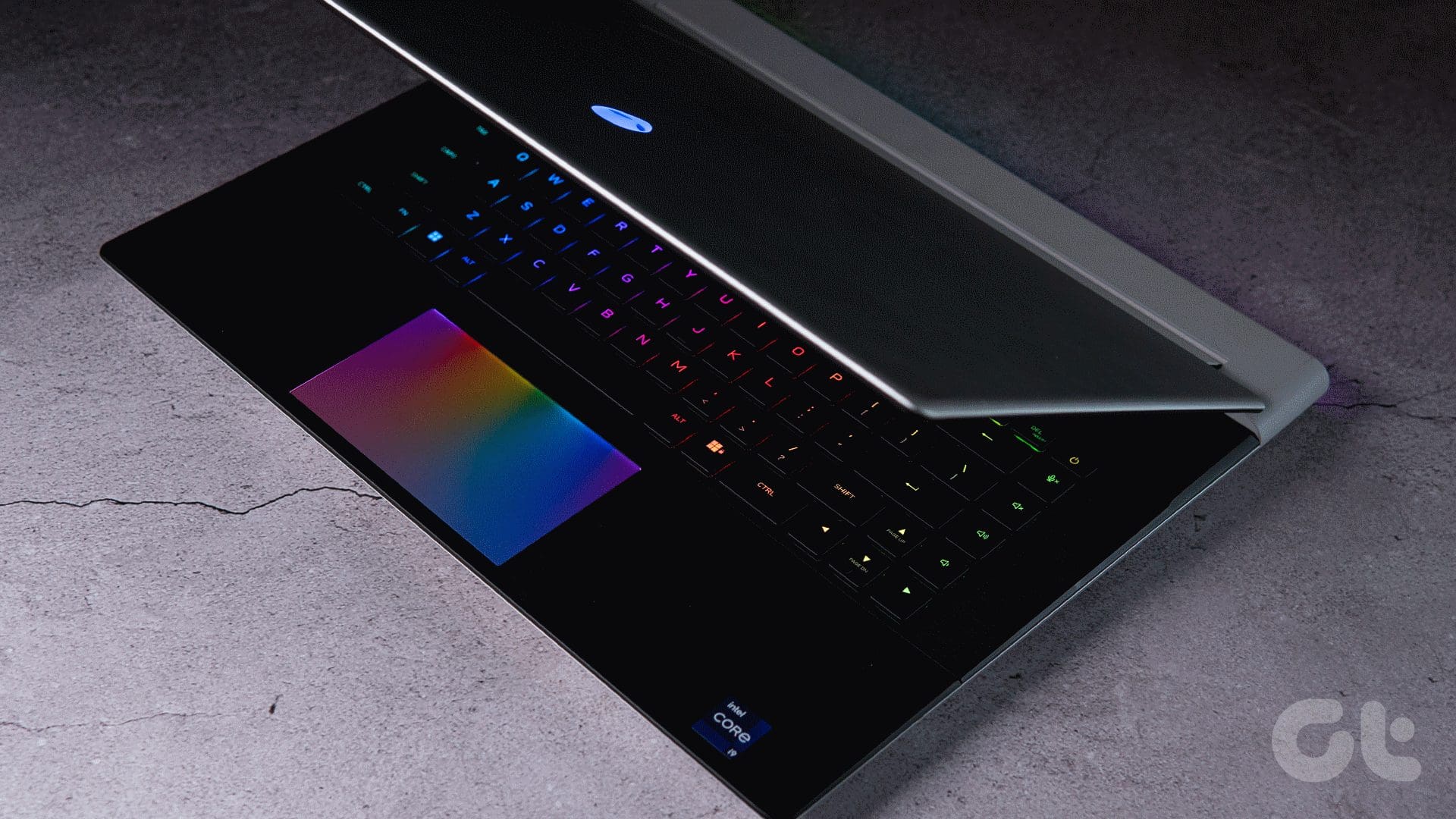
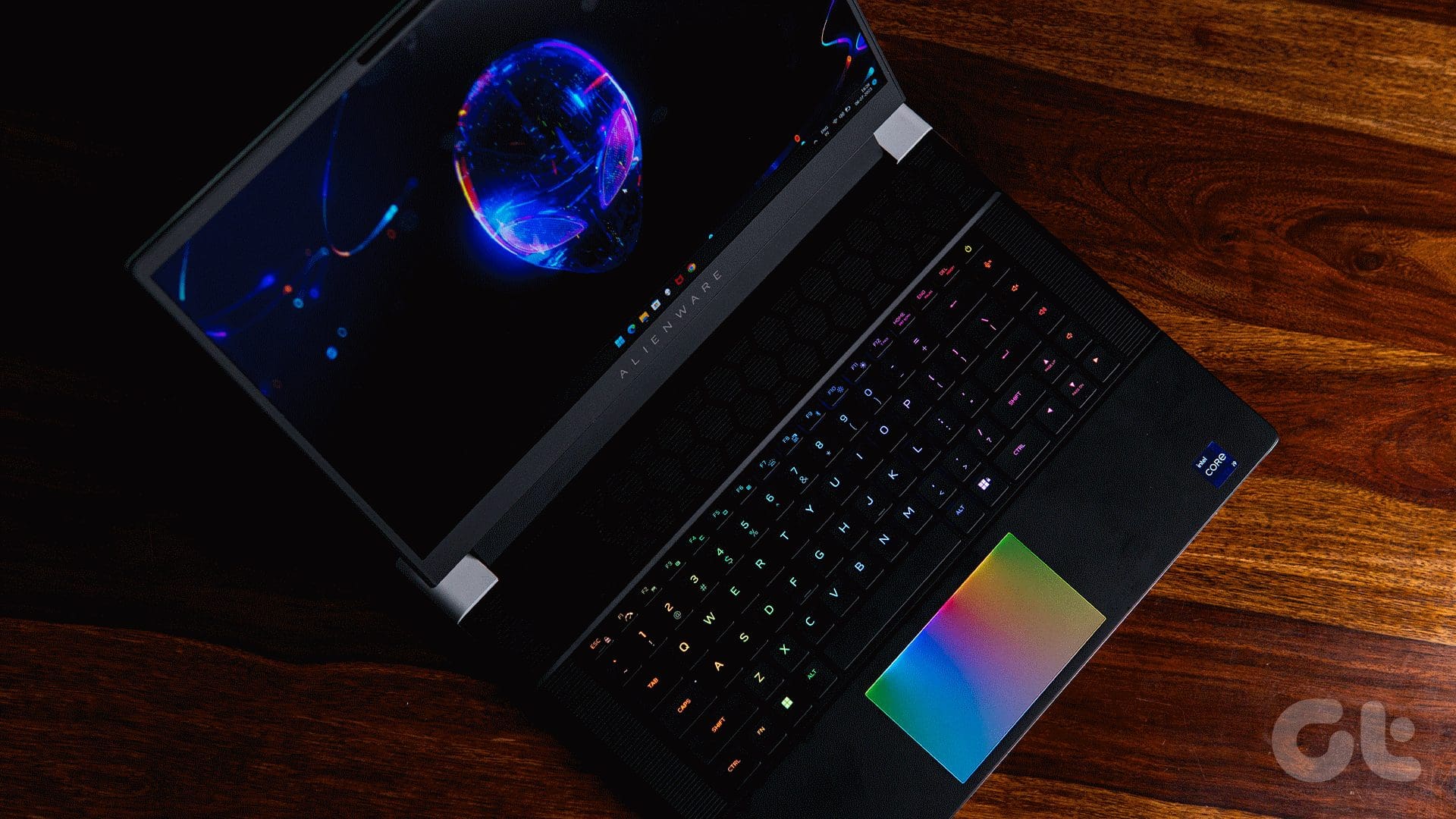
It goes without saying that the laptop is chockablock with RGB too. So, be it the Alienware logo, the keyboard, the touchpad, or the vents on the back, the device will not leave you wanting for more pizazz.

Now, while I thoroughly enjoyed seeing the Alienware logo light up, the highlight is undoubtedly the stadium lighting enveloping the laptop’s vents. On that note, the laptop has been outfitted with 100 micro-LED lights that shine a light on the unit’s back.
And, the lighting is superbly customizable too. In fact, you can fine-tune various aspects of the LEDs via the AlienFX settings inside the Alienware Command Center companion app.
The laptop has vents on either side of its chassis as well. Consequently, the X16 takes in cool air from under and pushes it out from the vents on the sides and the rear. I will delve into the thermals in more detail later on in the review. Nevertheless, the X16’s design has undeniably captured my attention, and I am willing to bet you’ll be smitten with the laptop’s looks too.
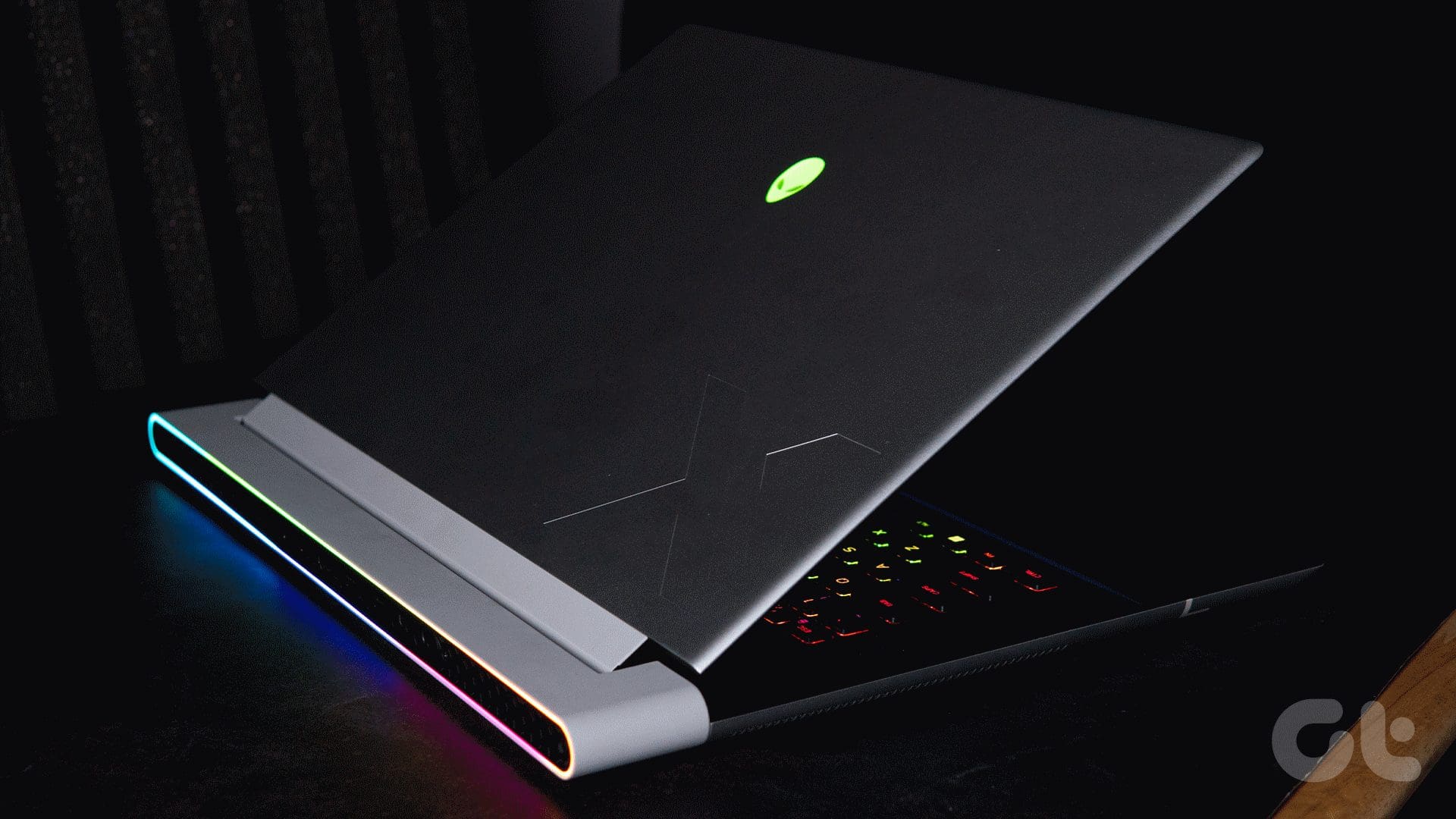
Interestingly, the laptop doesn’t come with any ports on its sides. Instead, the company has positioned the I/O towards the back of the device. This includes a DC-in port, a Mini Display 1.4 port, a couple of USB-A 3.2 Gen1 Port with PowerShare, an HDMI 2.1 port, a USB-C 3.2 Gen 2 port, a Thunderbolt 4 port, a microSD card reader, and finally a 3.5mm headphone jack.

The inclusion of a microSD card slot didn’t sit well with me, though. If Alienware was targeting content creators, they could’ve outfitted the machine with a full-sized SD card slot. Or better yet, seeing how the X16 is a gaming laptop, they could’ve traded the SD card slot in lieu of a LAN port. Then again, you can’t have it all, can you?
Display
Moving on to the display, my review unit was furnished with a 16-inch QHD+ panel that refreshes at 240Hz. Now, do note that the panel offers a 16:10 aspect ratio, which might not sit well with some buyers. Truth be told, I fancy the screen quite a bit.
In fact, the extra real estate comes in handy for a multitude of productivity tasks. I also don’t mind the letterboxing effect that creeps in when watching movies on the panel. Of course, your mileage will vary, but given the choice between a laptop with a conventional screen with thicker bezels and a 16:10 panel, I’d pick the latter in a heartbeat.
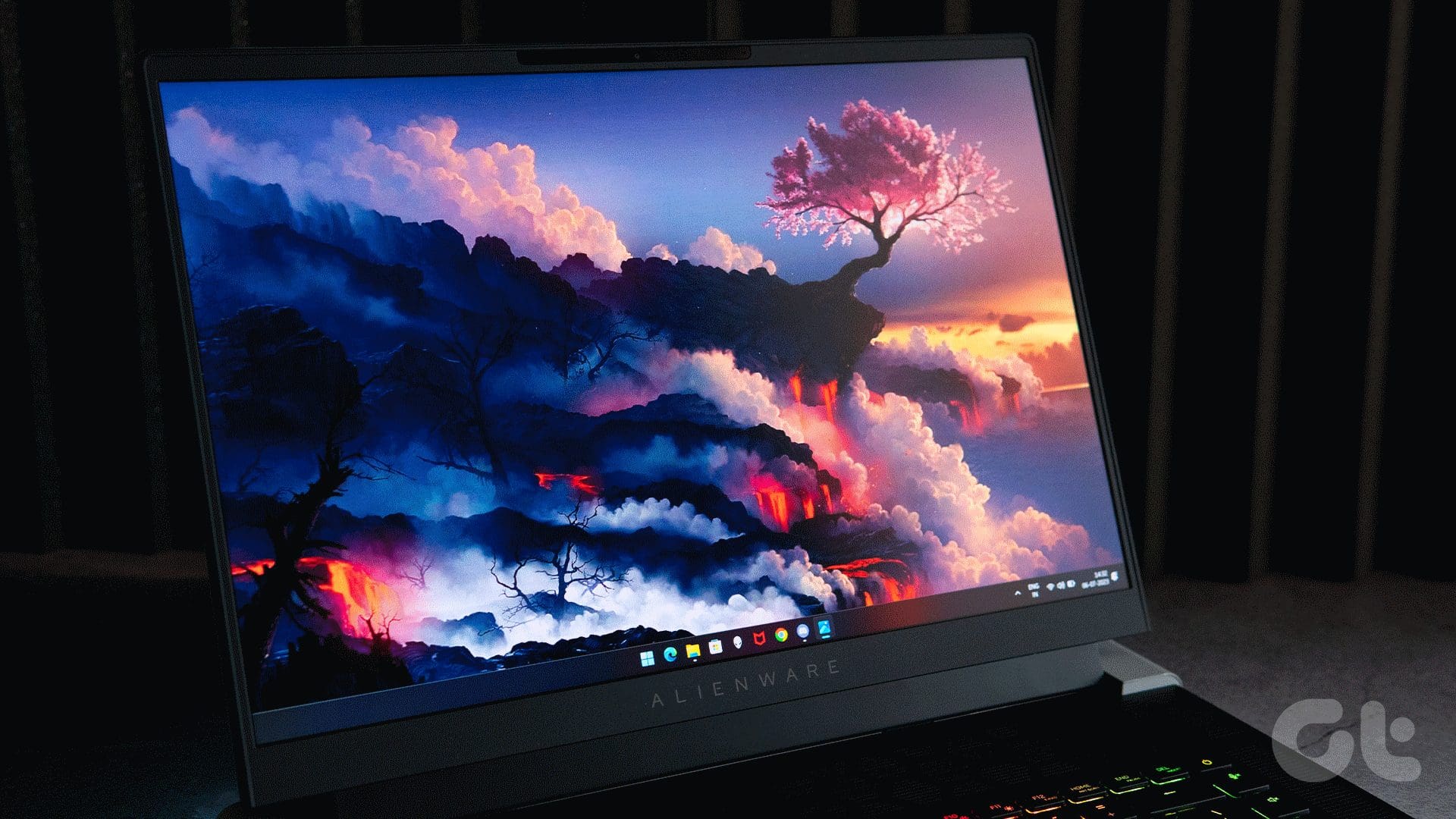
As for gaming, the screen amped up the refresh rate for fast-paced eSports titles like Valorant or Overwatch seamlessly. The display also offers a snappy response time of just 3ms, which was in line with our experience too.

Another thing to note is that the panel covers 100% of the DCI-P3 color gamut. So if you are a content creator, you will find plenty to like about the X16’s screen too.
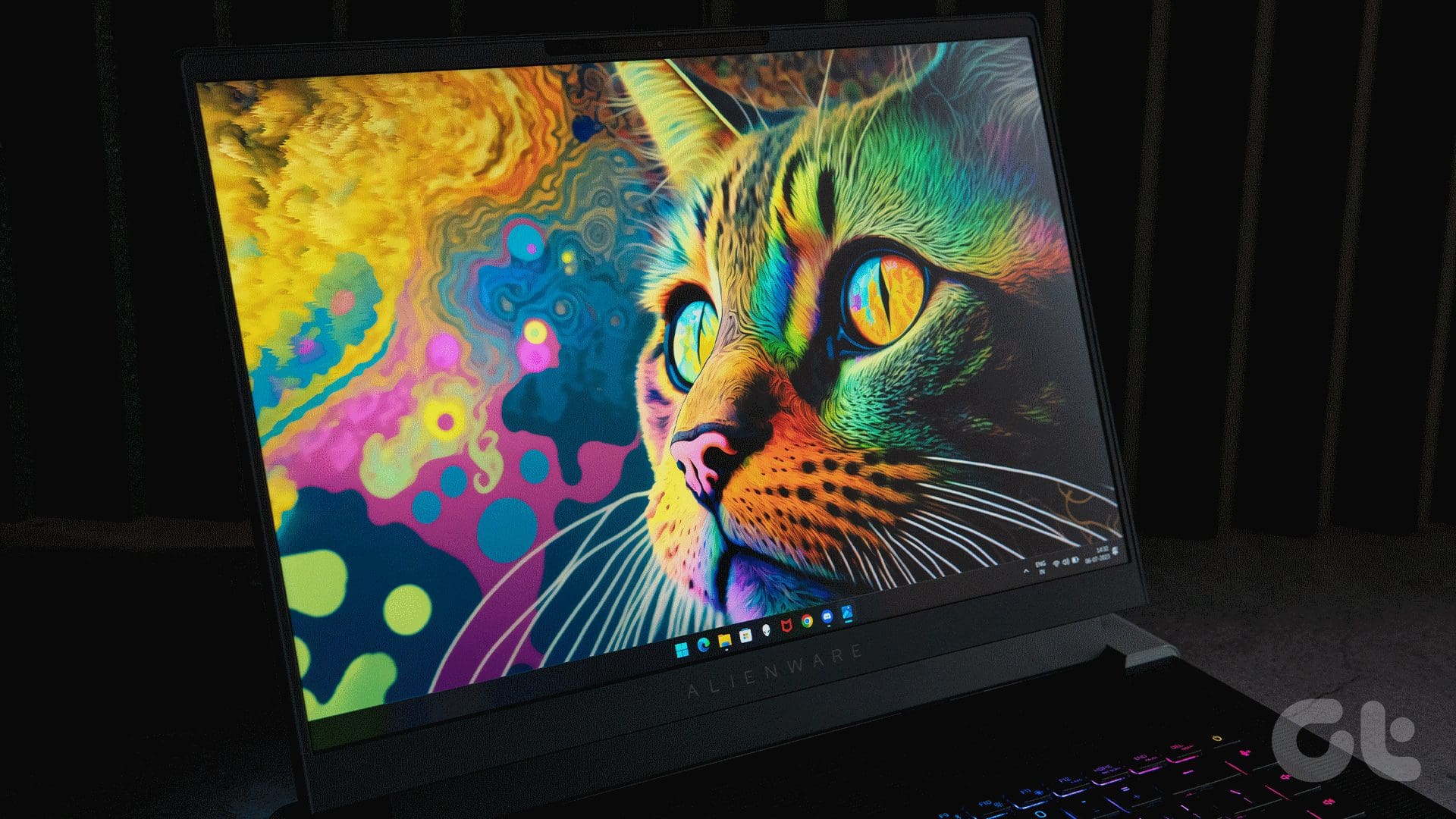
What’s more, Alienware has layered the display with an anti-glare matte coating. Consequently, you can use the laptop outdoors or under direct lighting without any issues. The same can be accredited, at least in parts, to the panel’s peak brightness of 300nits, which is pretty solid for a gaming laptop.
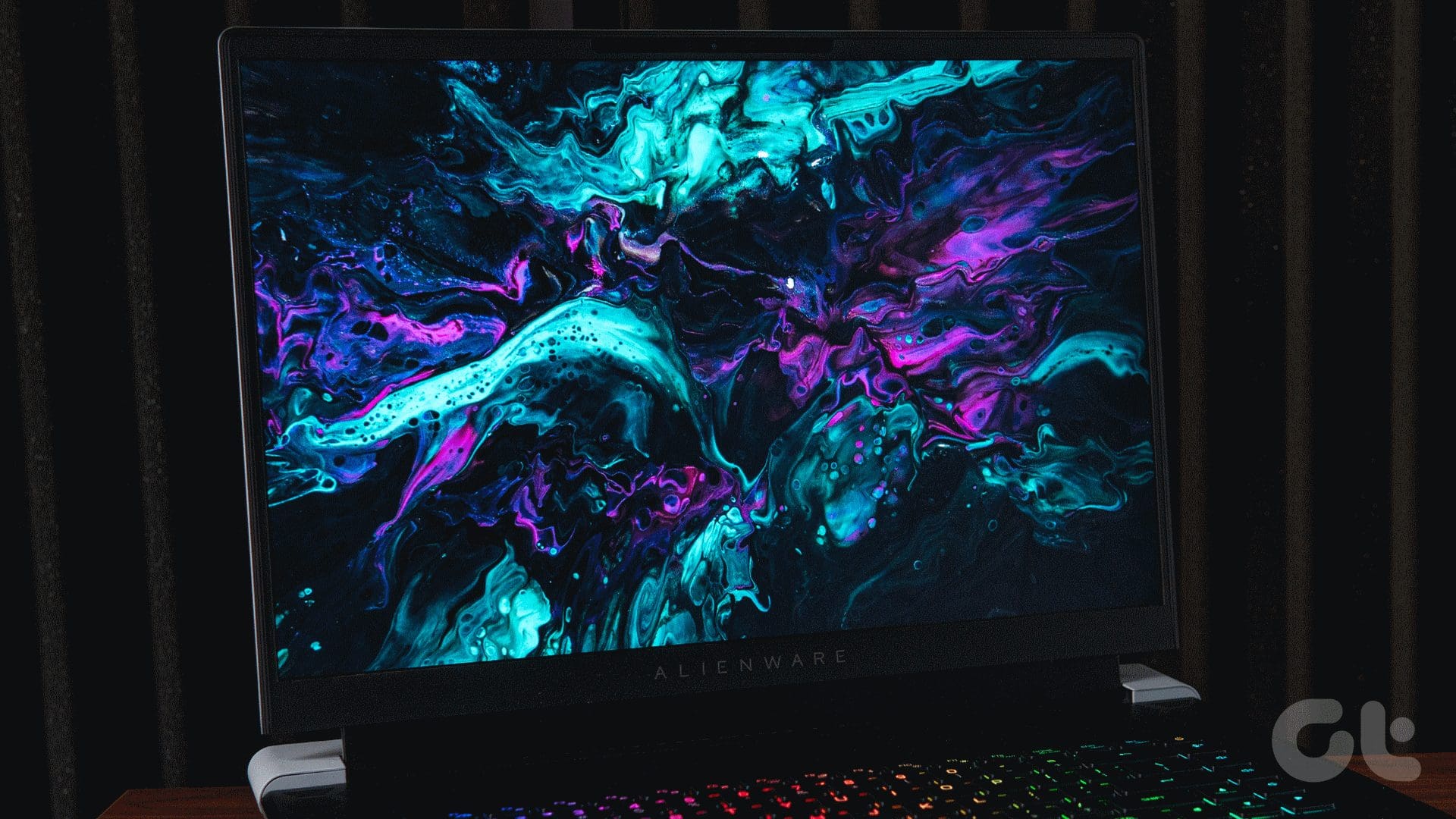
All in all, the X16’s display is, quite possibly, my favorite screen on any gaming laptop out right now. To wit, the panel is just the right size, superbly responsive, sufficiently snappy, and can be used in well-lit environments too.
Audio
The X16 features a powerful audio setup that perfectly complements its impressive display. The setup comprises six speakers, including two upward-firing tweeters and a set of woofers. Interestingly, for the first time in the company’s history, the brand is offering a total of six speakers with every configuration of the laptop.

Additionally, the laptop also comes with support for Dolby Atmos and Dolby Vision. You can fine-tune the experience using the Dolby Access app for when you’re gaming or watching a movie.
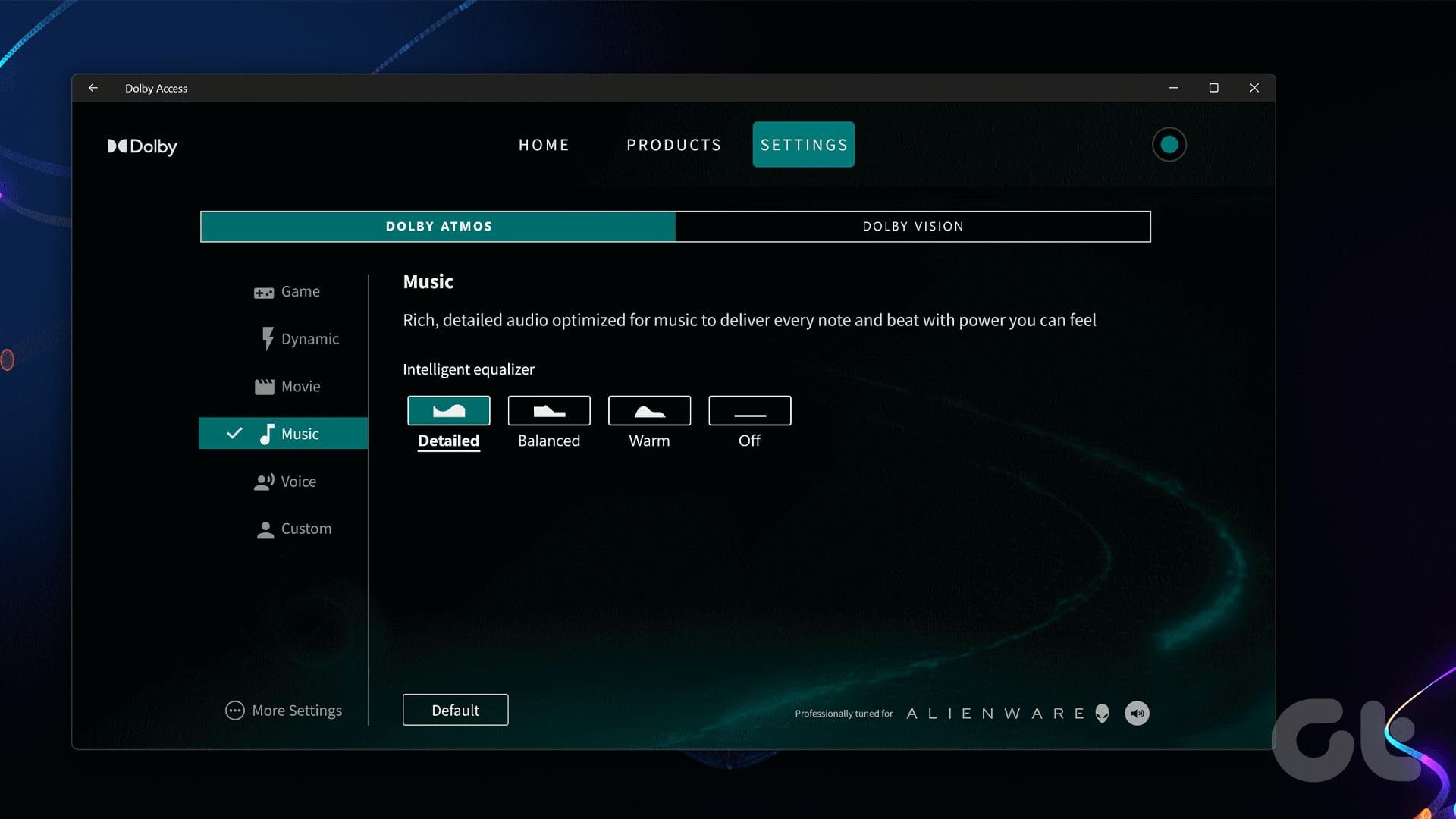
If anything, I’d recommend you steer clear of the ‘Dynamic’ sound profile, which crushes the bass at high volume levels. To my ears, the ‘Detailed’ preset sounded more natural and lively, so I stuck to it during my stint with the laptop.
Keyboard
The Alienware X16 is backed by a CherryMX ultra-low-profile mechanical keyboard. The keyboard deck is quite accommodating and the keys offer a generous travel of 1.8mm as well. Add to that, the mechanical switches offer excellent haptic feedback too. To no one’s surprise, then, the X16’s keyboard offers a phenomenal typing experience.

To give you a better picture, I put the keyboard through its paces in MonkeyType, wherein I was able to constantly score around 75 wpm with 97% accuracy. The keyboard takes virtually no time to get used to, especially if you’ve used a mechanical keyboard in the past.
That said, if it is your first rodeo with a mechanical keyboard, then you will have to acclimate to the keyboard’s sound. To wit, the keyboard can get a bit too loud, especially when you’re typing quickly. On the bright side, Dell does offer the laptop with a chiclet-style keyboard too, so you can opt for the same if you desire a quieter typing experience.
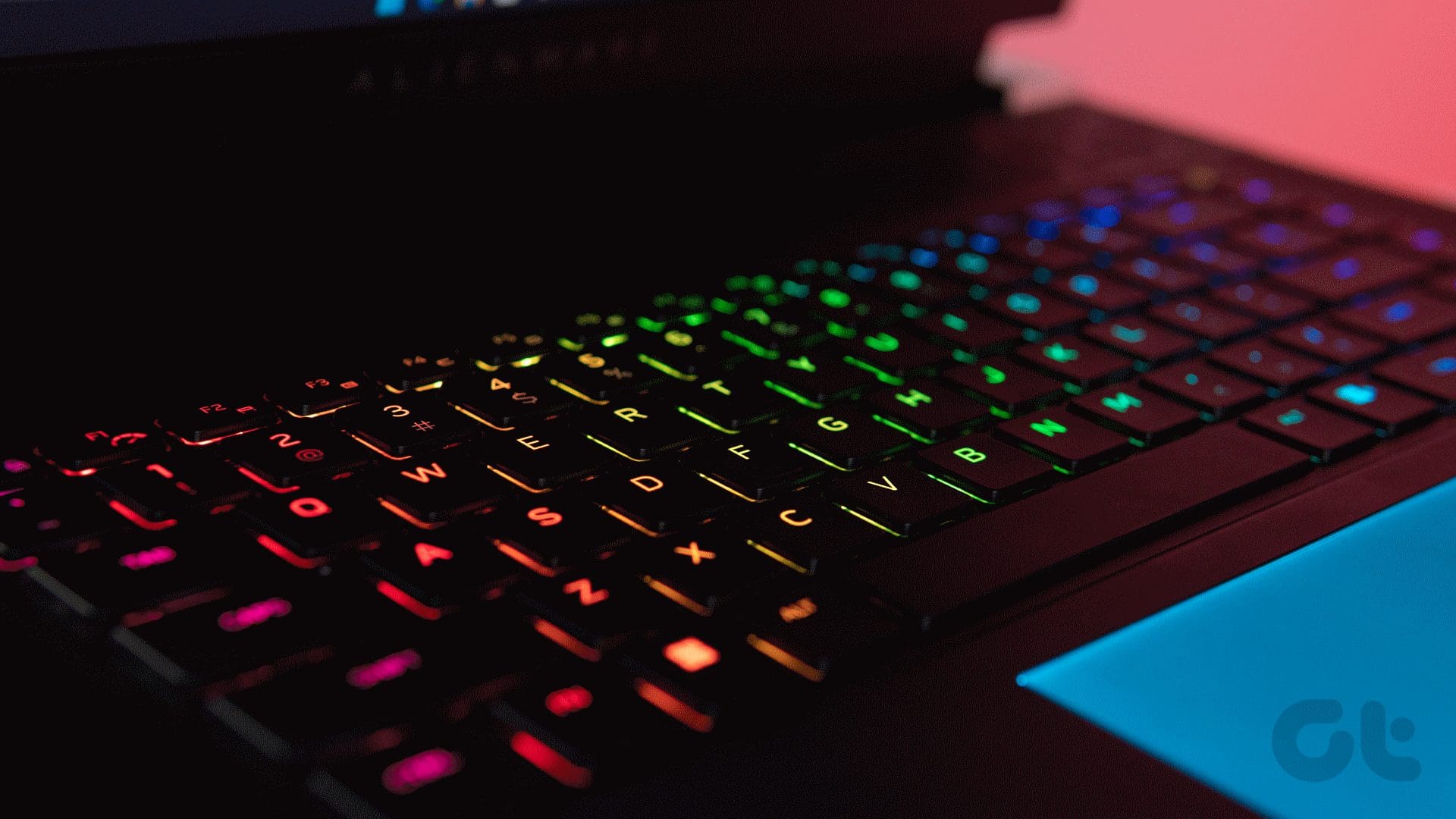
Regardless of which version you opt for, you will revel in per-key RGB lighting for the keyboard deck. So, be it customizing each key’s RGB effect, or sifting through a bunch of pre-defined presets, you can do it all. Additionally, the RGB lighting for the keyboard can get quite bright. So much so, the lights were adequately visible even during the daytime.

The keyboard layout is replete with hotkeys to toggle the performance mode or to launch the Alienware Command Center. Additionally, while most 16-inch laptops ship with a Numpad, the X16 opts against the same.

Instead, you get the upward-firing speakers, and vents on the sides, which make more sense seeing how the X16 is a gaming laptop at the end of the day.
Touchpad
The X16 ships with a full-sized glass touchpad, which is slightly smaller than what you’d get with some competing 16-inch gaming laptops. Don’t get me wrong – it’s not tiny by any means, and I could use my pudgy fingers to input swipe-based gestures seamlessly. Additionally, the trackpad offers a smooth surface and excellent palm rejection too.

While all that’s good and dandy, the touchpad comes with RGB lighting, which accentuates the laptop’s looks tenfold. Interestingly, while previous Alienware laptops had single-zone lighting for the trackpad, the X16 ups the ante by bringing highly customizable lighting effects to the mix. All you have to do is enable the Rainbow Wave effect in the AlienFX settings, and the trackpad will overturn a range of colors.

At the end of the day, most gamers will use a good gaming mouse with the laptop. But when you do need to rely on the X16’s touchpad, it won’t let you down.
Webcam
Webcams are one area where we still haven’t seen much improvement in terms of quality. The Dell Alienware X16 is no different, either. You get a 720p webcam with the laptop, which produces sub-par results. As is evident by the image attached below, the webcam introduces a reddish tint on the subject’s face. Add to that, the image appears quite soft. On the upside, the webcam offers good HDR chops. As such, it can light up the subject’s face without overexposing the lights in a room.

Something worth highlighting is that the webcam doesn’t come with a privacy shutter. That being said, you do get a white LED light when the camera is in use.
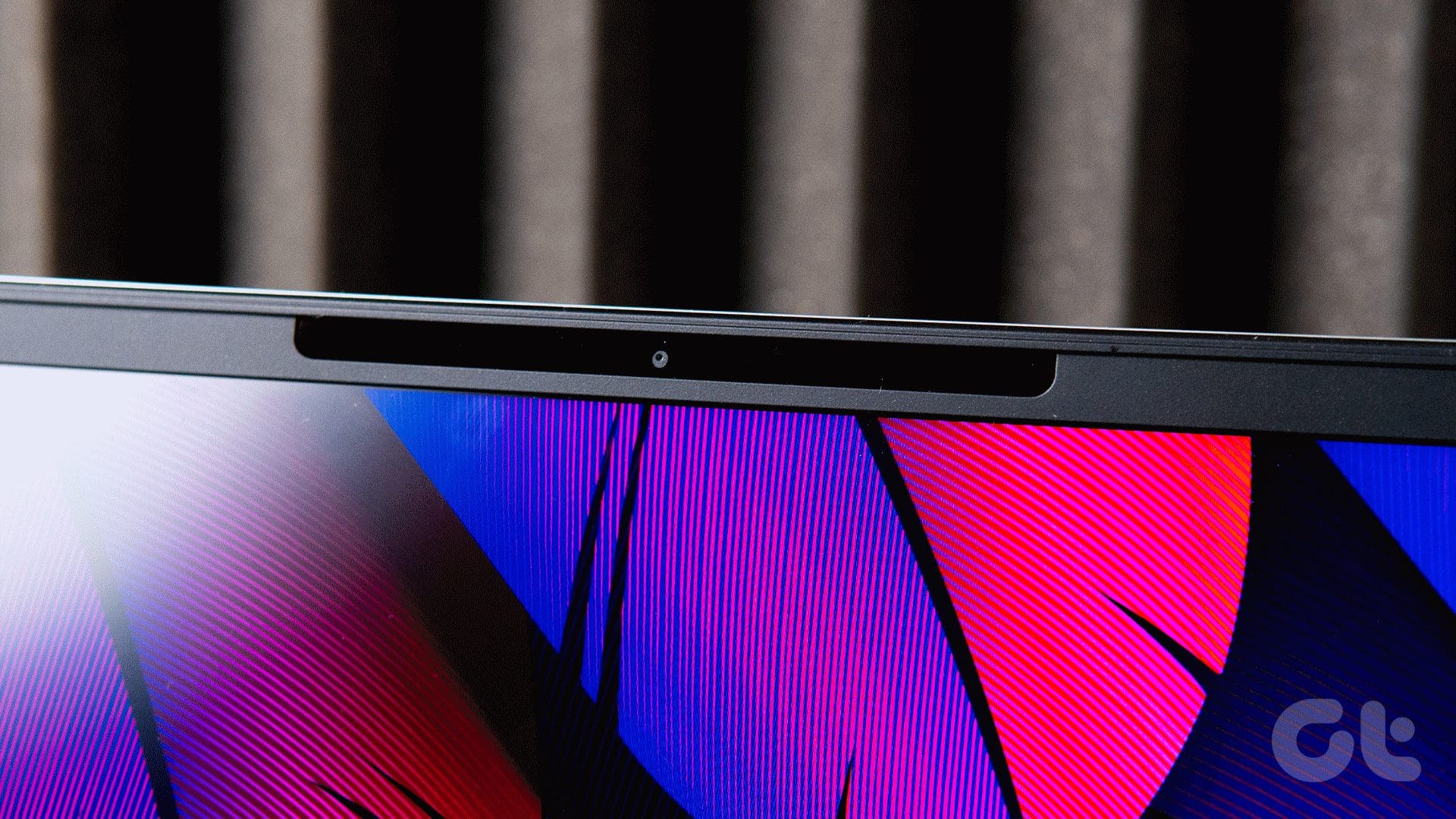
Other than that, the webcam gets IR tech, so you can use Windows Hello Face Unlock with the laptop. It works well for the most part but I did run into instances where the laptop refused to invoke Windows Hello and prompted me to enter the PIN instead.
Software Utilities
Speaking of Windows, the Alienware X16 gets a Windows 11 Home license. On the downside, Dell bundles a ton of bloatware with the laptop. As much as I admire Dell and its laptops, the company needs to work on optimizing its software suite. At any given point in time, I had about 20 background processes running from Dell or Alienware, eating into the laptop’s resources.

Of course, some utilities like the Alienware Command Center are quite useful. In a nutshell, the platform lets you take control of the X16’s RGB lighting, performance profiles or apply custom settings for the installed games. It’s a nice app that works very well but does so by taking a fair chunk of memory too.
Performance
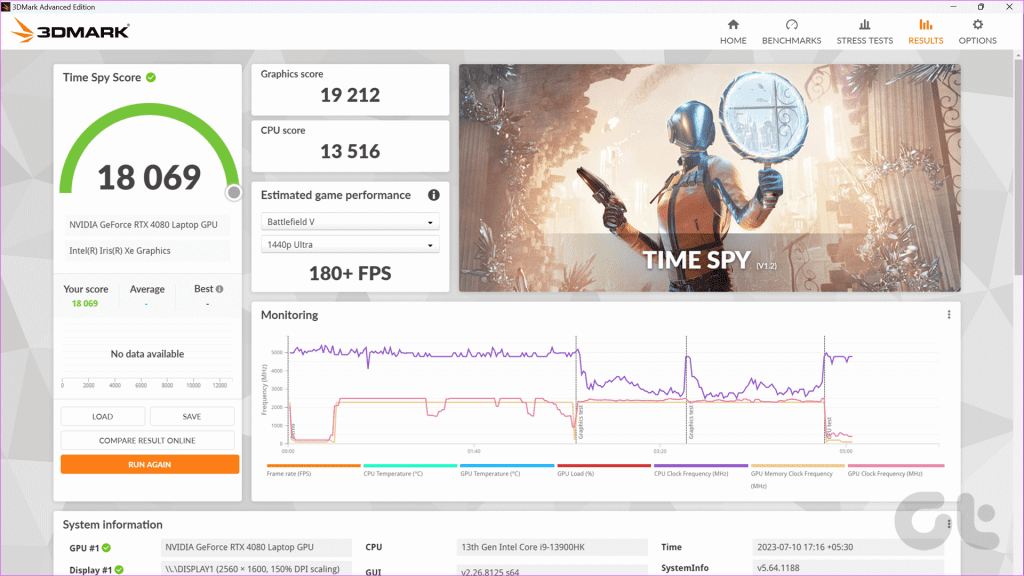
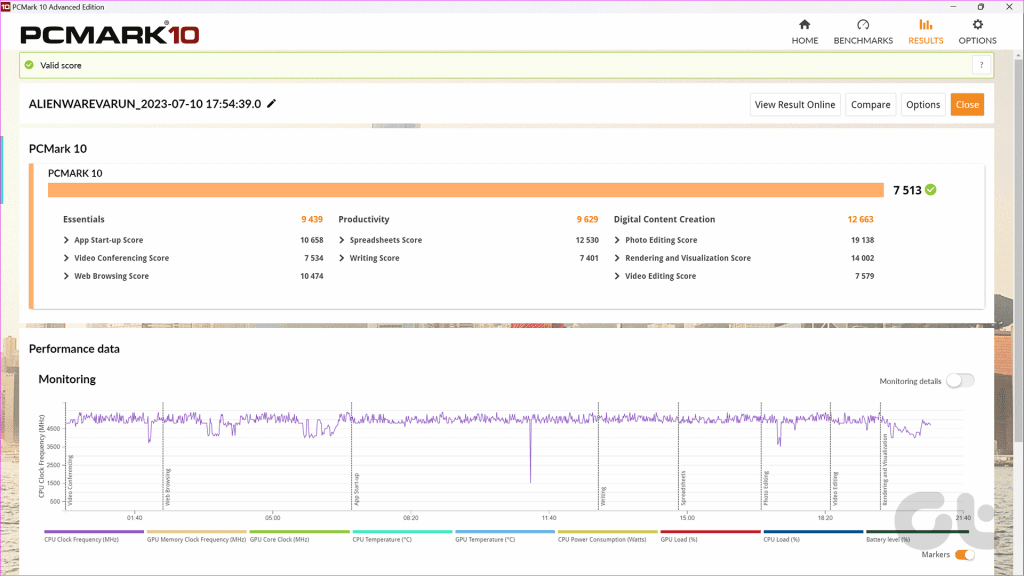
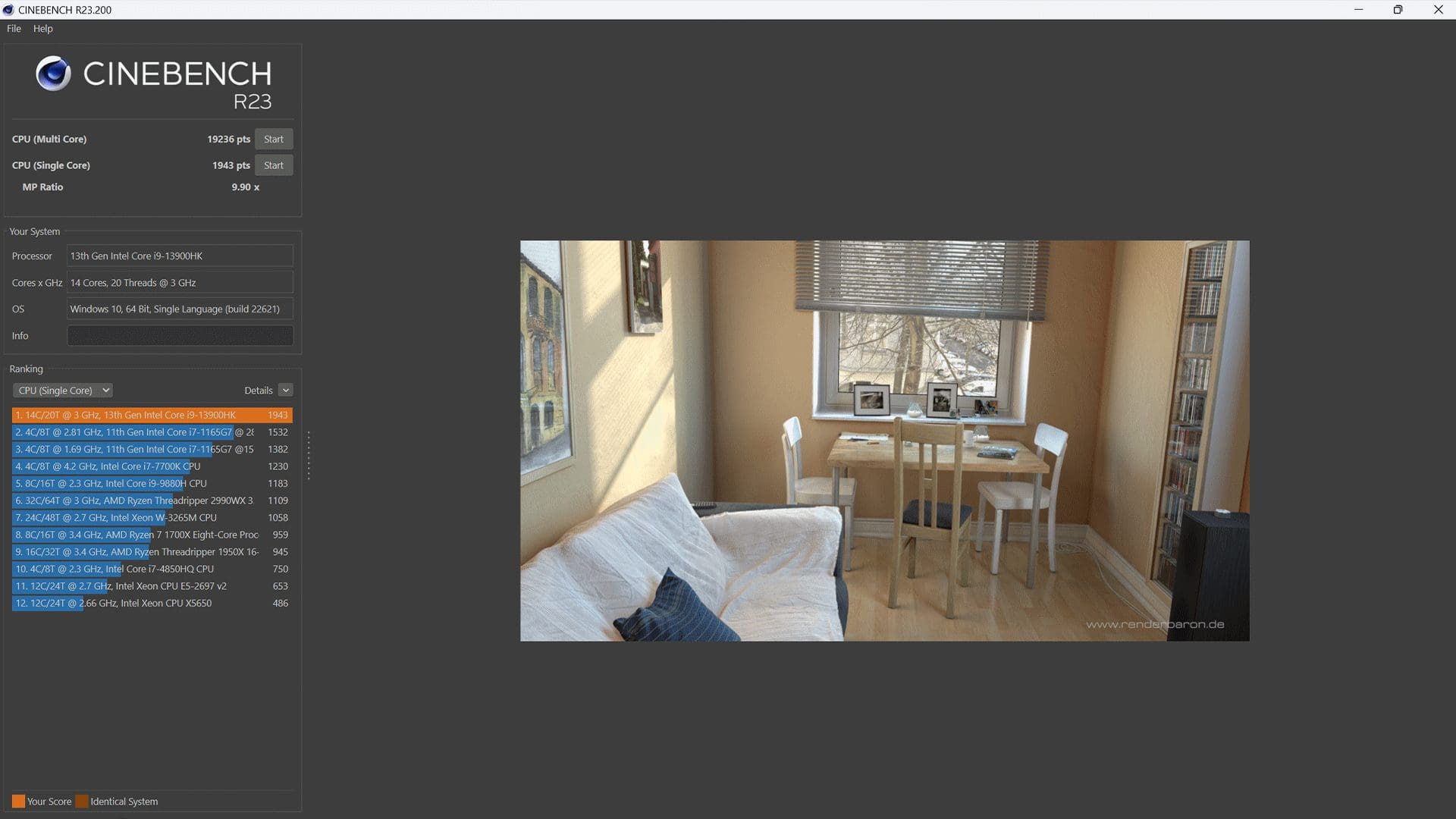
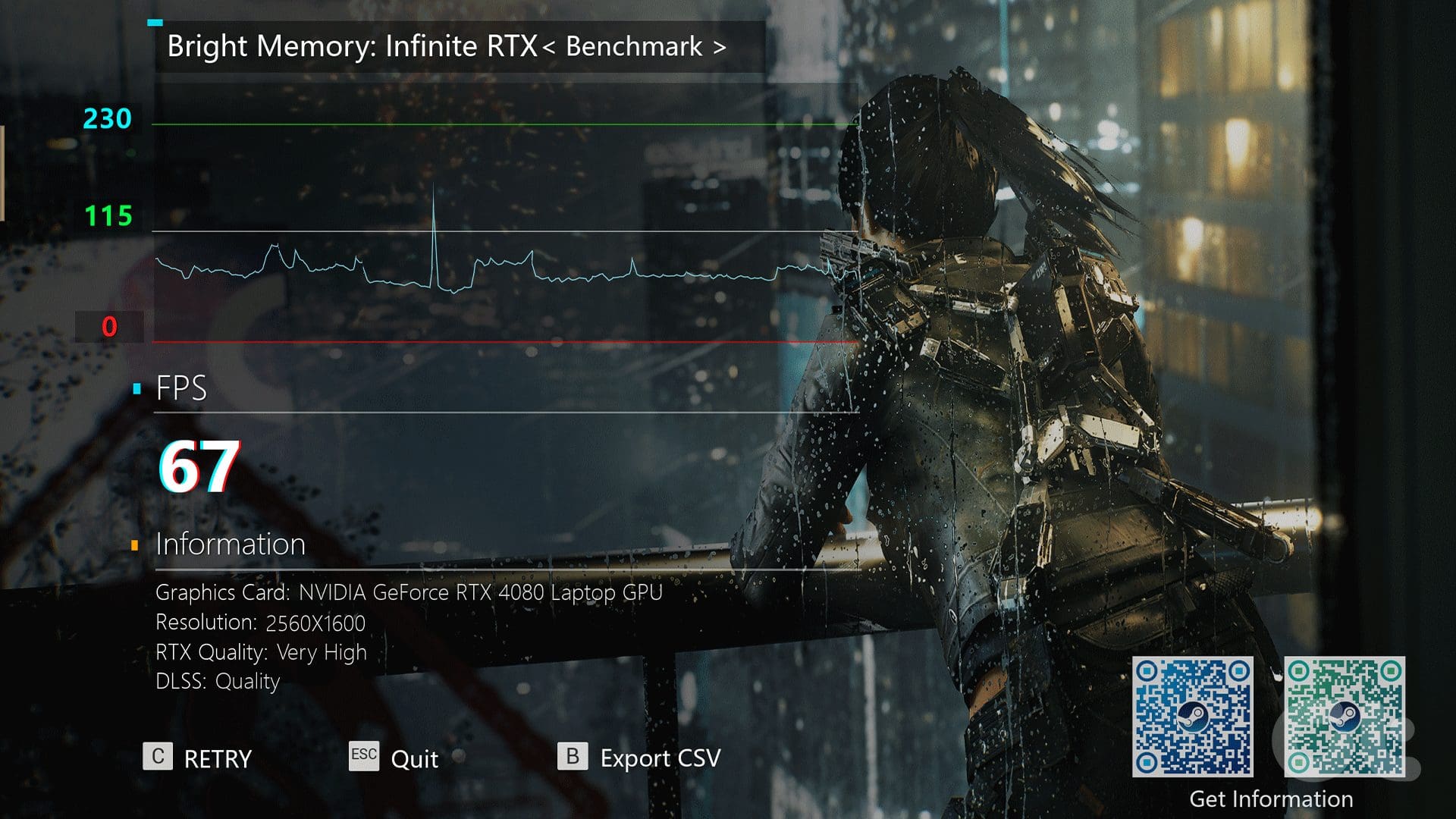
Coming to the meat of the matter, our Alienware X16 R1 review unit features Intel’s Core i9-13900HK processor. The CPU works alongside NVIDIA’s GeForce RTX 4080 Laptop GPU, 32GB of DDR5 RAM clocked at 6000MHz, and a 1TB Samsung PM9A1 NVMe drive. On paper, the X16 R1 offers a resoundingly powerful package. So how does it perform in the real world?
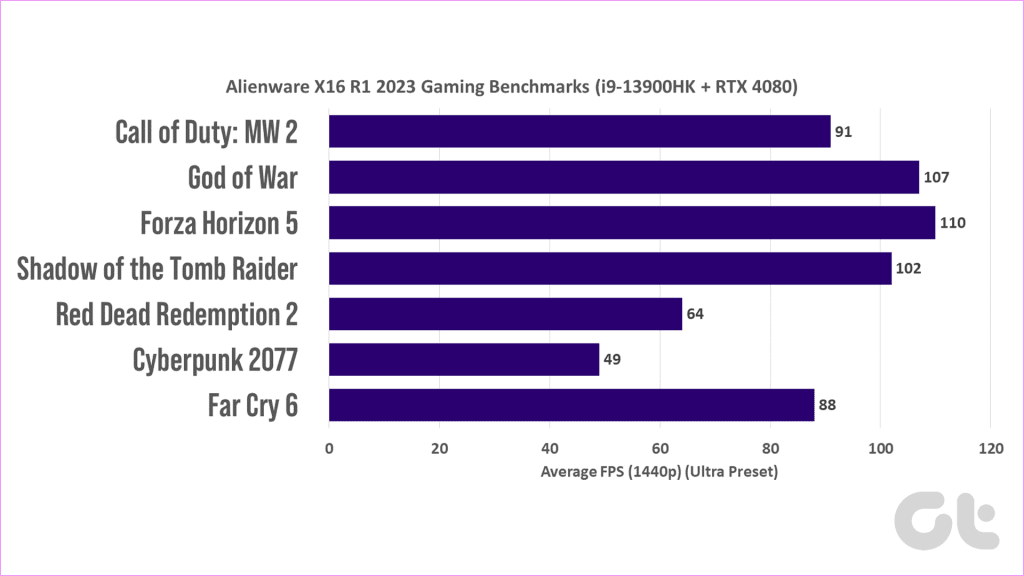
To cut a long story short, the laptop overturned impressive numbers in both synthetic as well as gaming benchmarks. However, the numbers are not on par with competing gaming laptops that also employ Intel’s Core i9-13900HK processor. The GPU does manage to perform respectably, though. But even then, it’s evident that the CPU is bottlenecking the GPU’s performance. You can refer to the benchmarks attached below for more insights on the laptop’s gaming performance.


Thermals
As can be seen from the forenamed screengrabs, the Alienware X16 is susceptible to thermal throttling, which limits the laptop’s Core i9 processor and its RTX 4080 GPU from reaching their maximum potential. Despite enabling the laptop’s high-performance mode and with the four fans revving at top speeds, the laptop’s CPU is quick to reach the 95-degree Celsius mark. A couple of cores touch the 100-mark in no time, limiting the CPU’s clock speed to 3.93 GHz at its peak.

Making matters worse is the surface temperature. The laptop gets unbearably hot to the touch, with the WASD keys reaching the 45-degree mark in no time. Placing the laptop on a desk doesn’t help either. Since the exhaust vents are on the side, the laptop pushes out hot air near a user’s hands, which can be bothersome if you’re using a mouse to play games.
Please note that I conducted the tests in a controlled setting with a room temperature of 22 degrees Celsius. Your results could definitely vary based on your usage conditions. But even so, the temperatures are a clear indicator that you need to compromise on thermals when opting for portability.
Add to that, for the same price, you can easily get your hands on a laptop backed by Intel’s Core i9-13900HX processor. As such, you’re losing out on two performance cores and eight efficiency cores by opting for the Alienware X16 R1 gaming laptop.
Upgradability
The Alienware X16 comes with two M.2 SSD slots, one of which is already occupied. You can easily add more storage or replace the existing drive without any issues. Add to that; the Wi-Fi card can be replaced seamlessly too.
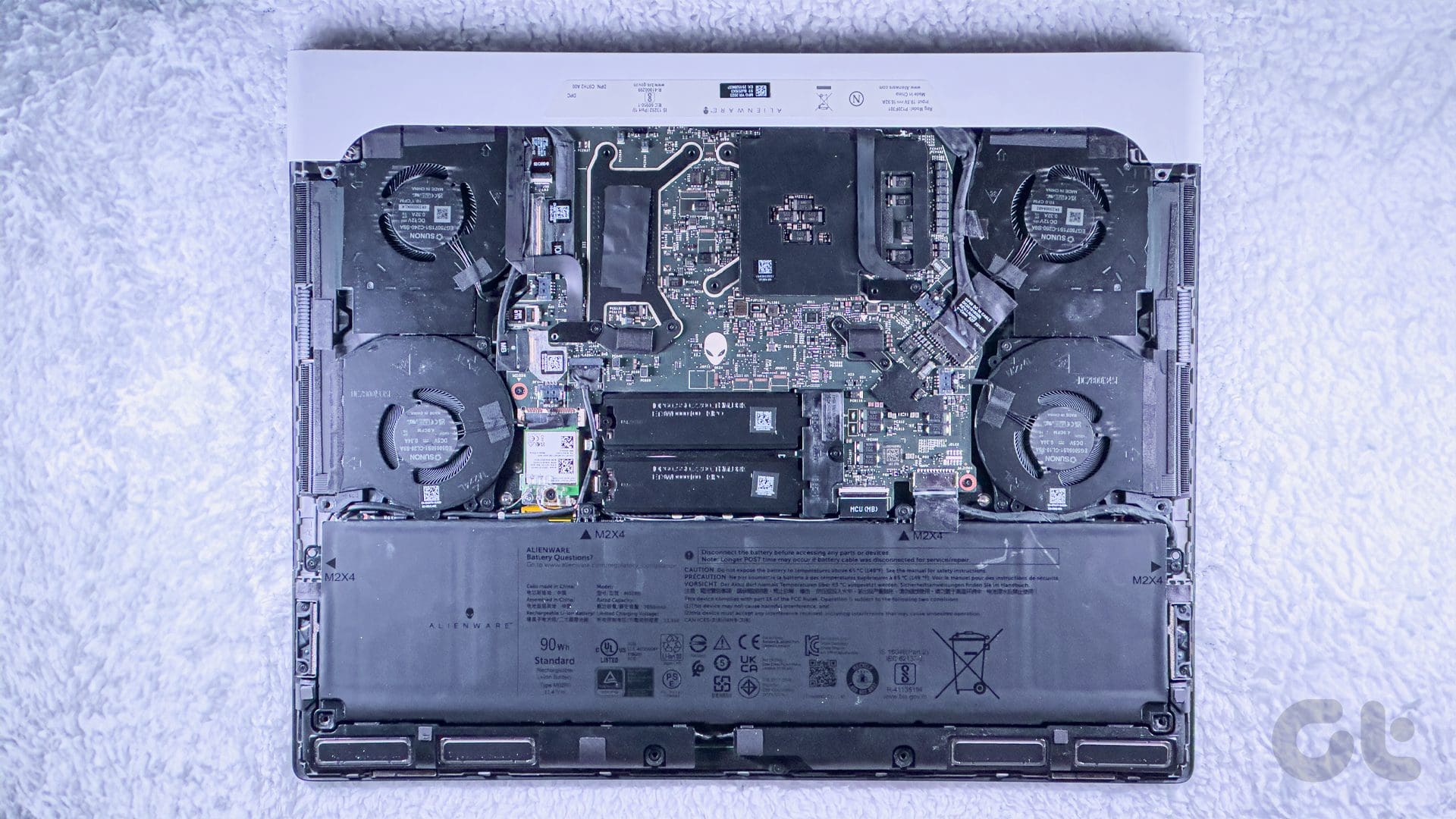
If anything, the laptop’s RAM is soldered on, so you can forget about upgrading the unit’s memory down the line.
Battery and Charging
Our unit of the Alienware X16 R1 comes equipped with a 6-cell 90Wh battery. The company bundles a 330W GaN-FET charger to top up the battery pack. Needless to say, the charging apparatus makes the laptop a lot more portable since most other machines come with bulkier bricks.
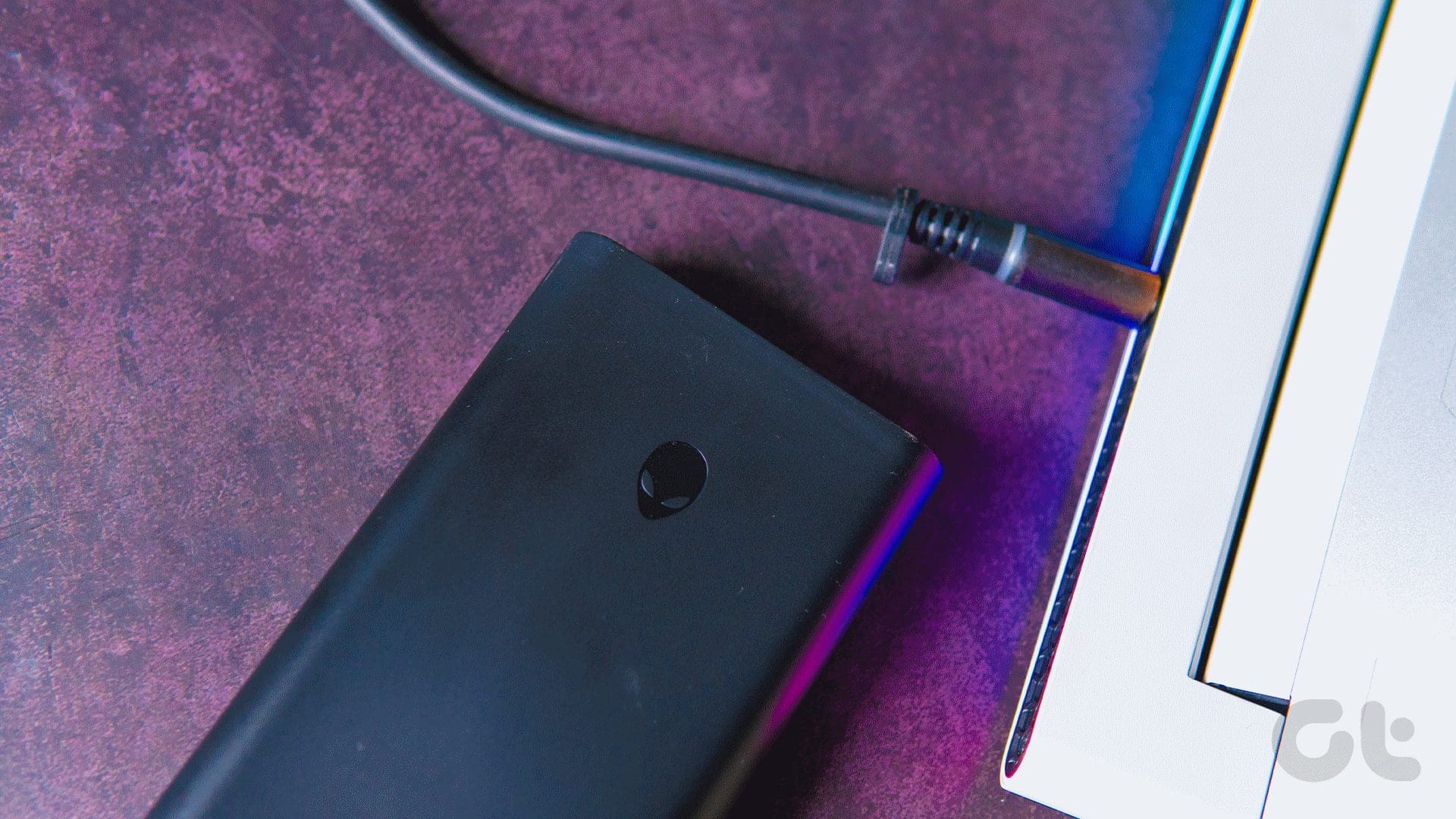
Speaking of the GaN charger, the unit ships with an LED ring around the charging port to indicate when the power is passing through. It’s a subtle touch, but one that adds to the visual appeal of the laptop.

As far as the battery backup is concerned, you shouldn’t expect the unit to last a long time. In my testing, I was able to squeeze about five hours of use out of the machine. Do note that the display was set to 50 percent brightness, with my usage limited to web browsing and nominal editing in Photoshop.
Dell Alienware X16 R1: Worth It?
The Dell Alienware X16 R1 starts at $1,999 and goes all the way up to $3844.99. As configured, our review unit will set you back around $2949.99. For the price, it’s quite evident that you’re through the nose for Alienware’s branding and the laptop’s portable form factor. That said, if you can make-do with a bulky machine, then you will find your money better spent on the ASUS ROG Strix Scar 16, which offers better cooling chops. Alternatively, if you don’t mind paying the big bucks, the MSI Raider GE78 HX is a much better overall performer.

At the end of the day, the Dell Alienware X16 R1 isn’t a bad machine. It has a unique design, is quite portable for the power it packs in, and is replete with RGB goodness. The laptop has its fair share of bottlenecking issues, but that is the case with most high-performance, portable gaming laptops on the market.
What We Like
What We Don’t Like
Was this helpful?
Last updated on 18 July, 2023
Read Next
 MSI Cyborg 15 Review: High Performance, Low Bucks
With the launch of Nvidia's latest 40-series of graphics cards, the gaming laptop market has seen a massive performance boost.
MSI Cyborg 15 Review: High Performance, Low Bucks
With the launch of Nvidia's latest 40-series of graphics cards, the gaming laptop market has seen a massive performance boost.
 JBL Link Portable vs Sonos Move: Which Portable Smart Speaker Should You Pick
JBL's portfolio of portable speakers ranges from the compact Clip 3 to the party speaker, Pulse 4.
JBL Link Portable vs Sonos Move: Which Portable Smart Speaker Should You Pick
JBL's portfolio of portable speakers ranges from the compact Clip 3 to the party speaker, Pulse 4.
 Kangaroo PC Review: A Portable Stick Computer
Netbooks used to be popular, but today the so-called stick computing market is exploding.
Kangaroo PC Review: A Portable Stick Computer
Netbooks used to be popular, but today the so-called stick computing market is exploding.
 OnePlus 11 vs Pixel 7 Performance Comparison: 8 Gen 2 Supremacy
If there’s one smartphone brand that screams performance, it’s undoubtedly OnePlus.
OnePlus 11 vs Pixel 7 Performance Comparison: 8 Gen 2 Supremacy
If there’s one smartphone brand that screams performance, it’s undoubtedly OnePlus.
 6 Best Liquid AIO Coolers in 2023 for High-Performance CPUs
When it comes to high-performance CPUs, it's imperative to keep temperatures in check to achieve optimal performance.
6 Best Liquid AIO Coolers in 2023 for High-Performance CPUs
When it comes to high-performance CPUs, it's imperative to keep temperatures in check to achieve optimal performance.
 Portable Apps Review: A Neat Suite of Tools For Your USB Pen Drive
Few weeks ago I accidently broke my laptop’s charging pin.
Portable Apps Review: A Neat Suite of Tools For Your USB Pen Drive
Few weeks ago I accidently broke my laptop’s charging pin.
 How To Improve iOS 7 Performance On iPhone 4 or iPhone 4S
Without a doubt, one of the most significant changes Apple made to the iPhone in the past years was the introduction of the radically new iOS 7, which brought a
How To Improve iOS 7 Performance On iPhone 4 or iPhone 4S
Without a doubt, one of the most significant changes Apple made to the iPhone in the past years was the introduction of the radically new iOS 7, which brought a
 Top 8 Ways to Improve Gaming Performance on Windows 11
Microsoft claims that Windows 11 brings improved gaming experience.
Top 8 Ways to Improve Gaming Performance on Windows 11
Microsoft claims that Windows 11 brings improved gaming experience.
The article above may contain affiliate links which help support Guiding Tech. The content remains unbiased and authentic and will never affect our editorial integrity.