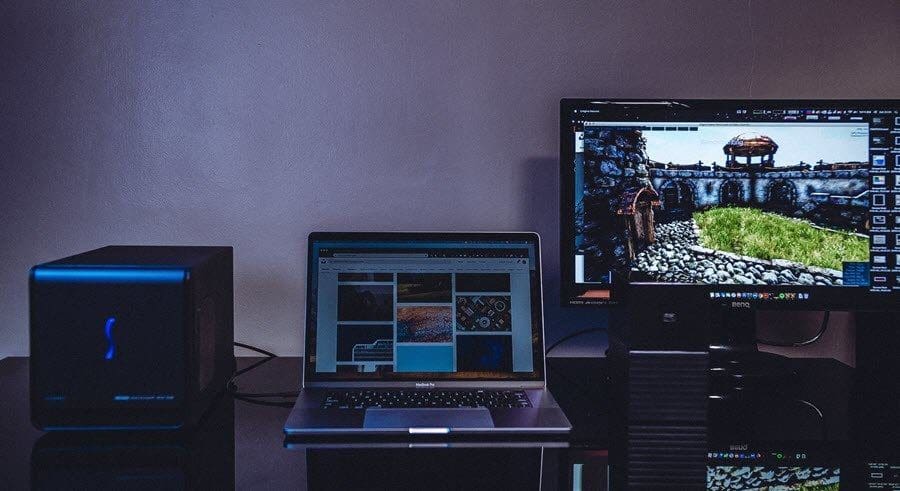
While the rest of the world is rigging up their desktops with RGB LED light strips, there’s no reason you should fall behind. These light strips add a cool quotient to your PC’s overall build and your gaming setup and manage to give it a mysterious vibe. However, RGB lighting strips like the Corsair iCUE Lighting Node or the Govee Wi-Fi Light Strip are a tad on the expensive side. And if you have just started gaming, then these lights do not make much sense. Thankfully, there are many inexpensive and affordable RGB strips for PC setups.

Surely enough, these strips are easy to install and emit beautiful, clear lighting in various hues. And if your PC has a compatible motherboard, you can attach them directly to it and that’s about it.
So, let’s see some of the best budget RGB strips for PC setups without further ado. But first,
- Take a look at these cool Top 7 Wireless Mice With Programmable Buttons
- Looking for monitor arms? Here are the best ones
1. Airgoo Store NEON RGB LED Strip Kit

Airgoo Store’s Neon RGB LED Strip Kit is one of the best options on our list. It ships with a controller that is manageable with a remote. The best thing is that the LED lights are not exposed. With this design, you are spared the ‘raw’ look of the LEDs exposed. Instead, you can enjoy the diffused effect.
At the same time, they are flexible enough to route the LED strip as per your choice. Plus, the 3M adhesive-backed strips that provide a lasting grip to the surface are the cherry on top.
If we talk numbers, this Airgoo RGB light gives you around 6 dimmable color options and is further accompanied by 4 color modes. And if that was not enough, it’s also compatible with Asus Aura, MSI Mystic Light Sync, and Gigabyte RGB Fusion motherboards.
2. Daybetter 32.8ft 10m Led Strip Lights
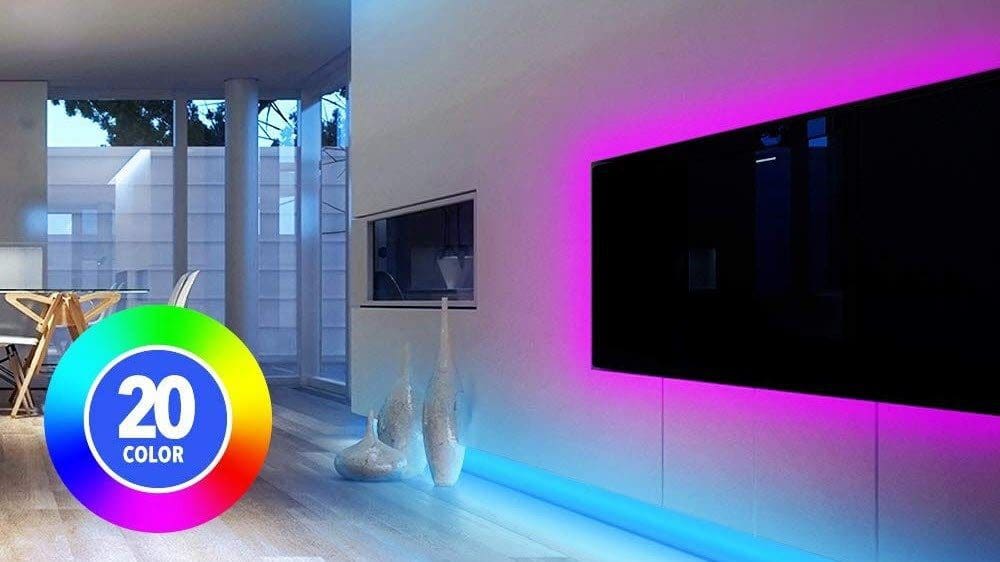
If you are looking to light up the wall behind your gaming monitor in attractive and cool hues, you can consider the Daybetter LED Strip Lights. You will get around 10 meters of lighting, thereby giving you enough wriggle room to mount the strips as per your choice. You can snip off the length as per your convenience.
Unlike the one above, this one includes a 4-pin head. It lets you pick from 20 different colors, with the colors being bright and clear. It also ships with remote control using which you can change the colors, among others.
You will get the same setup like adhesive-backed strips, making it easy to stick behind monitors or to the undersides of tables and desk.
3. Speclux Store RGB LED Strip

Coming in at almost $10 less than the above options, we have the Speclux Store RGB LED Strip. This is one of the popular options on Amazon, and so far, it has seen more than 600 user reviews. This LED strip’s highlight is that it comes with several adapters, thereby making it incredibly easy to connect this strip as per your present connections.
Again, you get a 5V 3-pin head to connect to your computer’s motherboard. That aside, each strip comes with 42 LEDs. However, they do not have coverings. So yeah, no diffused lighting. Finally, it’s compatible with Asus Aura, Asrock RGB Led, Gigabyte RGB Fusion, MSI Mystic Light.
It has collected over 75% positive ratings and people praise its value-for-money proposition and the easy installation process.
4. Attav Magnetic RGB LED Strip Lights for PC

The crux of the Attav LED strip is its simple and straightforward installation process. It includes magnetic clips, which makes it a breeze to install these lights inside cabinets and the likes. In fact, the clips function so well that you needn’t use the adhesive back. If we talk numbers, it can produce 20 colors and 19 dynamic modes.
Do note that it comes with a 4-pin head, and if your motherboard doesn’t support it, you might want to reconsider this one.
Aside from that, the RF remote means you can change the colors from across your room. It’s durable, and the lighting is clear. In fact, if you do not want to spend a fortune on RGB strips for your PC and want a bang for the buck deal, this is the strip you can consider buying.
However, do note that the lights are not covered, and you might want to mount them in an area where they are not directly visible.
5. Airgoo Store RGB LED Strip
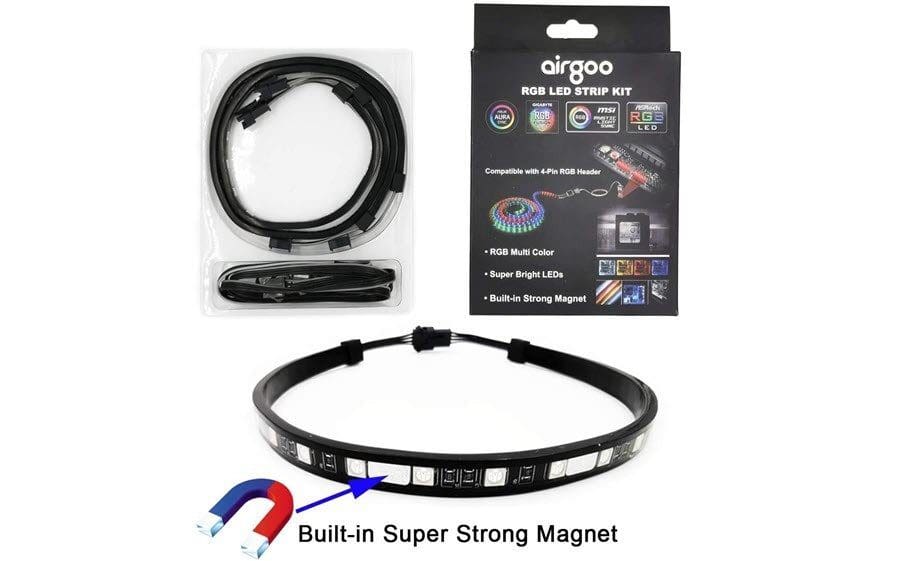
Another affordable RGB strip kit that you can consider buying for your PC setup is also by Airgoo Store. This strip’s highlight is its unique Rainbow hue, which will surely give a unique look to your overall PC setup. Here, you’ll get two strips and a total of 42 RGB LEDs. However, unlike the other Airgoo product, these lights are not diffused.
Nevertheless, there are several exciting features. For one, it comes with a controller. Secondly, you can mount the lights using the in-packet magnetic mounts.
The reception of this product has been amazing so far. Users praise it for its color, durability, and no-pain installation process. More importantly, it’s affordable and costs less than $20.
And the good thing is that it comes with a 3-pin head.
6. Deepcool RGB 200PRO

Last but not least, we have the RGB strip by Deepcool. This one is one of the most inexpensive options and costs just around $10. It works as advertised and includes a 4-pin head. These are simple plug-and-play strips, and you simply need to connect.
However, the low price means you will have to sacrifice some of the features, and in this case, it’s the controller. If your PC’s motherboard doesn’t have RGB headers, there’s no option to change the colors or hues, and you’ll need to buy a controller of your own.
Aside from that, it comes with a built-in magnet to mount the lights. However, note that it’s not as durable as the products above, and well, at the end of the day, that’s the price you have to pay for the low price tag.
Light the Way
These were some of the affordable RGB LED strips that you can get for your PC setup. If the above doesn’t sound right to you, you can also check out the Corsair iCUE Lighting Node if you already own Corsair products such as a mouse or gaming headsets.
Was this helpful?
Last updated on 02 February, 2022
Read Next
 Top 6 RGB Light Strips With Amazon Alexa Integration
The best part about smart lights is the flexibility to control them with voice commands and a mobile app.
Top 6 RGB Light Strips With Amazon Alexa Integration
The best part about smart lights is the flexibility to control them with voice commands and a mobile app.
 6 Best RGB Light Strips for Gaming Rooms
Gaming enthusiasts now go beyond just any room decor for their rooms.
6 Best RGB Light Strips for Gaming Rooms
Gaming enthusiasts now go beyond just any room decor for their rooms.
 6 Best Budget RGB Fans for PC under $50 in 2023
When it comes to PC gaming, thermals play a big role and you'd want your rig to run as cool as possible.
6 Best Budget RGB Fans for PC under $50 in 2023
When it comes to PC gaming, thermals play a big role and you'd want your rig to run as cool as possible.
 5 Best Desk Air Purifiers for WFH Setups
In today’s day and age, clean air is a luxury.
5 Best Desk Air Purifiers for WFH Setups
In today’s day and age, clean air is a luxury.
 Top 3 Free Online Piano Lessons for Beginners
There is no denying that piano is one of the most beautiful instruments to play when done right.
Top 3 Free Online Piano Lessons for Beginners
There is no denying that piano is one of the most beautiful instruments to play when done right.
 Top 13 Slack Tips for Beginners
If you have landed on this page, the chances are that you have recently downloaded Slack or joined a new office.
Top 13 Slack Tips for Beginners
If you have landed on this page, the chances are that you have recently downloaded Slack or joined a new office.
 Top 17 Xiaomi Mi Band 3 or Band 4 FAQs Answered for Beginners
Even though Mi Bands come with a manual, it’s not enough for a first-time user.
Top 17 Xiaomi Mi Band 3 or Band 4 FAQs Answered for Beginners
Even though Mi Bands come with a manual, it’s not enough for a first-time user.
 9 Cool Tips and Tricks for Dual Monitor Setups on Windows 10
Not too long ago, having a dual monitor setup was considered to be a huge deal.
9 Cool Tips and Tricks for Dual Monitor Setups on Windows 10
Not too long ago, having a dual monitor setup was considered to be a huge deal.
The article above may contain affiliate links which help support Guiding Tech. The content remains unbiased and authentic and will never affect our editorial integrity.