

It goes without saying that monitor arms help you achieve a better sitting position and a less cluttered desk. However, if you own a heavy monitor like the Acer Predator X38 or the Gigabyte G27Q, run-of-the-mill monitor arms will seldom suffice your needs. You will need monitor mounts that will be able to bear the load without sinking, and that’s when heavy-duty monitor arms come into the picture.

Monitor arms for heavy monitors will not only be able to hold heavy monitors and but will also give you more flexibility. This is apart from the clean look it brings to the table. Neat, right?
So, here we are with our recommendations for the best monitor arms for heavy monitors. Let’s get started. But first,
- Here are the top monitors with dual DisplayPort
- Free desk space with theses compact power strips
1. Wali Single Monitor Gas Spring
- Monitor Size: Up to 35-inch
- Monitor Weight: Up to 33lbs

The Wali monitor arm is on this list for several reasons. For one, it can hold monitors up to 33lbs, which gives you plenty of room for future upgrades. Secondly, it is flexible and has plenty of wriggle room for rotating and swiveling. At the same time, the arm has a very modern look and will complement most gaming monitors’ looks.
The best part is that it comes with built-in channels for cable management. All the cables can be wired inside the arm, thus earning you a clean and clutter-free look.
As noted above, the arm doesn’t sag, and the good thing is that you can adjust the tension of the arms as per your preference. If you want a tight movement, you need to tighten the screws.
For the price, the Wali mounts do their job as advertised, especially when it comes to heavy monitors. And well, there are plenty of user reviews to back this claim.
So far, it has managed to accumulate positive reviews with people liking it for its range of motions, easy assembly, and value for money proposition.
2. Ergotron MX Wall Mount LCD Arm
- Monitor Size: Up to 42-inch
- Monitor Weight: Up to 30lbs

Another monitor arm that lets you mount heavy monitors is the one by Ergotron. It has many good things going for it. Not only can this single monitor arm hold the weight up to 30lbs, but it also looks sleek and beautiful, thanks to its cool metallic looks. It has three joints which allow a range of motion. In fact, you can also play with the height of the monitor for around 5-inches.
Unlike the one above, this one doesn’t come with a C-clamp. Instead, you can fit it on to walls. So, if you are looking for a more permanent solution to fit your heavy displays, this is the one you should have. However, this Ergotron monitor arm is not the best one if you plan to arrange more than one monitor in a circular arrangement.
Other than that, you can adjust the tension as per your preference. More importantly, the adjustments are smooth, and several users have echoed this as part of their reviews.
3. Vivo Black Heavy Duty Articulating Arm
- Monitor Size: Up to 35-inch
- Monitor Weight: Up to 26lbs
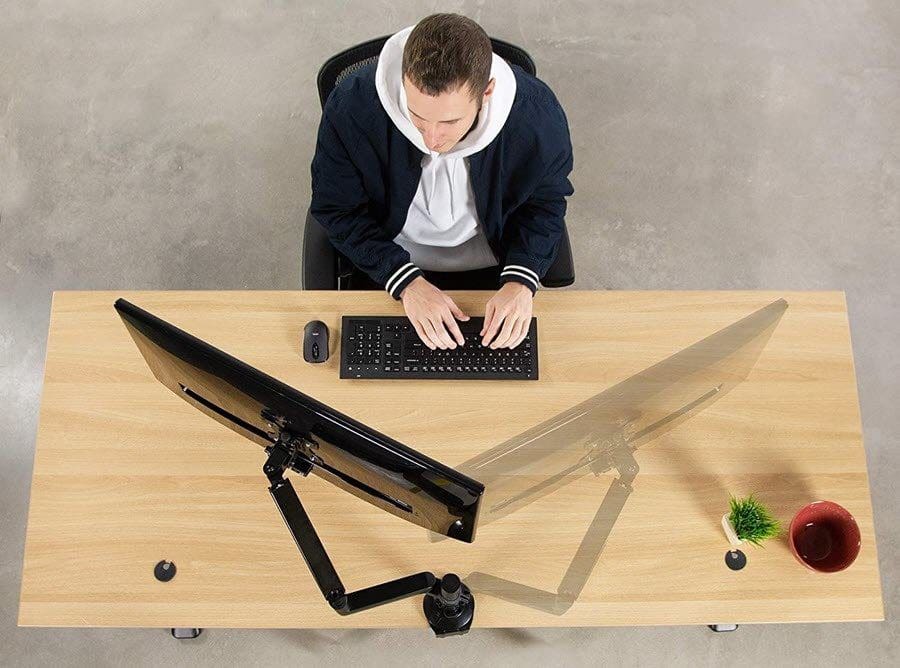
If you want a heavy-duty monitor and do not want to spend a ton on it, you can’t go wrong with the Vivo Black Heavy Duty Articulating Arm. This is a single monitor arm and can hold monitors up to 26lbs. Sadly, in terms of design, it doesn’t bundle much. It comes with a straight pole which affixes to the table’s base, and the arm (with two joints) is fixed to this.
The good part about the pole is that it gets you the necessary height advantage. And the available range of motions like rotation and swiveling is the cherry on top.
It’s heavy and stable and can take the weight of most monitors without sagging. All you need to do is find the sweet spot for the springs’ tension. The option to mount the arm in two ways (C-clamp and Grommet) adds to the features.
The Vivo Black Heavy Duty Articulating Arm is cheaper among the two arms listed above and does the job as advertised. However, if you are considering the grommet option, I would urge you to check the diameter before clicking on the buy button.
4. Mount-It! Single Monitor Arm Desk Mount
- Monitor Size: Up to 27-inch
- Monitor Weight: Up to 19.8lbs

Another monitor mount with a decent price tag and similar design is the one by Mount It. Here, the pole measures around 13.5-inches, which allows for greater height adjustments. If we talk numbers, this one allows up to 10-inches of height adjustment.
Like its counterpart above, this one is strong and sturdy and brings home a flexible set of controls. The one thing that sets its apart from mounts in the same price range is its looks.
It also sports a metallic look and looks every bit modern and stylish, and will complement your gaming room decor.
It’s not perfect, though. Assembling the monitor can be a bit of an issue since the instructions are unclear. Nevertheless, if you can cross that bridge, the odds are that you will be impressed with the operations and performance.
5. Fully Jarvis Monitor Arm
- Monitor Size: Up to 32-inch
- Monitor Weight: Up to 19.8lbs
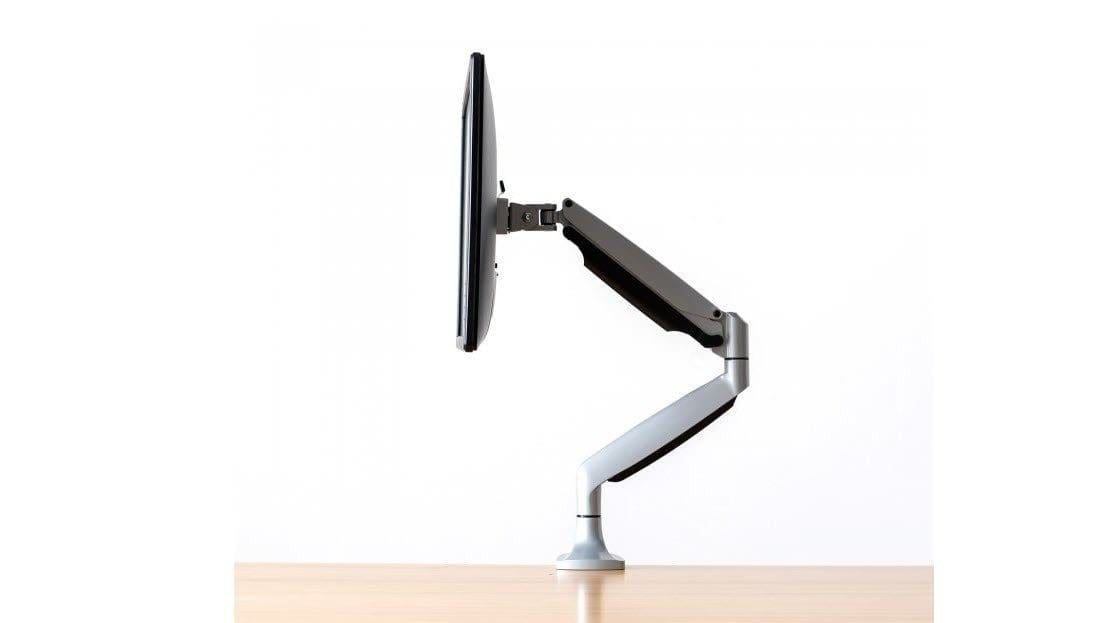
If pricing is not an option and you want a stylish arm to go well with your desk’s looks, the Jarvis Monitor Arm (No, not Iron Man’s AI-backed assistant) makes for an interesting choice. Like Jarvis’s sleekness, Fully’s monitor arm is also sleek, both in terms of looks and functions. It doesn’t bundle a pole. Thankfully, that doesn’t lessen the flexibility of this arm. In fact, it lets you adjust the height of the monitor up to 19.8 inches from the desk.
It supports monitors up to 20 pounds, and even if you have no plan to upgrade now, this one gives you plenty of room to upgrade later.
The range of motions are immense and are accompanied by smooth and easy movement.
6. ErGear Dual Monitor Stand
- Monitor Size: Up to 32-inch
- Monitor Weight: Up to 17.6lbs per arm
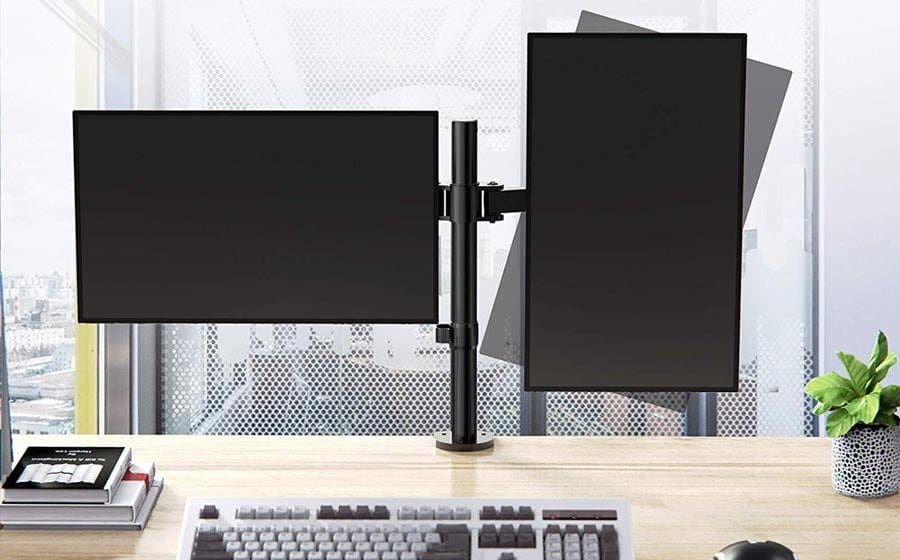
The ErGear Dual Monitor Stand should be your pick if you are looking to mount two monitors at the same time. The thing that separates this monitor arm from the rest is its price factor. This one costs less than $30 and is one of the cheapest monitor arms on this list. It’s strong and sturdy and can hold monitors up to 17.6lbs per arm.
It’s both fluid and flexible. Apart from the easy positioning, it also allows you to rotate the screen by 180-degrees. So if you want one of the monitors in a vertical position and the other in a horizontal position, it’s completely doable.
The pole measures around 16.5-inches and giving you enough wriggle room to tweak the height of your displays.
Thanks to the culmination of pricing and performance, it has become quite popular on Amazon. It has more than a thousand reviews on Amazon, with people liking it for its easy assembly and solid build.
Mount-It!
When buying a monitor mounting arm, you should also focus on other things apart from the weight capacity. While most monitor arms have standard VESA holes and mounting plates, it never hurts to double-check the specifications as well as the diameter of the grommet or the thickness of your desk.
Plus, it’s always beneficial to have a little extra room as far as the monitor weight is concerned. After all, you will want a monitor arm that is future-proof, right?
Was this helpful?
Last updated on 02 February, 2022
Read Next
 4 Best Desk Mounted Monitor Arms for Dual Monitors
A dual monitor setup has its own charm.
4 Best Desk Mounted Monitor Arms for Dual Monitors
A dual monitor setup has its own charm.
 7 Best Monitor Arms for Ultrawide Monitors
The best way to make your desk look neater is to get a monitor arm for your ultrawide monitor.
7 Best Monitor Arms for Ultrawide Monitors
The best way to make your desk look neater is to get a monitor arm for your ultrawide monitor.
 6 Best Monitor Arms With Laptop Tray
Working hunched over your laptop is never a good idea.
6 Best Monitor Arms With Laptop Tray
Working hunched over your laptop is never a good idea.
 6 Best Monitor Arms Under $200
Getting a clean and ergonomic desk setup is nearly limiting.
6 Best Monitor Arms Under $200
Getting a clean and ergonomic desk setup is nearly limiting.
 6 Best Monitor Arms With Built-in Cable Management
One of the most efficient ways to make more space on your work desk is to get a monitor arm.
6 Best Monitor Arms With Built-in Cable Management
One of the most efficient ways to make more space on your work desk is to get a monitor arm.
 5 Best Monitor Arms for Standing Desks
You must invest in a monitor arm when working with tight desk space.
5 Best Monitor Arms for Standing Desks
You must invest in a monitor arm when working with tight desk space.
 6 Best Bass-heavy Earphones and Headphones in India
When it comes to audio accessories, you would want your earphones and headphones to sound the best.
6 Best Bass-heavy Earphones and Headphones in India
When it comes to audio accessories, you would want your earphones and headphones to sound the best.
 6 Best Budget Monitors for a Dual Monitor Setup
If you often switch between multiple screens or windows, invest in a dual monitor system.
6 Best Budget Monitors for a Dual Monitor Setup
If you often switch between multiple screens or windows, invest in a dual monitor system.
The article above may contain affiliate links which help support Guiding Tech. The content remains unbiased and authentic and will never affect our editorial integrity.

