The Amazon Fire TV Stick is a multifunctional device that can turn your dumb TV into a smart one. You can watch your favorite Prime special shows, run apps like Netflix and YouTube, or play songs via Amazon Music. You can also add a gadget or two to the mix to enhance its functionalities. Yep, you read that right.

Read on to know about some of the gadgets for the Amazon Fire TV Stick to elevate your experience. The best part is that most of these devices fall in the affordable segment and are easy to install.
Note: Most of the gadgets on this list work with Fire TV Stick and Fire TV Stick 4K models.
1. HDMI Splitter: Techole 4K Aluminum HDMI Splitter
Do you want to plug in two displays to your Fire TV stick? If yes, your best bet is an HDMI splitter. These simple device lets you have two outputs, meaning you can connect your Fire TV Stick with other TVs and monitors in a different room or location. Of course, that means you’ll need longer HDMI cables.
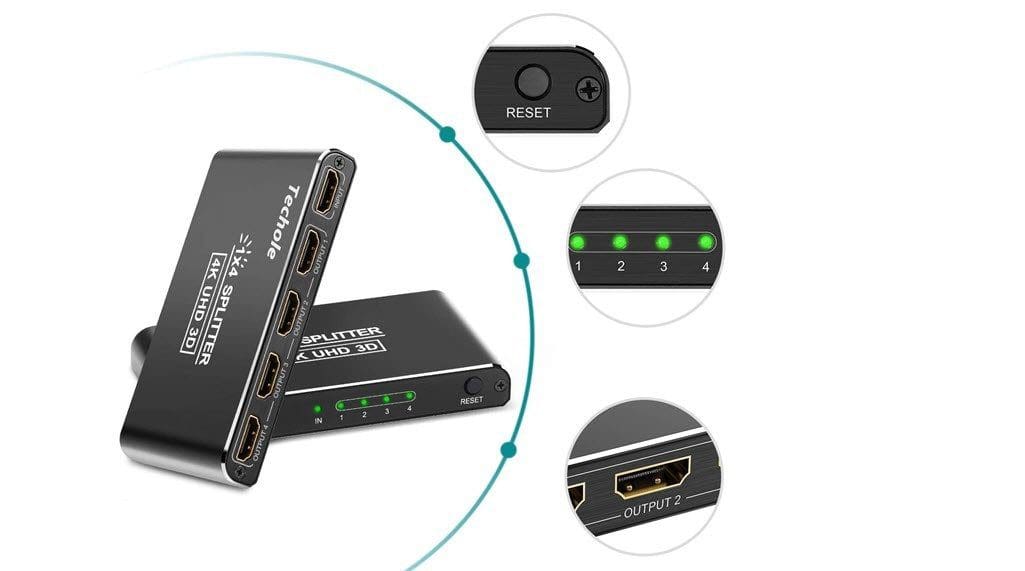
Techole 4K Aluminum HDMI Splitter comes with four output sources and lets you duplicate signal to four devices with HDMI sources. It’s compact which makes it easily portable. The makers claim that it supports 4K at 30Hz and 1080p at 60Hz even on devices like Xbox and PS4.
The picture quality isn’t bad either. You just have to keep in mind to use an HDMI 2.0 standard cable while plugging to a device with a 4K display.
The Techole 4K Aluminum HDMI Splitter is one of the newer releases and has amassed some pretty good reviews till now. Users really admire its easy-to-use features. Quite a few users have reported that the device is easy to set up and install.
HDMI Splitters do not let the duplicated content to be independently controlled — it is merely duplicated.
Also, you might want to invest in a longer USB cable for the one in the box is a tad short.
2. Amazon Ethernet Adapter
Do you have a slow Wi-Fi connection? Do you often spend your time waiting for the show to stop buffering? If yes, it’s time you tried out Amazon’s Ethernet adapter.
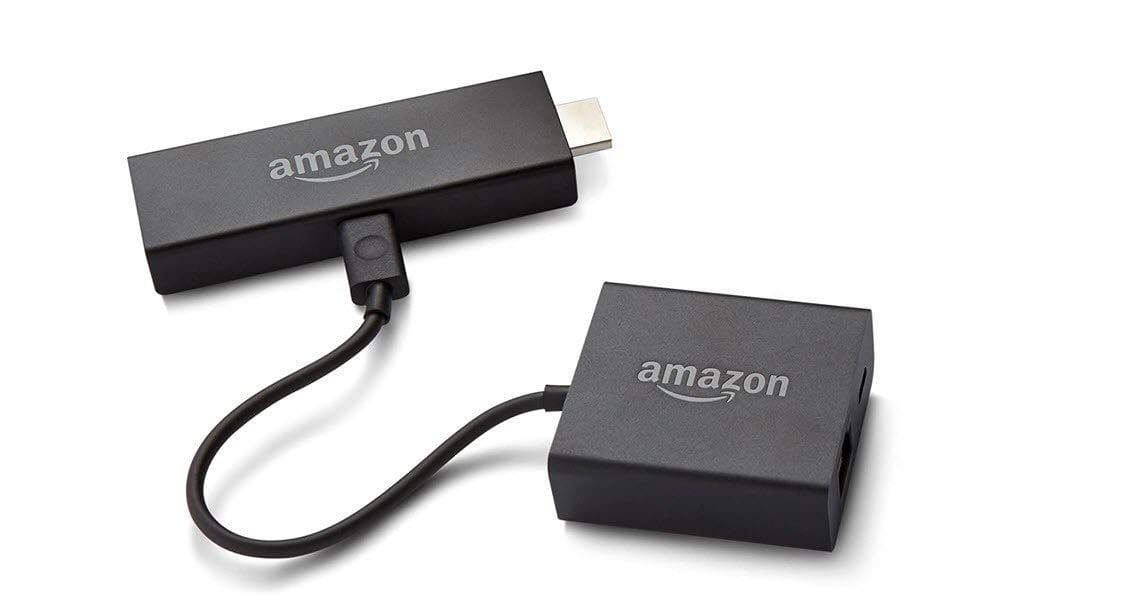
The Amazon’s Ethernet adapter for the Fire TV Stick is a small device with an RJ45 port. You have to plug one end to the USB port of the Fire TV device and the other to a LAN cable. It’s a plug and play device, and the installation is straightforward. Plug it in and the device will figure the rest on its own. And just like that, you can reap the benefits of a wired internet connection in a snap.
When it comes to reviews, people seem to be happy with their purchases. This small device has amassed a rating of 4.3-stars out of 5 on Amazon, with users liking its easy installation process and the competitive pricing.
It’s compatible with Amazon Fire TV, Fire TV Stick (2nd Gen), Fire TV Stick 4K, and Fire TV Cube.
3. USB HUB: UGreen RJ45 Ethernet Adapter

If you want a bit more out of the Fire TV Stick, you can check out the UGreen RJ45 Ethernet Adapter. It packs a neat RJ45 port to which you can hook a LAN cable. It plays well with the Fire TV Stick and even the latest 4K Fire TV Stick. Apart from that, there are three USB 2.0 ports and tiny LED lights to indicate power and activity status.
Apart from the LAN cable, you can also connect more peripherals such as keyboards, flash drives, and Bluetooth dongles to your TV, and access wired internet connection.
The UGreen RJ45 Ethernet Adapter has over 76% positive reviews on Amazon. Users like it for its simple installation process.
4. Bluetooth Speakers: JBL Flip 5
Is the built-in speaker of your PC or TV not good enough? If yes, it’s best to hook an external speaker to the device to enjoy your favorite TV show and movie to the fullest. After all, you wouldn’t want to be straining your ears to hear the dialogs.
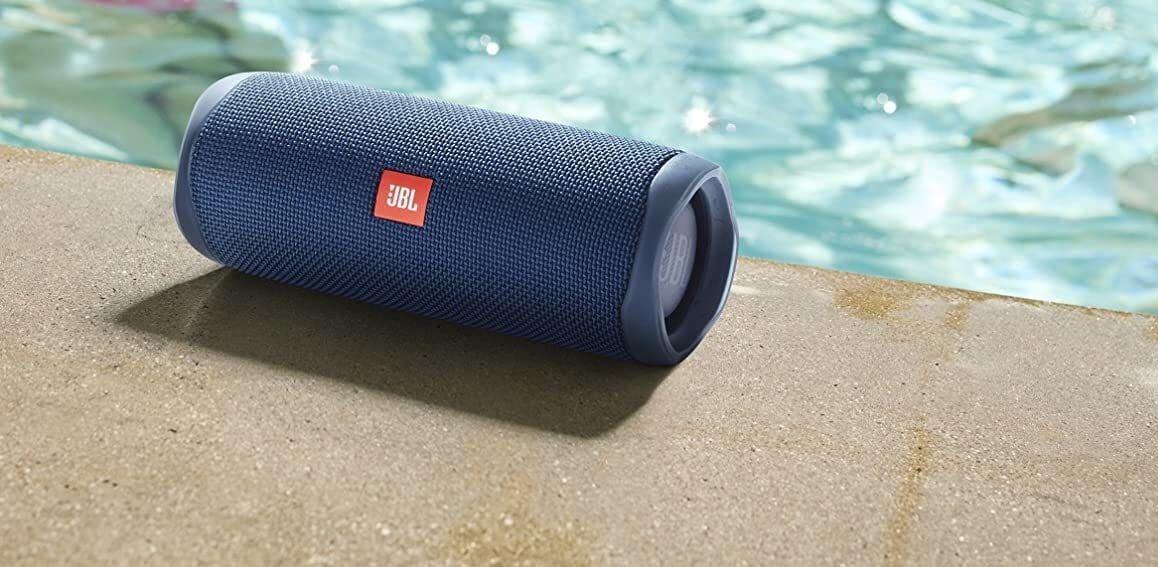
The compact size of the JBL Flip 5 makes it an excellent choice for indoor and outdoor use. While indoors, you can hook it the Fire TV Stick and enjoy your favorite shows. And when you are not watching TV, you can take it out and pair it with your phone and dance away. Its IPX7 rating makes it ideal for beach outings and pool parties as well.
For its small size, the Flip 5 produces a clear and crisp sound output. The audio is precise and balanced.
Users are happy with their purchase, with users commending the speaker for its battery life, portability, and sound quality.
A 4,800mAh powers it, and you get a pretty solid life on juice. JBL claims 12 hours on moderate volume, and even if you pump it a bit over the moderate volume, you should get about around 10 hours.
5. Bluetooth Earphones: OnePlus Bullets Wireless 2
Bluetooth on the Fire TV Stick means you can also pair your wireless Bluetooth earphones to it. That gives you the independence to watch movies and TV shows in all their glory, without disturbing the rest of the house members. All you need to do is pair and continue your ‘Netflix and chill’ mood.
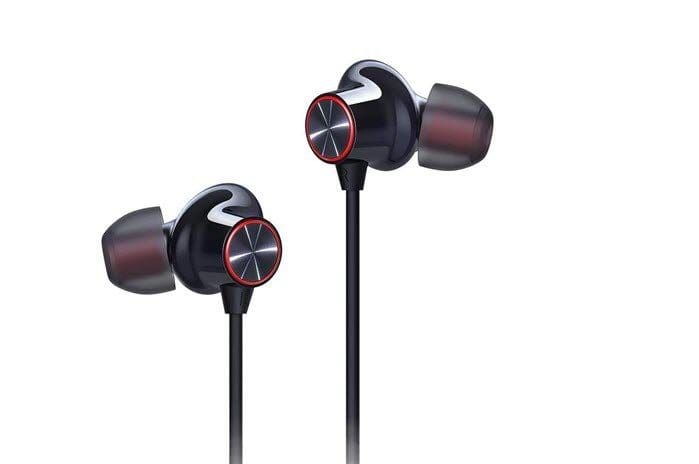
The OnePlus Bullets Wireless 2 makes for a good buy if you are looking for an affordable pair of wireless earphones. The neckband design lets you hang them around your neck when not in use. Alternatively, you can have one of the buds plugged in your ears if you want to stay aware of your surroundings. The comfort and the snug fit ensures that you can listen to long-form content without any discomfort. Plus, the noise isolation is the bonus.
The Bullets Wireless 2 has a solid build and if you take proper care of them, they will stay with you for a long time. I have been using a pair for the last one and a half years, and they are as good as new.
More importantly, the sound output is clear and crisp, which make them great for watching movies and TV shows. However, the bass is a little on the lower end.
Other than that, the pairing process is quick and instantaneous. All you need to do is put the buds in the pairing mode and search for them through Settings of the Fire TV Stick.
6. Mini Wireless Keyboard: Rii i4 Mini Bluetooth Keyboard with Touchpad
Sure, the remote of the Fire TV Stick is handy and lets you navigate through the apps or activate voice control. However, it’s painful to type using those buttons. That’s when wireless keyboards like the Rii i4 Mini can save your thumbs.

The Rii i4 Mini Bluetooth Keyboard is compact, portable and pairs easily with the Fire TV Stick. The keys are at the bottom half of the keyboard whereas the trackpad is at the top. The device is light and feels good in the hands. The keys with backlight give it a cool look. The best part is that the backlight turns off automatically after a while to save battery life.
The trackpad is smooth and functions well and the key presses have decent tactile feedback. Of course, they’re nowhere close to a proper full-blown keyboard. At the same time, the mouse click bumpers are easy to operate.
This mini keyboard collects over five thousand reviews on Amazon with users praising its build quality, durability, and battery life. However, the scroll wheel can be a little uneven as it tends to scroll a bit erratically.
Optimize Your Fire TV Stick Experience
That’s how you can enhance your Fire TV Stick experience with these gadgets. Did you know that you can also access the international show catalog of Netflix if you have the right VPN app on your Fire TV Stick?
Was this helpful?
Last updated on 02 February, 2022
Read Next
 11 Ways to Fix Amazon Fire TV Stick Keeps Restarting
Suppose you are watching your favorite show on TV and suddenly, the Amazon Fire TV Stick restarts.
11 Ways to Fix Amazon Fire TV Stick Keeps Restarting
Suppose you are watching your favorite show on TV and suddenly, the Amazon Fire TV Stick restarts.
 9 Best Ways to Fix Amazon Fire TV Stick Black Screen
Amazon Fire TV Stick is one of the must-have devices in your home.
9 Best Ways to Fix Amazon Fire TV Stick Black Screen
Amazon Fire TV Stick is one of the must-have devices in your home.
 6 Best Ways to Fix Fire TV Stick Stuck on Amazon Logo Screen
Often you are on the couch on a beautiful weekend, with a bottle of your favorite drink and some popcorn.
6 Best Ways to Fix Fire TV Stick Stuck on Amazon Logo Screen
Often you are on the couch on a beautiful weekend, with a bottle of your favorite drink and some popcorn.
 How to Install YouTube App on Amazon Fire TV Stick
It all started in January 2018 when Google banned the YouTube app from the Amazon Fire TV Stick.
How to Install YouTube App on Amazon Fire TV Stick
It all started in January 2018 when Google banned the YouTube app from the Amazon Fire TV Stick.
 4 Best Amazon Fire TV Stick Alternatives
TV streaming devices like the Amazon Fire TV Stick are best known to turn dumb TVs into smart ones.
4 Best Amazon Fire TV Stick Alternatives
TV streaming devices like the Amazon Fire TV Stick are best known to turn dumb TVs into smart ones.
 Top 5 Ethernet Adapters for Amazon Fire TV Stick
Amazon Fire TV Stick remains the top-selling streaming device.
Top 5 Ethernet Adapters for Amazon Fire TV Stick
Amazon Fire TV Stick remains the top-selling streaming device.
 8 Best Fixes for Amazon Fire TV Stick 4K Remote Not Working
Amazon Fire TV Stick 4K comes with a dedicated remote to operate the interface easily on your TV.
8 Best Fixes for Amazon Fire TV Stick 4K Remote Not Working
Amazon Fire TV Stick 4K comes with a dedicated remote to operate the interface easily on your TV.
 6 Best Fixes for Apps Not Launching on Amazon Fire TV Stick 4K
The Fire TV Stick 4K lets you download your favorite apps like Netflix, Hulu, Apple TV, etc.
6 Best Fixes for Apps Not Launching on Amazon Fire TV Stick 4K
The Fire TV Stick 4K lets you download your favorite apps like Netflix, Hulu, Apple TV, etc.
The article above may contain affiliate links which help support Guiding Tech. The content remains unbiased and authentic and will never affect our editorial integrity.