
Gaming monitors have evolved significantly in recent years, and OLED technology has emerged as one of the most sought-after display technologies for gamers. OLED monitors offer exceptional image quality, vibrant colors, and lightning-fast response times, making them a top choice for gamers looking to enhance their gaming experience. Having said that, most top vendors have an OLED gaming monitor in their portfolio. As such, it can be tricky to shortlist the best OLED gaming monitors on the market.
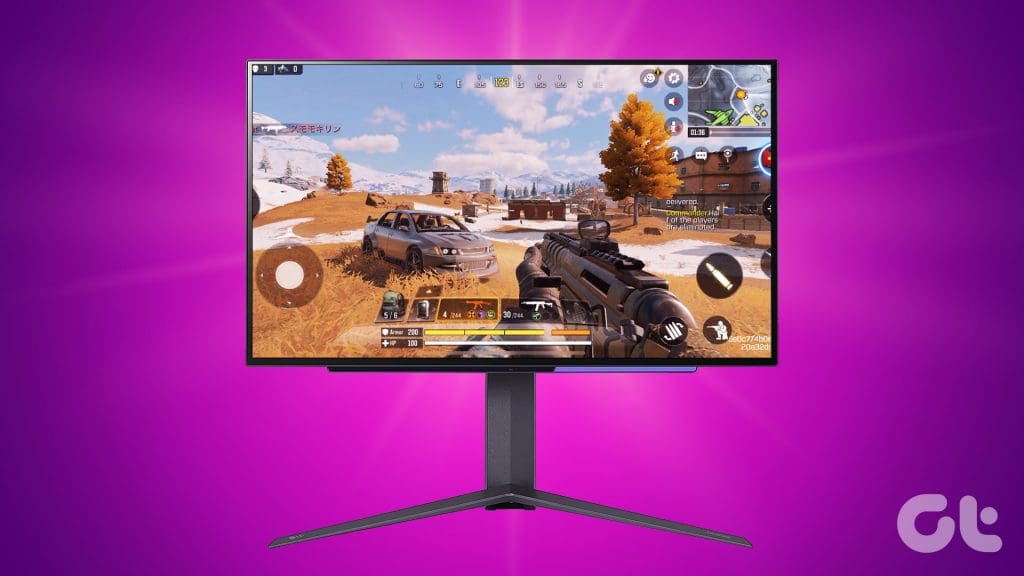
That’s what this article is all about. In this post, we’ll delve into some of the best OLED gaming monitors available in 2023, highlighting their unique features, pros, and cons. We’ll also help you decide which monitor is the best for you.
But first, you might want to check out the following:
- Shopping on a budget? You might want to pick up a budget gaming monitors.
- Want a smooth refresh rate? Check out these 240Hz gaming monitors.
- Don’t let a power outage hinder your gaming sessions by opting for a UPS for gaming PCs.
1. LG UltraGear 27GR95QE-B
- Screen size: 27 inches | Resolution: 2560 x 1440
- Refresh Rate: 240Hz | Curved: No
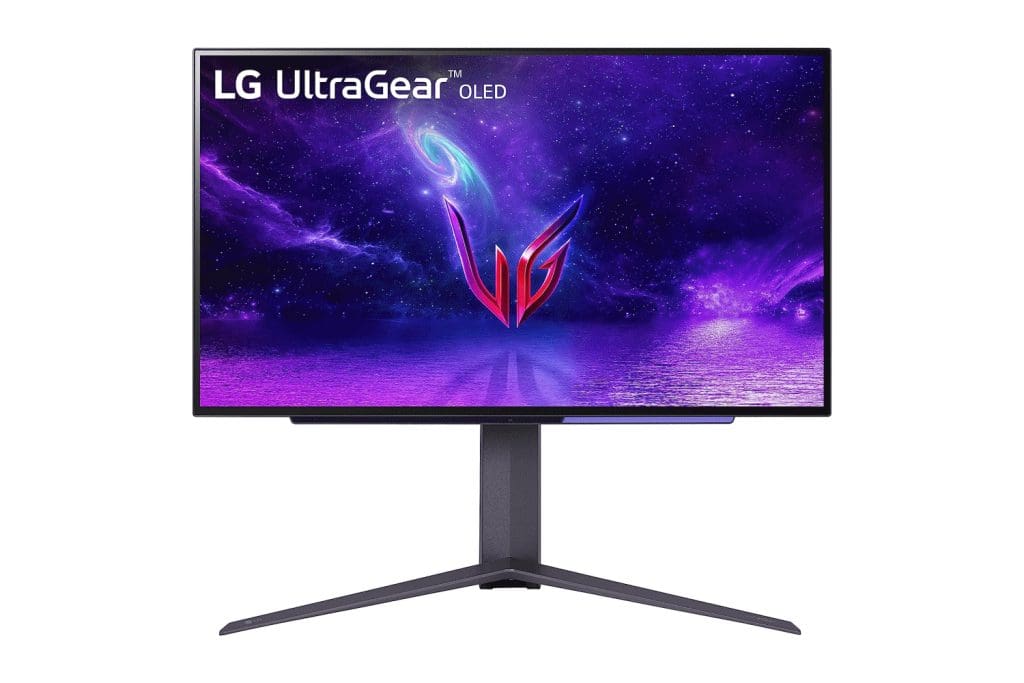
Despite its astonishing price, the LG UltraGear 27GR95QE-B is actually the most affordable OLED gaming monitor on this list. The monitor offers a QHD panel with a high refresh rate. Additionally, the panel exhibits excellent color accuracy as well.
The monitor’s 240Hz high refresh rate ensures buttery-smooth visuals, providing gamers with a competitive edge in fast-paced games. The monitor also gets an ultra-low 0.03ms (GtG) response time that ensures minimal motion blur, making it an ideal choice for action-packed titles.
For adaptive sync, the monitor comes with AMD FreeSync Premium and is also NVIDIA G-Sync compatible. Both technologies come in handy to eliminate screen tearing and stuttering during gameplay, providing a more immersive experience.
What We Like
What We Don’t Like
2. Corsair XENEON 27QHD240
- Screen size: 27 inches | Resolution: 2560 x 1440
- Refresh Rate: 240Hz | Curved: No
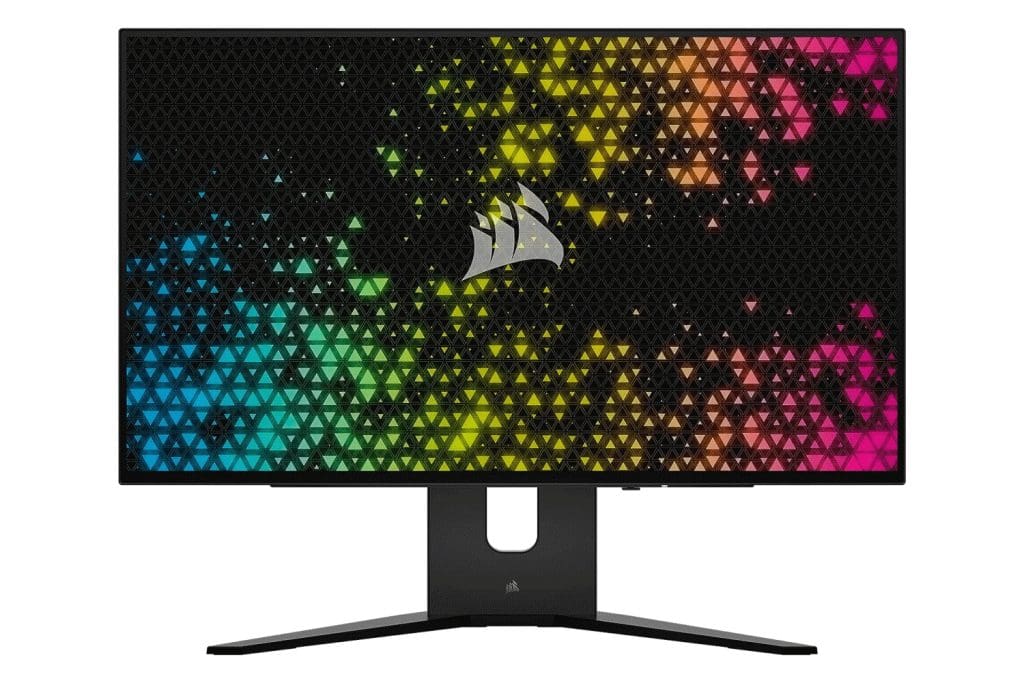
Believe it or not, the Corsair XENEON 27QHD240 actually uses the same panel that LG makes for the UltraGear 27GR95QE-B. However, Corsair has incorporated additional features to enhance the overall experience and justify the increase in price.
On paper, the XENEON touts the same spec sheet as the LG UltraGear 27GR95QE-B. To that end, the monitor comes with a 240Hz QHD display with a 0.03ms response time.
There’s support for both AMD FreeSync Premium and NVIDIA G-Sync. Additionally, the panels on both monitors cover 98% of the DCI-P3 color gamut. Needless to say, much like LG’s offering, the XENEON is one of the best 1440p OLED monitors on the market too.
The XENEON sets itself apart thanks to its sturdier stand that allows for free movement along with convenient cable management. Additionally, the device also gets a four-port USB Type-A hub which serves as a KVM switch in case you plan to connect multiple devices to the same monitor. Speaking of which, Corsair’s monitor also offers a USB Type-C upstream port.
Lastly, while LG definitely offers a better OSD menu, Corsair’s OSD is accompanied by a proximity sensor for easier activation and usage.
What We Like
What We Don’t Like
3. ASUS ROG Swift PG27AQDM
- Screen size: 27 inches | Resolution: 2560 x 1440
- Refresh Rate: 240Hz | Curved: No
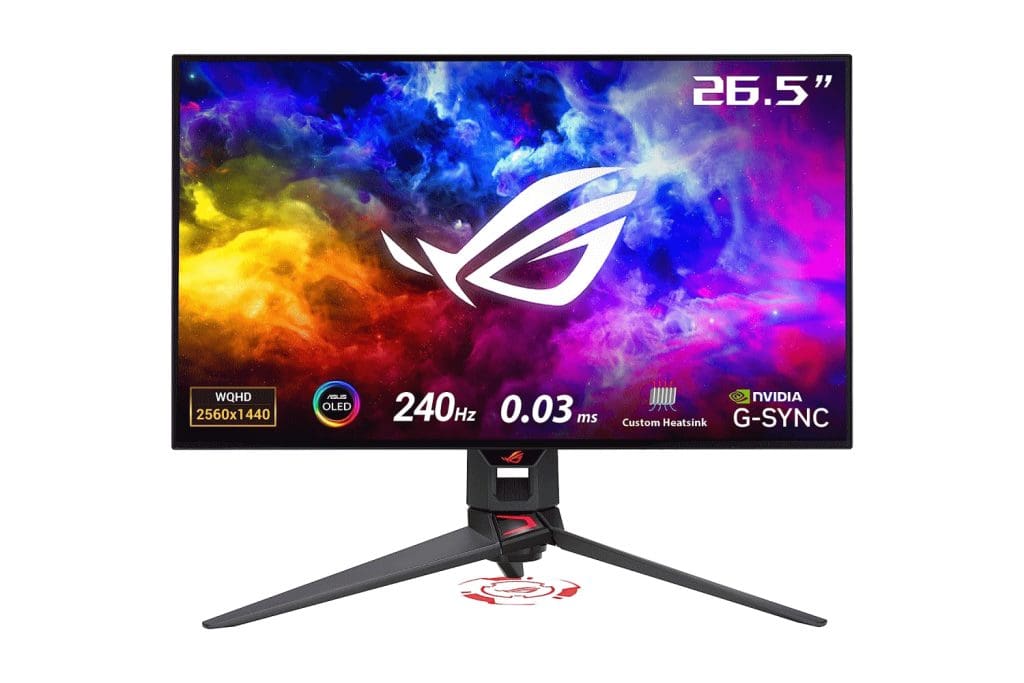
Up next, is the ASUS ROG Swift PG27AQDM which coincidentally uses the same panel as the LG UltraGear 27GR95QE-B too! That being said, ASUS has taken even bigger steps to make its product stand apart.
ASUS has outfitted the ROG Swift PG27AQDM with a custom heatsink. That, coupled with their intelligent voltage optimization, allows for way better heat management. As a result, the monitor offers improved HDR performance. Additionally, the ROG Swift also comes with TÜV Rheinland-certified ASUS Flicker-Free technology. As the name suggests, the tech eliminates flicker to ensure a more comfortable viewing experience.
Apart from that, ASUS has also tweaked the colors to offer a higher 99% DCI-P3 color gamut with a Delta E < 2. And similar to its OLED display laptops, ASUS offers a plethora of tweaks to safeguard the monitor against burn-in issues.
What’s more, is that you can even download the DisplayWidget Center app on your PC to change monitor settings without needing the OSD menu. The only downside is that ASUS only offers an HDMI 2.0 port with the monitor, so you don’t get to enjoy the full benefits of the latest HDMI 2.1 standard.
What We Like
What We Don’t Like
4. Samsung 34-Inch Odyssey G85SB
- Screen size: 34 inches | Resolution: 3440 x 1440
- Refresh Rate: 175Hz | Curved: Yes

The Samsung Odyssey G85SB is a super-sized 34-inch ultrawide QD-OLED monitor for gaming. While you do get a comparatively lower refresh rate with this monitor, you still get to enjoy the wider screen estate.
Samsung’s OLED panel produces stunning picture quality with deep blacks, rich colors, and wide viewing angles. In the case of G85SB, you get a 34-inch OLED panel with a 3440×1440 resolution and a 175Hz refresh rate.
The combination provides incredibly smooth and detailed gameplay, even in the most demanding games. It also comes with AMD FreeSync Premium Pro, but it’s not natively compatible with Nvidia G-Sync.
As for media consumption, the monitor boots the company’s Tizen OS, which essentially makes the monitor a Smart TV of sorts. It also offers wide viewing angles making it easy to share your screen with others. Add to that, the panel comes with DisplayHDR True Black 400 certification to further improve the HDR output.
The only downside is that the stand does not offer much adjustability, though it does ship with a VESA-mount adapter.
What We Like
What We Don’t Like
5. Alienware AW3423DW
- Screen size: 34 inches | Resolution: 3440 x 1440
- Refresh Rate: 175Hz | Curved: Yes

The Alienware AW3423DW uses the same QD-OLED display as the Samsung Odyssey OLED G85SB. Despite that, Alienware offers added features to make it a more compelling option for gamers, especially those with NVIDIA’s graphics cards.
Right off the bat, the Alienware AW3423DW comes with native support for NVIDIA G-Sync Ultimate. So not only do you get excellent protection against screen tearing, you don’t have to compromise on the visual elements either. The stand on this monitor also offers superb adjustability with easy cable management as well.
Alienware also offers a Creator Mode feature aimed at gamers who are also content creators. To that end, you can use the OSD menu to switch the color profiles between native DCI-P3 and sRGB, depending on your use case. Additionally, Dell has added features to safeguard the panel against OLED burn-in, including but not limited to 3-year service coverage, which is excellent.
What We Like
What We Don’t Like
6. LG 48GQ900-B
- Screen size: 48 inches | Resolution: 3840 x 2160
- Refresh Rate: 120Hz | Curved: No

If you’re looking for a 4K OLED gaming monitor, this is it. The LG 48GQ900-B Ultragear UHD OLED gaming monitor stands out with its massive 48-inch display, delivering an immersive gaming and multimedia experience.
With its 4K resolution and fast 120Hz refresh rate, the 48GQ900-B monitor offers stunning visuals and smooth gameplay. It is equipped with both NVIDIA G-Sync and AMD FreeSync Premium Pro technologies, thereby catering to gamers with different graphics cards. The large screen size also enhances productivity, as users can comfortably multitask and view multiple windows simultaneously.
LG also offers a Game Optimizer menu with a variety of settings that can be customized to your individual preferences. And thanks to support for HDMI 2.1, the monitor works flawlessly for console gaming as well. As highlighted by the folks over at RTINGS, the LG 48GQ900-B is essentially an OLED TV that works well for gaming thanks to its gamer-oriented features.
What We Like
What We Don’t Like
FAQs on OLED Gaming Monitors
Using an OLED gaming monitor for gaming offers several advantages. OLED technology provides stunning image quality with true blacks, vibrant colors, and wide viewing angles, creating an immersive gaming experience. Additionally, OLED panels have fast response times, reducing motion blur and ghosting during fast-paced gameplay, ensuring a smooth and responsive gaming session.
OLED gaming monitors are more expensive than traditional LCD monitors, but they offer a number of advantages that may be worth the price for some gamers. If you are looking for the best possible gaming experience, then an OLED gaming monitor is a great option. However, if you are on a budget, then an LCD monitor may be a better choice.
To prevent burn-in, avoid displaying static images at high brightness levels for prolonged periods. To help this, many OLED monitors have features like pixel shifting and screen savers to minimize the risk of burn-in. Additionally, using dark themes and rotating your desktop wallpaper regularly can help mitigate the issue.
OLED to Lead the Way
The world of gaming monitors has seen incredible advancements, and now, OLED technology stands at the forefront, promising unparalleled visual experiences for gamers. The monitors we’ve explored in this article represent the best that the market has to offer, each with its unique set of features to cater to different gaming preferences. So which of these best OLED gaming monitors will you be going with? Let us know in the comments below.
Was this helpful?
Last updated on 01 August, 2023
Read Next
 5 Best Nintendo Switch OLED Cases and Covers 2023
The Nintendo Switch is on track to become the company's most popular console launched to date.
5 Best Nintendo Switch OLED Cases and Covers 2023
The Nintendo Switch is on track to become the company's most popular console launched to date.
 5 Best Laptops with OLED Displays: Gaming, Content Creation, and More
If you’re looking for the best laptops with OLED displays, then you’ve come to the right place.
5 Best Laptops with OLED Displays: Gaming, Content Creation, and More
If you’re looking for the best laptops with OLED displays, then you’ve come to the right place.
 3 Best OLED TVs With HDMI 2.1 That You Can Buy
You don't buy an OLED TV every month.
3 Best OLED TVs With HDMI 2.1 That You Can Buy
You don't buy an OLED TV every month.
 7 Best 360Hz Gaming Monitors for eSports in 2023
In the fast-paced world of eSports, a millisecond's advantage can make or break your game.
7 Best 360Hz Gaming Monitors for eSports in 2023
In the fast-paced world of eSports, a millisecond's advantage can make or break your game.
 6 Best 240Hz Monitors for Gaming in 2023
If you're a gamer who dabbles with a lot of high-octane games, you should consider opting for a 240Hz monitor.
6 Best 240Hz Monitors for Gaming in 2023
If you're a gamer who dabbles with a lot of high-octane games, you should consider opting for a 240Hz monitor.
 6 Best 240Hz 1440p Gaming Monitors in 2023
A high-quality gaming monitor can enhance your gameplay by providing a smoother and more immersive experience.
6 Best 240Hz 1440p Gaming Monitors in 2023
A high-quality gaming monitor can enhance your gameplay by providing a smoother and more immersive experience.
 7 Best Lightweight Gaming Mouse You Can Buy in 2023
When it comes to gaming, the weight of the mouse plays a crucial role these days.
7 Best Lightweight Gaming Mouse You Can Buy in 2023
When it comes to gaming, the weight of the mouse plays a crucial role these days.
 6 Best Gaming CPU Under $200 You Can Buy In 2023
When it comes to building a gaming rig, the heart of your system is the central processing unit (CPU).
6 Best Gaming CPU Under $200 You Can Buy In 2023
When it comes to building a gaming rig, the heart of your system is the central processing unit (CPU).
The article above may contain affiliate links which help support Guiding Tech. The content remains unbiased and authentic and will never affect our editorial integrity.